
Your needs, this model
Does it fit your priorities?
Is one included camera enough if you want a separate local screen and the option of phone viewing away from home?
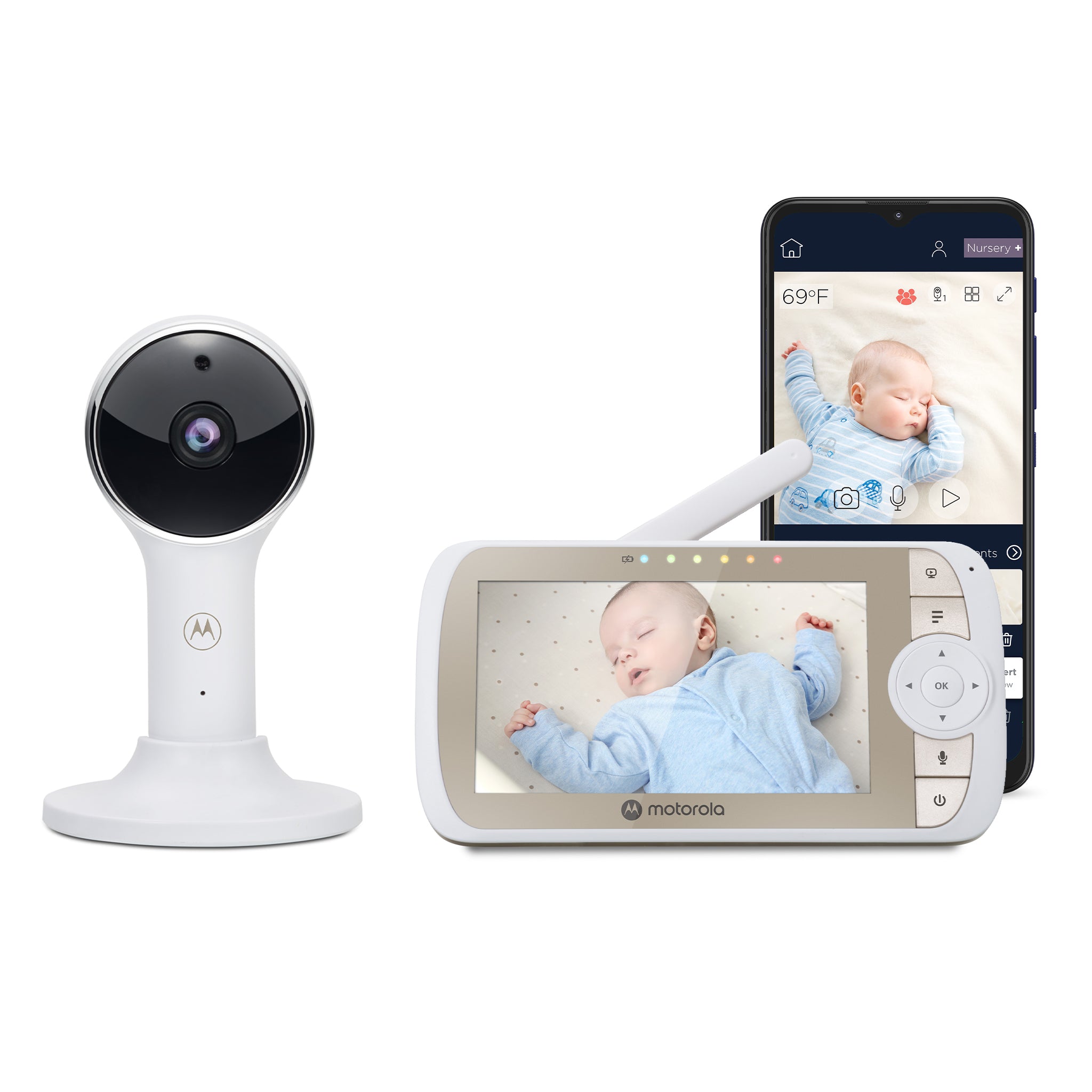
Yes. The exact VM65 CONNECT kit contains one camera and a five-inch parent unit. The local FHSS receiver route does not use home Wi-Fi; the optional away-phone route needs camera Wi-Fi/app setup, internet and a compatible device.
Explore this need in the finder →Must the parent unit itself have the mechanical camera head swivel remotely?
The manual documents digital image pan/tilt and up-to-2x zoom; it does not establish a motorized head. If physical camera movement is essential, do not count digital reframing.
Explore this need in the finder →Would you require a second camera to be in the reviewed box from day one?
This exact base package is the one-camera configuration. Its family expansion capacity and a separate add-on camera do not count as an included two-camera kit.
Explore this need in the finder →Is at least five hours of continuous screen-on battery operation essential?
The guide’s up-to-five-hour parent-unit figure is a maximum claim with no screen-on condition. The manual does not establish five hours of continuous video, so this hard requirement remains unsupported.
Explore this need in the finder →One camera, one parent screen, two distinct ways to check in
The Motorola Nursery VM65 CONNECT is the one-camera configuration in the VM65 family. The U.S. product record identifies SKU 810036771047, and the exact store listing describes a five-inch parent display paired with one Wi-Fi camera. The family guide’s standard box list is one parent unit and one camera; it treats extra camera units as additions in multi-camera packs. The U.S. listing was marked sold out when checked on October 24, 2026. That is a dated stock observation, not evidence that the model has been discontinued or that every retailer is out of stock.
The key distinction is two routes. The parent display receives a direct FHSS link without Wi-Fi or an account. Away-phone viewing needs camera Wi-Fi setup, the Motorola Nursery app, a compatible phone or tablet, internet and the guide’s upload minimum per camera. The app is optional; the local screen cannot extend past its radio link.
What the larger screen changes—and what it does not
The VM65’s five-inch LCD is listed at 480 × 272 pixels. The app picture is advertised separately as up to 1080p; that is a manufacturer claim about the phone path, not the parent screen’s resolution or an independent sharpness test. The larger diagonal gives the parent unit more physical display area than Motorola’s 4.3-inch VM64 family, but it does not add pixels to the published receiver specification. If a bigger screen is your priority, compare the size and resolution together instead of assuming “Full HD” describes every view.
The directional controls move the displayed image digitally, and the manual lists up to 2× digital zoom. They do not establish a motorized camera head that swivels across the room. Aim the physical camera when you set it up; if the crib or furniture moves, you may need to reposition the unit. Digital zoom enlarges part of the existing image rather than creating additional detail. The camera has infrared night vision (the manual says the dark-room image is black and white), two-way talk, a sound-level indicator and a room-temperature readout. It also plays ten lullabies or soothing sounds and ten English audio books.
Power, range and the parts that need a network
The camera uses its supplied 5 V, 1 A adapter at an outlet; this is not a battery camera that can be moved between rooms without a power plan. The parent receiver has a built-in rechargeable 2,000 mAh battery. Motorola’s “up to five hours” is a maximum claim, but the guide does not give a screen-on test condition, so it cannot satisfy a hard requirement for five hours of continuous video. The receiver can turn its video off to save power while leaving audio active. The guide also differs on screen-off timer intervals, so check the actual unit.
The U.S. page claims up to 1,000 feet for the 2.4 GHz FHSS link. No numeric open-space measurement protocol is supplied in the guide. Walls, metal, reinforced concrete and nearby 2.4 GHz equipment can reduce reception; the manual suggests moving the camera or receiver and keeping the system away from interference sources. Treat that headline as a maximum claim, then test the monitor in the rooms and positions you will actually use. The app route adds different dependencies: the guide lists at least 0.6 Mbps upload bandwidth per camera, and Motorola’s published iOS minimums conflict within the family documents. Android 7.0 appears consistently, but verify current app compatibility before making an older phone essential to your plan.
Expansion is not the same as an included second camera
The VM65 system can pair with up to four camera units, and the manufacturer advertises split or patrol viewing when more than one camera is registered. This exact VM65 package includes one camera. A separately listed VM65 CONNECT additional camera is sold as an add-on, not a complete monitor system. If you need two rooms from the start, compare the exact VM65-2 CONNECT Twin Pack; it is not safe to treat the one-camera kit’s expansion capacity as cameras in the box.
For two-camera split viewing, the family guide says you can see multiple camera pictures while using the controls to select which camera’s audio you hear. That is a useful picture-plus-one-room-sound arrangement, not proof of simultaneous audio from two rooms. The app’s split-picture claim is separate; the sources do not establish that both app audio feeds play at once. The app page lists motion, sound and temperature notifications, but thresholds, retention and detection reliability are unspecified. Those phone notifications do not establish a motion alarm on the dedicated parent unit.
Who should shortlist this exact configuration?
Shortlist the VM65 CONNECT if one camera is enough, you want a separate five-inch receiver for home use, and the option of internet-backed phone viewing is useful rather than mandatory. It can serve households that prefer the local radio screen but occasionally want to check in from a phone. You still need power at the camera, a safe mounting position and a radio link that works through your home. Treat the temperature display as a household cue, not a medical reading.
Choose the VM65-2 if a second camera must be in the package and you are comfortable with selected-room audio in local split mode. If you need a two-camera system without the app path, compare the local-only VM75-2. If you want Motorola’s hybrid approach with a smaller display, compare the VM64 CONNECT. None of those alternatives turns a range headline into a measured result or promises that the app will work on every phone.
This assessment uses Motorola’s exact listing, product record, support page, manuals and model image; it is not a reception test. Keep monitor cords out of a child’s reach and follow the manual’s placement instructions; a camera is an aid to adult supervision, not a replacement for it or for safe-sleep practices. Compare the two verified VM65 packages before choosing the kit.
Key details at a glance
| Parent-unit screen | 5 in |
|---|---|
| Published display resolution | The U.S. product page lists a 5-inch 480 x 272 px parent LCD. The separately advertised up-to-1080p resolution refers to the Motorola Nursery app stream, not the parent display. |
| Camera-to-parent-unit connection | Two separate arrangements: a local 2.4 GHz FHSS camera-to-parent link that does not need home Wi-Fi, and an optional camera/router/Motorola Nursery app route for phone or tablet viewing; away-from-home viewing requires internet. |
| Advertised maximum range claim | 1000 ft |
| Cameras in the reviewed kit | 1 |
| Maximum camera units supported | 4 |
| Video rooms visible at once | 1 |
| Phone viewing away from home | Yes |
| User-replaceable parent-unit battery | No |
| Supplied camera lens setup | Camera requires manual physical aiming at installation. The parent controls move the displayed image digitally and provide up to 2x digital zoom; a motorized physical camera head is not established. |
| Recommended stable operation uses home Wi-Fi | Yes |
| Audio-only system | No |
| Parent talk-back | Yes |
| Room-temperature readout | Yes |
| Parent-unit batteries included | Yes |
| Preloaded lullaby count | 10 |
| Parent receivers included | 1 |
Use the exact model’s instructions for operating limits, supplied equipment and version differences.
Sources for this assessment
- Exact U.S. Motorola Nursery product page
- Exact U.S. Shopify product record, model identifier and SKU
- Motorola Nursery support entry for VM65 CONNECT
- VM65 CONNECT family User Guide V5, EN-EU&US
- VM65 CONNECT Quick Start Guide EN/ES/FR U.S. V9
- Motorola Nursery global product page for VM65 CONNECT
- Motorola Nursery U.S. store navigation and connected-video listing
- Official exact-model U.S. manufacturer product image
- VM65 CONNECT Additional Camera Unit exact U.S. listing
- U.S. CPSC exact-name model query

Check the room and the receiving setup.
Read the exact model's constraints, camera count and supervision limits before choosing a package.