
Your needs, this model
Does it fit your priorities?
Do you need two camera pictures on the local parent screen, with one selected room’s sound?
The exact Twin Pack includes two cameras. The family guide confirms local Split Screen pictures and selection of one camera’s audio. It does not document two simultaneous sound feeds.
Explore this need in the finder →Must the system carry sound from both rooms at once while showing two pictures?
No. The manual says split-screen controls select the camera whose audio is heard; simultaneous two-room audio is not established.
Explore this need in the finder →Would a remote app view of two rooms at once be useful, without requiring two simultaneous sound feeds?
The exact page advertises app split-screen for up to four camera views and the reviewed kit contains two. App split-audio behavior remains unknown, so do not make dual-room sound essential.
Explore this need in the finder →Must the camera itself swivel mechanically from the receiver or phone?
The product and manual use digital pan/tilt language, but the guide documents movement of the image and does not confirm a motorized physical head.
Explore this need in the finder →A two-camera box for two views, not two receivers
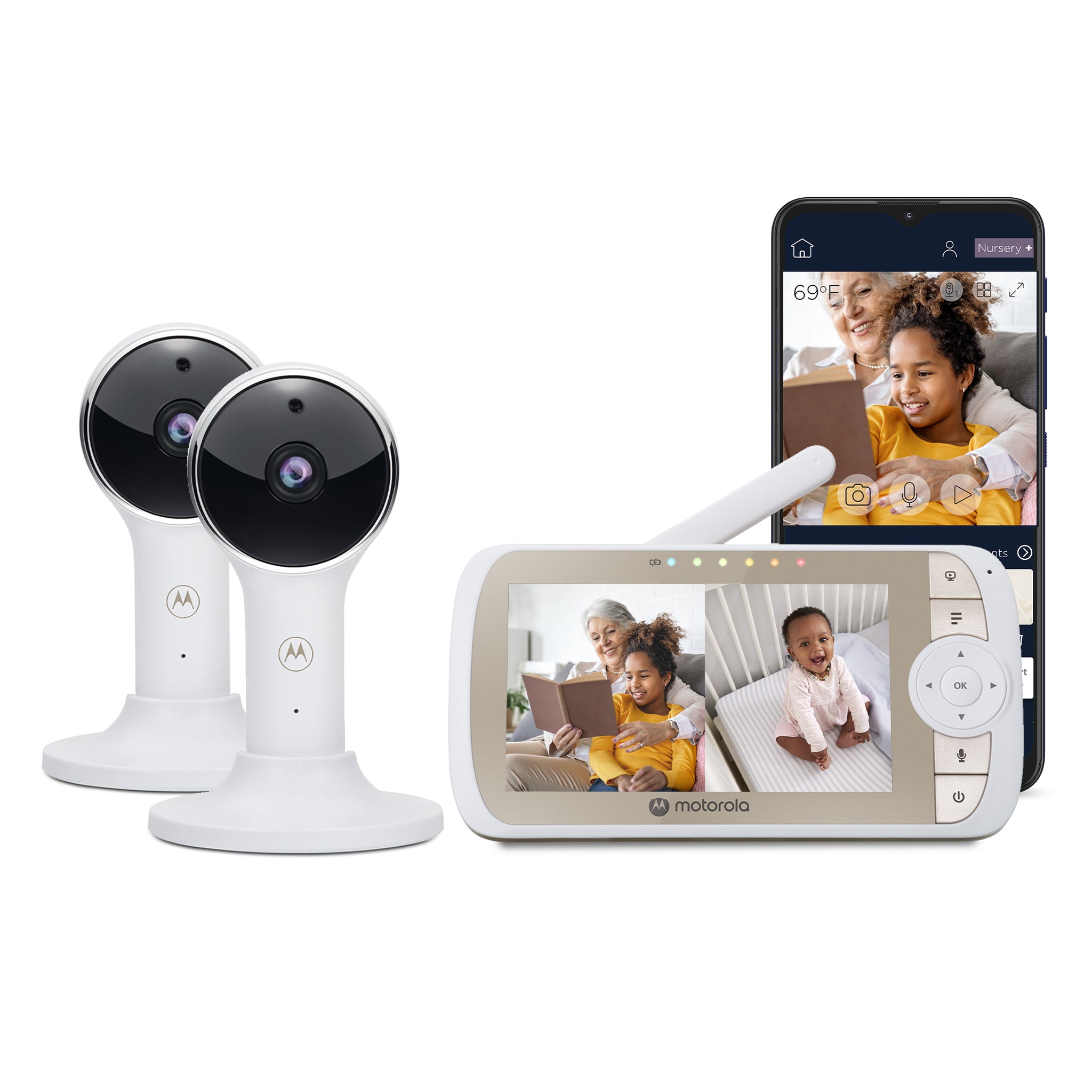
The Motorola Nursery VM65-2 CONNECT Twin Pack is the two-camera package in the VM65 family. Its exact U.S. product page calls the product a two-camera set, and the Shopify product record identifies SKU 810036770880. The exact support reference matches the SKU and links the family guide and North American quick-start guide. Its U.S. listing said sold out on October 24, 2026; that is a dated stock observation.
The box gives two camera positions one five-inch parent screen, not separate displays. In local Split Screen mode, the parent unit can show both camera pictures at once. Motorola’s guide says the controls select which camera’s audio is heard. If you need both rooms audible simultaneously, the twin kit’s camera count does not meet that need. If you only need a visual glance at two rooms and can switch the sound to the room that matters, the split view has a real use.
Local receiver first, optional app second
Both cameras pair directly to the parent over local 2.4 GHz FHSS; this home-only route needs no Wi-Fi or app account. A selected view supplies that camera’s picture and sound; split mode adds the second picture while retaining selected-camera audio. The guide also describes scan mode, which changes between registered cameras about every twelve seconds. Scan is sequential viewing, not a two-picture display.
The cameras can also be configured for Motorola’s Nursery app. The U.S. page advertises app split-screen live viewing for up to four cameras; this twin box supplies two. Each camera needs its own power adapter and a connection to the home router for that app route. Away viewing then depends on internet, a compatible phone or tablet, account setup and the guide’s minimum upload bandwidth per camera. It is separate from the direct receiver link; the guide does not promise both paths stay available in every network setup. The family guide’s iOS baseline conflicts: one section says iOS 11 or later, while its setup section and North American quick-start guide say iOS 10. Confirm current app requirements first if a particular iPhone is essential.
Shared screen, shared limitations
The parent screen is five inches with a listed resolution of 480 × 272 pixels. The manufacturer’s up-to-1080p description applies to the Wi-Fi app feed, not to the receiver or to each panel inside a split picture. Split view shares that screen between rooms, leaving a smaller image for each. It can pair up to four cameras, but two are in this box; extra views require separately sourced compatible cameras.
The camera controls are digital image pan and tilt, with up to 2× digital zoom. The manual tells you to point the camera lens at the area you want to see and adjust its angle during setup; it does not document a motorized head turning physically. If remote mechanical movement is a must-have, this model should fail that requirement even though the page uses pan/tilt wording. Digital zoom enlarges the existing image, not new detail. The cameras provide infrared night vision and two-way talk. The receiver also shows a room-temperature reading; the guide says readings turn red outside its stated bounds, but this is a room cue, not a medical or calibrated thermometer.
Plan for two camera outlets and a portable receiver
Both camera units use their supplied 5 V, 1 A power adapters at outlets. The parent unit is the part with the rechargeable 2,000 mAh battery and a manufacturer-stated maximum of five hours. The manual does not say that the five-hour number is continuous video with the screen on, so this is not a verified five-hour screen-on monitor. A power-saving mode can blank the picture while keeping sound; even the guide’s list of timer intervals differs between its menu and help sections. If a visible screen through an entire shift is important, plan for outlet power or choose from models whose manuals state an appropriate screen-on runtime.
Motorola claims up to 1,000 feet for the parent radio link but does not provide a numerical clear-line-of-sight test protocol in the user guide. Walls, metal structures and nearby 2.4 GHz equipment can weaken the link. Test both camera locations before treating the twin kit as coverage across a large or divided home. The app also requires router coverage and upload capacity at both camera positions. The product page’s app motion, sound and temperature notifications are not a promise of a particular threshold or detection accuracy, and they do not establish a local motion alarm on the parent unit.
When this twin pack is the sensible VM65 choice
Choose the VM65-2 if you want two cameras in the reviewed box, one parent screen, and the flexibility to use a local link or optionally set up the cameras in the app. Its distinct advantage over the one-camera VM65 CONNECT is the supplied second camera and the resulting local split-view option; the screen size, published pixel count and family operating limits are shared. Do not pay for the twin simply because the system can pair four units—what matters is whether two views are needed now.
If you want two local camera views but do not need remote app access, compare the VM75-2, a separate non-Wi-Fi family. If you need a smaller local receiver, the VM64-2 CONNECT is another exact two-camera hybrid with a 4.3-inch screen. The VM65-2’s two pictures do not equal two simultaneous audio feeds, and app support does not eliminate the need to test reception or network conditions.
This source-based assessment is not an independent picture, range, app or battery test. For installation, follow the exact manual: keep the camera and cords outside the crib and out of reach, route cords away from the child, and check the link in the intended rooms. Use a monitor only as one aid to active adult supervision and safe-sleep practice. See the VM65 base-versus-Twin comparison if one versus two included cameras is still undecided.
Key details at a glance
| Parent-unit screen | 5 in |
|---|---|
| Published display resolution | The U.S. product page lists a 5-inch 480 x 272 px parent LCD. The separately advertised up-to-1080p resolution refers to the Motorola Nursery app stream, not the parent display. |
| Camera-to-parent-unit connection | Two separate arrangements: a local 2.4 GHz FHSS camera-to-parent link that does not need home Wi-Fi, and an optional camera/router/Motorola Nursery app route for phone or tablet viewing; away-from-home viewing requires internet. |
| Advertised maximum range claim | 1000 ft |
| Cameras in the reviewed kit | 2 |
| Maximum camera units supported | 4 |
| Video rooms visible at once | 2 |
| Phone viewing away from home | Yes |
| User-replaceable parent-unit battery | No |
| Supplied camera lens setup | Camera requires manual physical aiming at installation. The parent controls move the displayed image digitally and provide up to 2x digital zoom; a motorized physical camera head is not established. |
| Recommended stable operation uses home Wi-Fi | Yes |
| Audio-only system | No |
| Parent talk-back | Yes |
| Room-temperature readout | Yes |
| Parent-unit batteries included | Yes |
| Preloaded lullaby count | 10 |
| Parent receivers included | 1 |
Use the exact model’s instructions for operating limits, supplied equipment and version differences.
Sources for this assessment
- Exact U.S. Motorola Nursery product page
- Exact U.S. Shopify product record, model identifier and SKU
- Motorola Nursery support entry for VM65-2 CONNECT Twin Pack
- VM65 CONNECT family User Guide V5, EN-EU&US
- VM65 CONNECT Quick Start Guide EN/ES/FR U.S. V9
- Motorola Nursery global product page for VM65-2 CONNECT Twin Pack
- Motorola Nursery U.S. store navigation and connected-video listing
- Official exact-model U.S. manufacturer product image
- VM65 CONNECT Additional Camera Unit exact U.S. listing
- U.S. CPSC exact-name model query

Check the room and the receiving setup.
Read the exact model's constraints, camera count and supervision limits before choosing a package.