
Your needs, this model
Does it fit your priorities?
Do you want two room pictures on one local parent display, and is one selected room’s audio enough?
The exact VM64-2 package includes two cameras. Its family guide documents split pictures and selected-camera audio, not two simultaneous sound feeds. The local radio route does not need Wi-Fi.
Explore this need in the finder →Would you use the optional app to check one selected camera from a phone away from home?
Yes, when the camera is joined to the home router and app account and the home Internet, compatible phone/tablet and guide-listed per-camera upload are available. The manual’s two iOS minimums conflict, so current app requirements should be checked.
Explore this need in the finder →Must both rooms be audible at once, rather than choosing which room to hear?
The VM64-2 page supports two-camera pictures, but the family manual says split view audio comes from the selected camera. It does not establish simultaneous two-room sound.
Explore this need in the finder →Do you need the camera head itself to swivel remotely?
No. The family manual describes digital image pan/tilt. It does not establish a motorized camera head; physically aim each camera during setup.
Explore this need in the finder →The VM64-2 is the twin kit, not a larger-screen upgrade
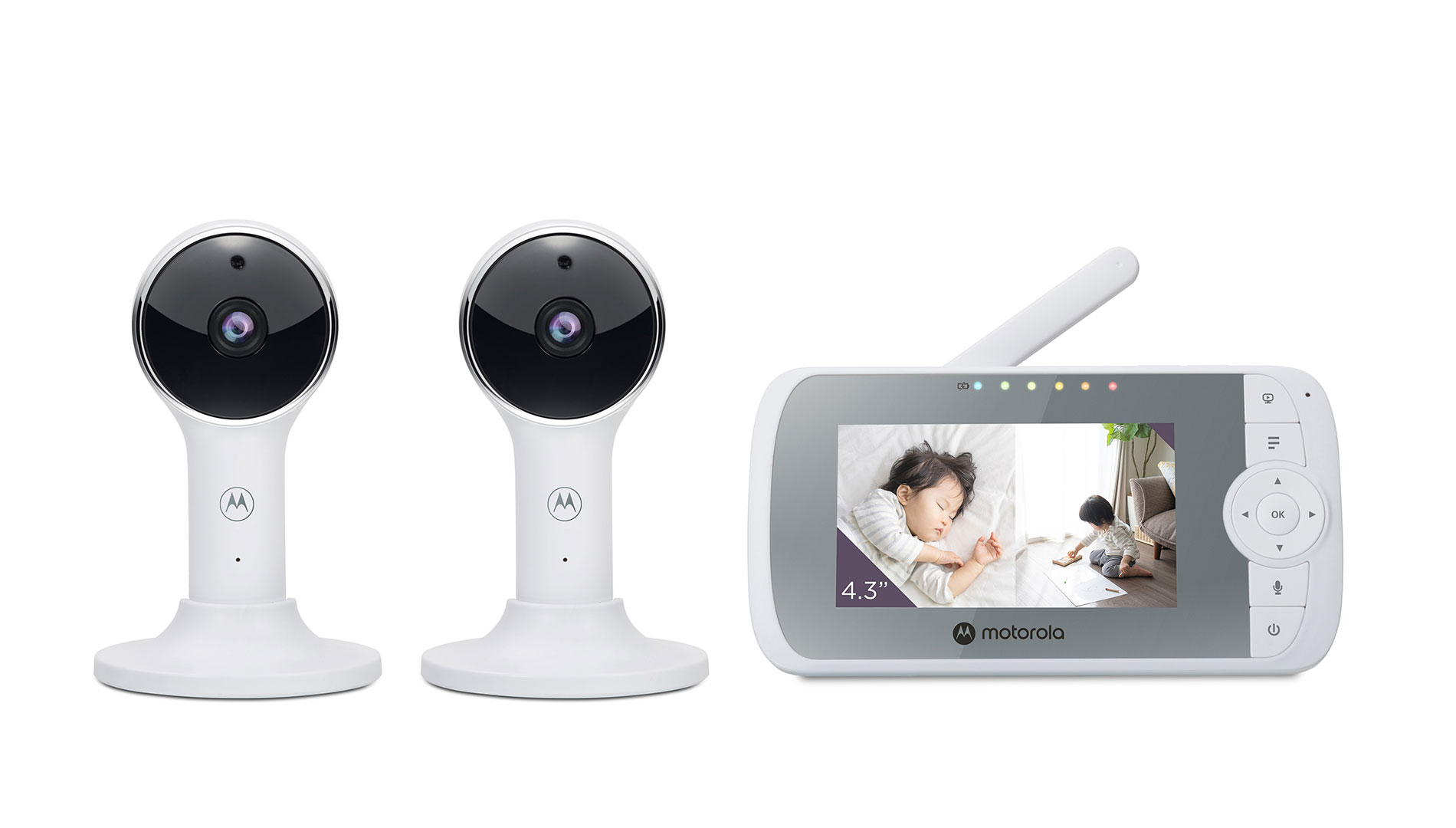
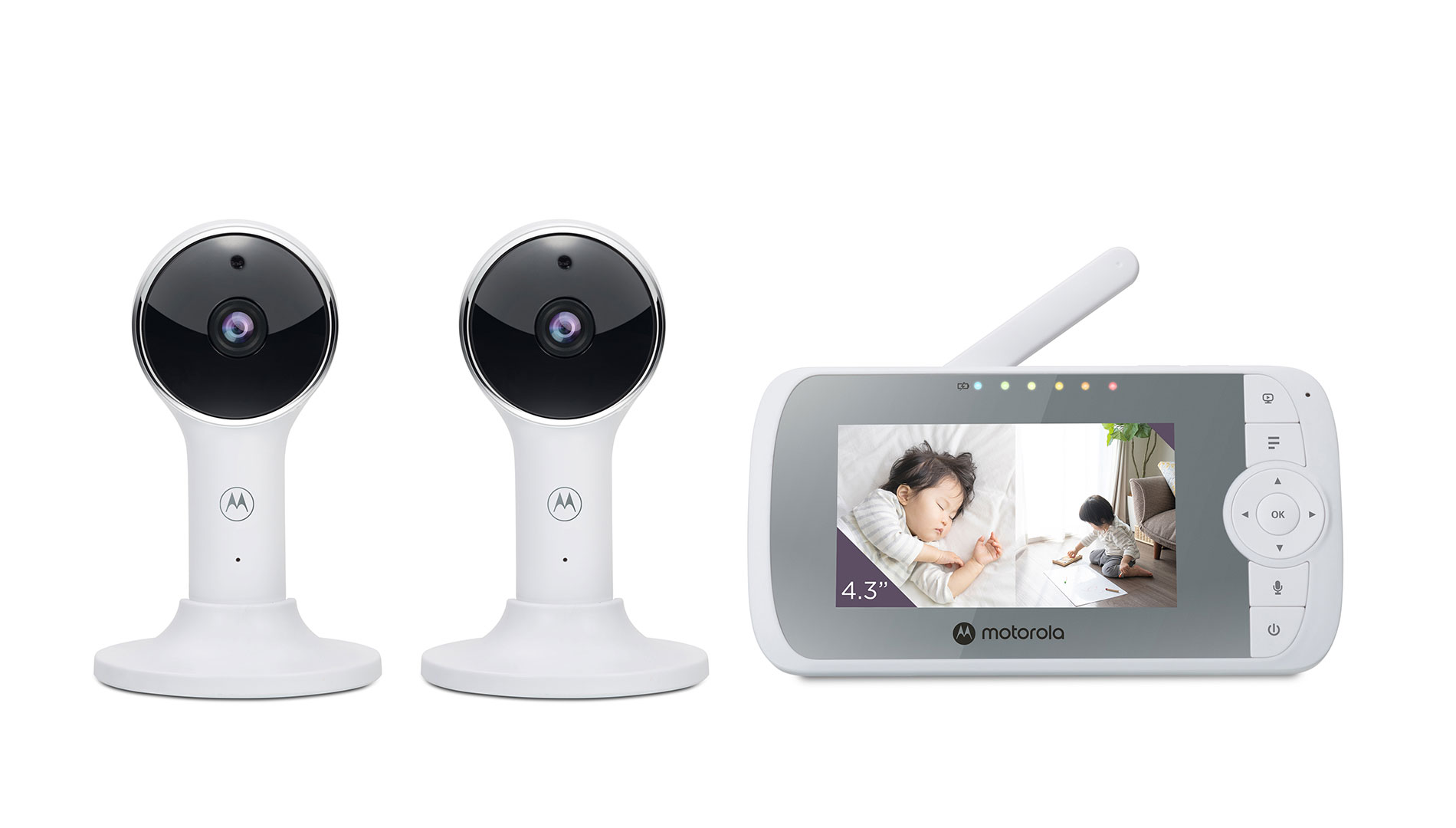
The Motorola Nursery VM64-2 CONNECT is the two-camera member of the VM64 connected-monitor family. Motorola’s exact model page calls it a “Two Camera Set” and describes a 4.3-inch parent screen, two Wi-Fi cameras and split-screen viewing. The dedicated receiver is still a single 4.3-inch, 480 × 272 display. The difference from the one-camera VM64 CONNECT is what is in this box: the VM64-2 includes a second camera, so you can set up two rooms without treating the family’s four-camera capacity as if four cameras came in the package.
That matters most when two rooms need a quick visual check at once: for example, a nursery and a nearby sleep space, or a crib and a playroom. The parent unit can show both camera pictures in Split Screen. It does not give you two separate receivers or a second larger display. Each image has less room on the same 4.3-inch panel than a single-camera view, and the guide says the sound follows the camera selected with the controls. If hearing both rooms simultaneously is a must, this is not a documented solution.
Two ways to use the cameras
For a home-only routine, pair the cameras with the parent unit and use its local radio link. The user guide describes camera-to-parent pairing separately from the app setup, so the receiver route does not depend on home Wi-Fi or an online account. In a one-camera view, you get that camera’s picture and sound. In the local two-picture arrangement, both images are available while one selected camera provides the audio. The system’s menu also has a camera-scan mode; scanning through cameras is different from keeping two pictures continuously visible.
There is also an optional Motorola Nursery phone-app route. Each camera must be connected to the home router for internet viewing, and the guide asks for at least 0.6 Mbps upload bandwidth per camera. This is useful if you want a phone check-in while away, but it introduces network setup, an account and a compatible phone or tablet. The manual’s iOS minimum conflicts: its requirements section says iOS 11 or later, while its setup section and North American quick-start guide say iOS 10. Android 7 is consistent in those documents. Check the app’s current device requirements before relying on that second route. The fact that both routes exist does not establish that they behave identically or stay connected together in every home.
What the 4.3-inch receiver and camera can—and cannot—do
The manufacturer lists a 480 × 272 receiver and advertises app video up to Full HD 1080p. These are different displays and viewing paths; 1080p is not the resolution of the parent screen or a measured result. The product also supports infrared night vision, two-way talk, a room-temperature display, and audio playback that includes lullabies or soothing sounds and English audio books. A temperature reading is a household cue, not a calibrated or medical measurement.
The manual calls the receiver’s directional controls “digital pan and tilt.” They move the image, not a verified motorized camera head sweeping across the room. Set each camera’s physical angle during installation; if the crib shifts to a blind edge, walk over and aim the unit again. The receiver can apply up to 2× digital zoom, which enlarges the crop rather than adding detail. The guide recommends placing cameras outside a child’s reach and routing power cords more than three feet away.
Plan for outlets, radio conditions and a shared screen
Both cameras need their supplied power adapters at outlets. The rechargeable battery is in the parent unit, whose 2,000 mAh capacity and “up to five hours” operation are manufacturer claims; the manual does not specify a continuous-screen test condition. Don’t treat that maximum as an all-night screen-on promise. The claimed radio range is up to 1,000 feet, but the guide gives no numerical open-space test protocol and warns that walls, metal, Wi-Fi routers and other 2.4 GHz devices can weaken the link. Check the actual signal in the rooms where you plan to use it.
The family system can pair with up to four cameras, but that is expansion capacity, not a reason to count future add-ons as included. The app page advertises split-screen viewing for up to four cameras; for this assessment, the verified two-camera kit is credited with two included camera views, not four. Motion, sound and temperature notifications are described for the app, but thresholds and detection reliability are not specified. The dedicated parent-unit facts do not establish a local motion alarm or simultaneous two-room audio.
Who should choose it?
Choose the VM64-2 if you want two camera positions supplied with a dedicated local receiver, value a split picture more than a larger panel, and are comfortable listening to one selected room at a time. The parent screen still works without the optional app arrangement, while the app can add remote phone viewing when the router, internet and compatible device cooperate.
Choose the single-camera VM64 CONNECT if one room is enough and you do not need a second included camera. If you need a larger receiver, compare two-camera local systems such as the VM50G-2; if physically remote-moving camera heads matter, compare a model whose guide documents that motion, such as the VM36XL-2. Those are different priorities, not evidence that any monitor produces tested range or picture-quality results.
This is a feature-and-fit assessment from the manufacturer’s model page, support record and shared VM64 family guides, not a home-range test. A monitor is an aid to adult supervision, not a substitute for it or for safe-sleep practices.
Key details at a glance
| Parent-unit screen | 4.3 in |
|---|---|
| Published display resolution | The exact manufacturer page identifies a 4.3-inch parent display and 480 x 272 pixels. App video is separately advertised up to Full HD (1080p); the phone stream claim is not the resolution of either split receiver pane. |
| Camera-to-parent-unit connection | Two distinct routes: local 2.4 GHz FHSS camera-to-parent monitor operation without household Wi-Fi, and optional Wi-Fi-connected cameras plus a Motorola Nursery app/account for phone viewing over the Internet. |
| Advertised maximum range claim | 1000 ft |
| Cameras in the reviewed kit | 2 |
| Maximum camera units supported | 4 |
| Video rooms visible at once | 2 |
| Phone viewing away from home | Yes |
| User-replaceable parent-unit battery | No |
| Supplied camera lens setup | Fixed physical camera aim; the user guide documents digital movement of the parent display image and 1x/1.2x/1.5x/2x digital zoom. No motorized physical camera-head rotation is established. |
| Recommended stable operation uses home Wi-Fi | Yes |
| Audio-only system | No |
| Parent talk-back | Yes |
| Room-temperature readout | Yes |
| Parent-unit batteries included | Yes |
| Preloaded lullaby count | 10 |
| Parent receivers included | 1 |
Use the exact model’s instructions for operating limits, supplied equipment and version differences.
Sources for this assessment
- Motorola Nursery VM64-2 CONNECT exact model page, titled Two Camera Set
- Motorola Nursery support entry for VM64-2 CONNECT, Ref 816479017773
- Motorola VM64 CONNECT family User Guide V5, EN-EU&US
- Motorola VM64 CONNECT North American Quick Start Guide V7
- Motorola Nursery Connected Video Monitors category directory
- Motorola Nursery U.S. connected-video shop collection
- Official VM64-2 CONNECT exact two-camera product image
- Exact U.S. Shopify product-route check for VM64-2 CONNECT
- U.S. CPSC exact-name VM64-2 CONNECT recall query
Check the room and the receiving setup.
Read the exact model's constraints, camera count and supervision limits before choosing a package.