
Your needs, this model
Does it fit your priorities?
Will your phone be the display for a one-camera room, with Wi-Fi available at the camera location?
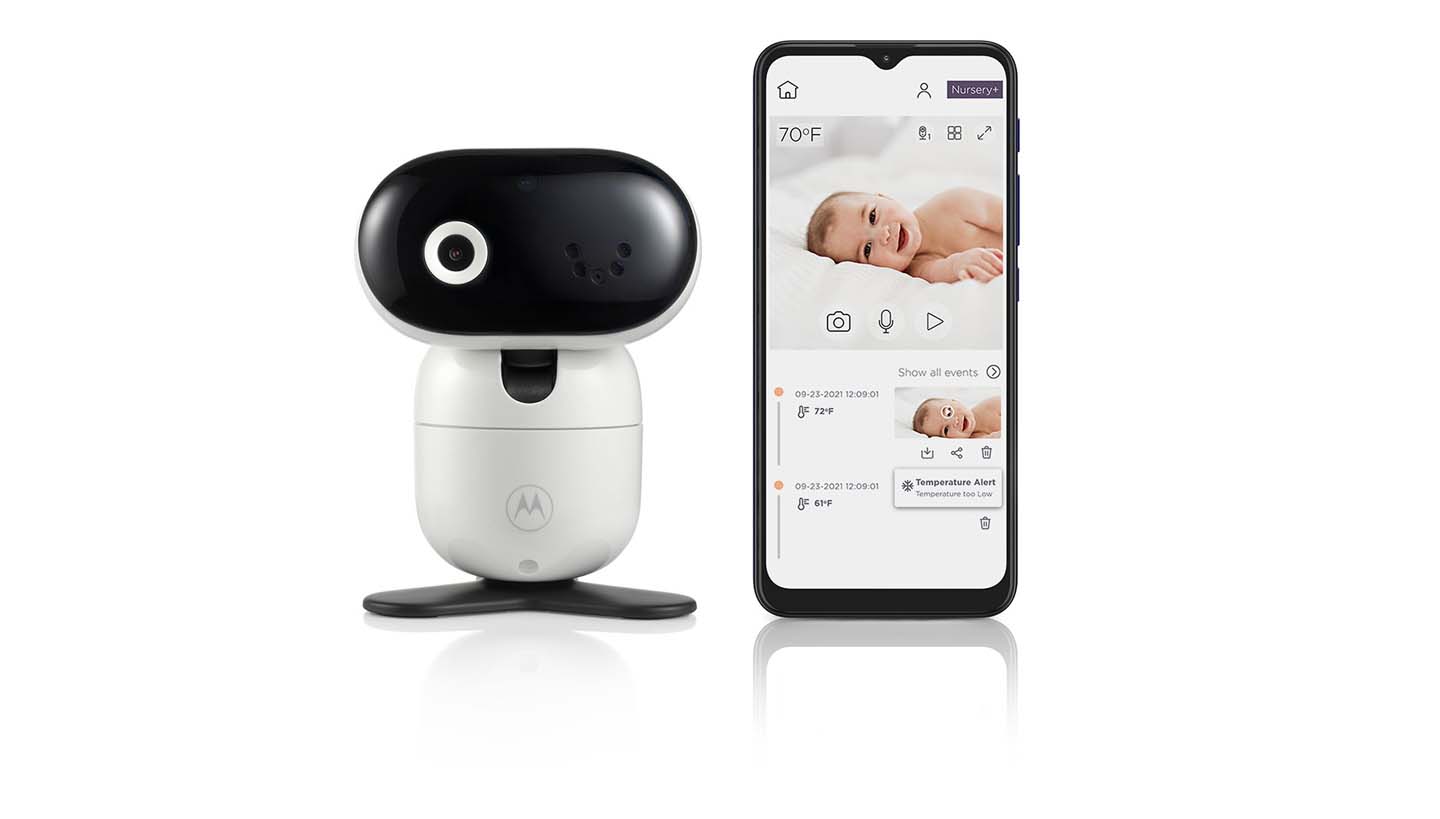
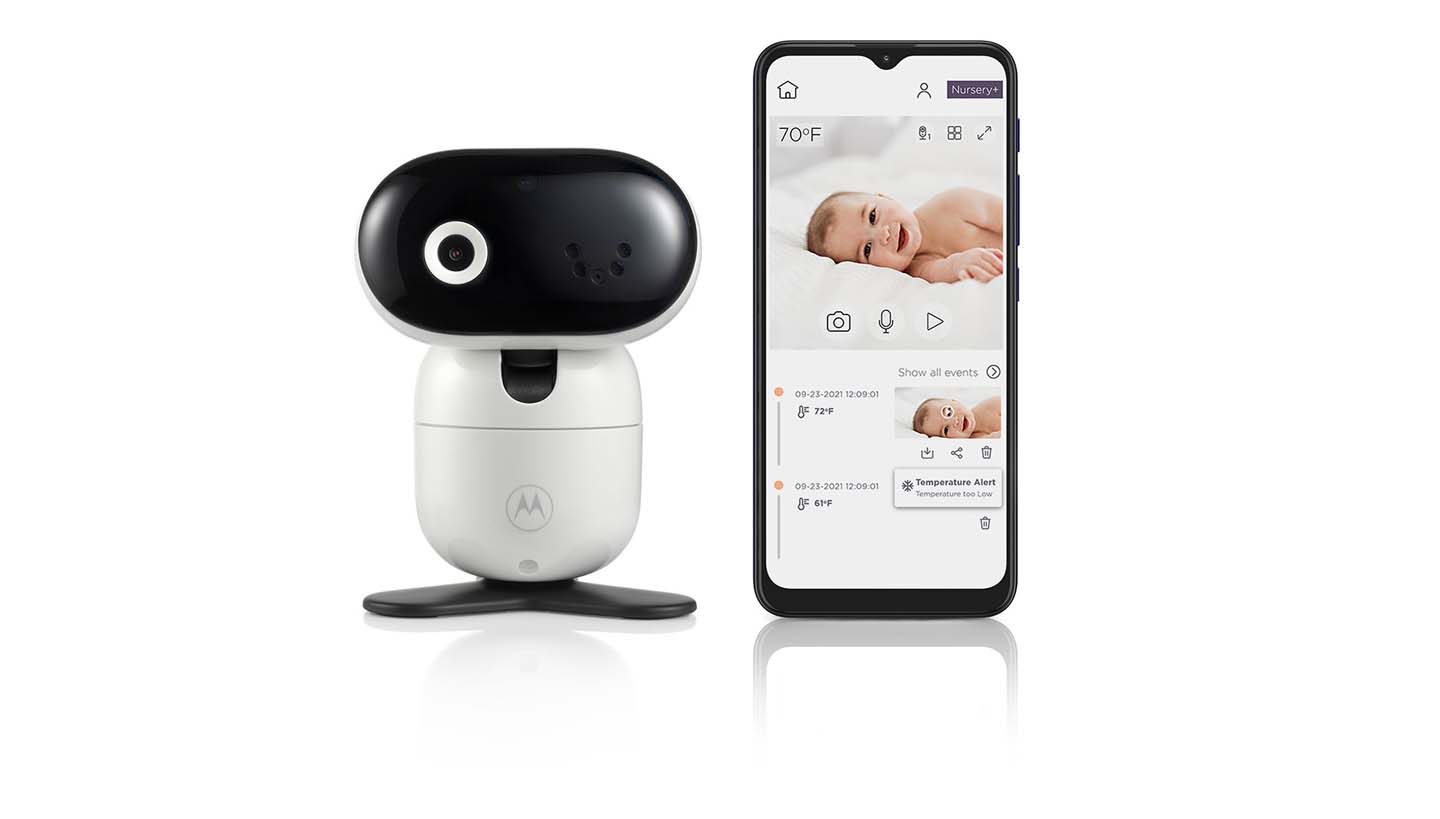
The exact one-camera package streams through the phone app and its manual describes router-based internet viewing. It does not list a separate parent receiver.
Explore this need in the finder →Must the camera head pan or tilt remotely?
The exact PIP1010 listing and support page describe app-controlled remote pan, tilt and zoom.
Explore this need in the finder →Do you need a room-temperature reading on a phone or parent display?
The exact PIP1010 guide says the temperature value is displayed on the smartphone; the listing does not establish temperature-alert thresholds.
Explore this need in the finder →Is a dedicated parent-unit motion alert essential, rather than an app notice?
The exact package lists no dedicated receiver, and the product page does not establish an app motion-notification type or a parent-unit alert.
Explore this need in the finder →A phone-only monitor with a camera that can move
The Motorola PIP1010 CONNECT is a one-camera Wi-Fi monitor whose listed viewing screen is a compatible phone or tablet. It is not the same arrangement as Motorola’s CONNECT kits that bundle a handheld receiver. If you want a bedside parent display that can stay on while your phone is elsewhere, this model does not fill that role. If your phone is already the screen you expect to use, its main advantage over the fixed PIP1000 CONNECT is remote motorized pan, tilt and zoom: you can adjust the view in the app rather than physically turning the camera.
The exact U.S. listing calls the PIP1010 a previous model and directs shoppers to the PIP1015 CONNECT. Motorola’s listing describes Full HD 1080p video, infrared night vision, two-way talk and a room-temperature reading, while the manual confirms that the temperature value appears on the smartphone. Those are manufacturer-described capabilities, not independent measurements of image quality or temperature accuracy. A room reading is a household reference, not a medical measurement.
Remote movement changes framing, not the installation
Pan, tilt and zoom are useful when one fixed camera position cannot keep the desired part of the room in view. The manual shows a desk stand and wall-mount setup; if you mount it high, the motorized view lets you adjust framing from the app after installation. It can save you from re-aiming the housing for every small change, but it does not remove the need to choose a safe camera location and route its power cord carefully. Motorola’s guide warns to keep cords more than three feet from a child and not to put the camera or lead in the crib or within reach.
Remote movement also depends on having the phone, network and camera available together. The camera must stay plugged into its supplied 5 V, 1 A adapter. That makes this a fixed-room installation, not a battery-backed travel camera. The exact manual lists 2.4 GHz Wi-Fi, Android 7.0 or later or iOS 10.0 or later, and at least 0.6 Mbps of upload bandwidth per camera. These are the guide’s published requirements, not a promise of smooth streaming through every wall or under every network condition. Test the camera from its planned location and check that your current phone still supports the app before relying on it overnight.
Understand the app path and its limits
Setup is performed through a compatible phone or tablet, and the guide says the camera connects through the Wi-Fi router; it describes server authentication when a caregiver opens the feed. Plan for home Wi-Fi and internet rather than assuming a separate local radio receiver will keep showing a picture if the router or service is unavailable. Motorola gives no measured indoor or open-space range for this model in the materials reviewed, so there is no useful distance figure to promise through walls.
The listing’s “24hr Event Monitoring and Streaming” language does not establish a 24-hour video archive, a recording-retention period or uninterrupted storage. The product page also does not list alert types or thresholds, so I would not infer a motion notification from the event wording. If a specific alert, recording history or offline fallback is essential, this is not a documented fit until Motorola’s current app terms explain it.
How the questionnaire changes its fit
Choose video, phone access, one room at a time and one included camera for the PIP1010’s documented setup. Its manual verifies a room-temperature value on the phone, so it can meet a temperature-readout requirement that accepts a phone display. It cannot meet a requirement for a dedicated parent screen or a motion alert on a separate receiver: the exact package is a camera-and-app arrangement, and those are different alert paths. The manual’s mention of multi-camera packs does not prove that this one-camera retail package includes another camera, supports a specific maximum or shows two rooms simultaneously.
The PIP1010 is marked as a previous model in Motorola’s U.S. listing, so it appears in the finder only when you allow earlier models. That distinction matters: choosing “no” keeps the shortlist focused on current or current-reference systems, while “yes” lets you compare an older app camera that still has a distinct remote-movement feature. The U.S. product record showed its default variant available when checked, but stock changes; the exact name is provided for model lookup, not as a promise of availability.
Compare before choosing a phone-only setup
Compare the PIP1000 CONNECT if a fixed view with digital zoom and manual aiming is enough. The newer PIP1015 CONNECT also uses the phone as its screen and its U.S. listing names motorized pan, tilt and zoom; its exact manual-level setup details are not established in this review set. If you want an app path alongside a separate receiver, see the PIP1610 HD CONNECT rather than assuming the PIP1010 includes one. Pick the PIP1010 only if an app-first, mains-powered camera and remote framing match the way you intend to check the room. A consumer monitor is an aid, not a substitute for responsible adult supervision.
Key details at a glance
| Camera-to-parent-unit connection | One Wi-Fi camera streamed to the Motorola Nursery phone app; no dedicated parent receiver or separate local radio-screen route is listed in the exact U.S. package. |
|---|---|
| Cameras in the reviewed kit | 1 |
| Video rooms visible at once | 1 |
| Phone viewing away from home | Yes |
| Supplied camera lens setup | One app-controlled motorized camera with remote pan, tilt and zoom and infrared night vision. |
| Recommended stable operation uses home Wi-Fi | Yes |
| Motion alert | No |
| Audio-only system | No |
| Parent talk-back | Yes |
| Room-temperature readout | Yes |
| Parent receivers included | 0 |
Use the exact model’s instructions for operating limits, supplied equipment and version differences.
Sources for this assessment
- Motorola Nursery U.S. PIP1010 CONNECT product page
- Motorola Nursery published product record for PIP1010 CONNECT
- Motorola Nursery PIP1010 CONNECT support and download page
- Motorola PIP1010 CONNECT English user guide
- Motorola PIP1010 CONNECT North American / U.K. quick-start guide
- Motorola Nursery exact-model PIP1010 CONNECT image
- CPSC exact-name query for Motorola PIP1010 CONNECT
Check the room and the receiving setup.
Read the exact model's constraints, camera count and supervision limits before choosing a package.