
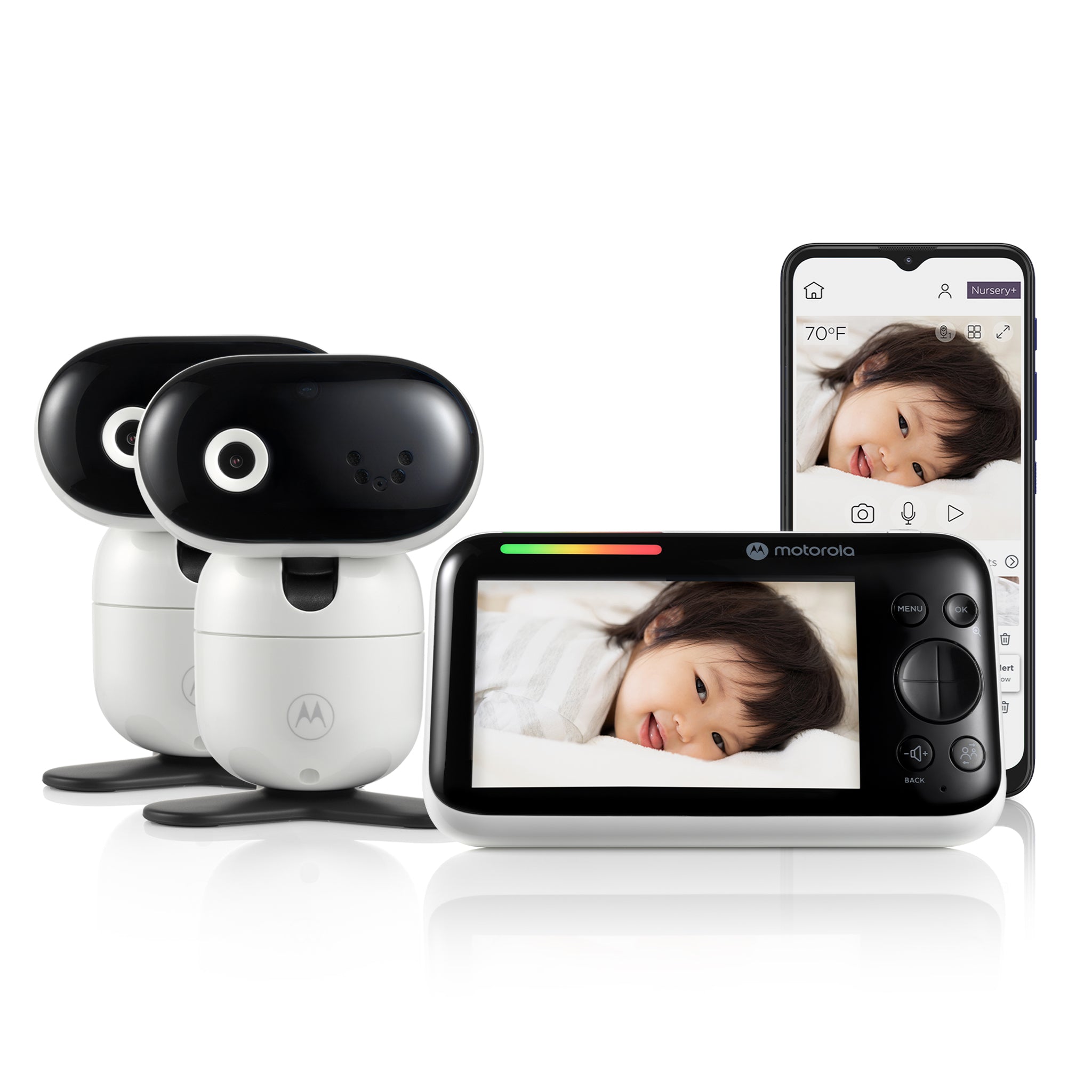
Your needs, this model
Does it fit your priorities?
Must the two nursery pictures appear together on a local screen?
This exact Twin Pack contains two cameras, and Motorola advertises split-screen on the parent unit. The manual does not establish two simultaneous audio streams in split mode.
Explore this need in the finder →Would one selected camera and its sound be enough when you are focused on one room?
The guide documents selecting an individual camera, and an individually viewed camera carries its sound. The box still includes the second camera, but it does not need to be displayed simultaneously.
Explore this need in the finder →Would you use app access to one selected camera, rather than needing two room pictures simultaneously through the app?
Remote app viewing is listed, but the exact guide establishes parent-unit split mode rather than simultaneous two-room app viewing.
Explore this need in the finder →Is a tested 1,000-foot clear-space range essential?
The page advertises an up-to-1,000-foot radio maximum, but the guide does not specify a numerical open-space test protocol.
Explore this need in the finder →The exact two-camera package adds a second room, not a second kind of monitor
Motorola’s PIP1610-2 HD CONNECT is the two-camera package in the PIP1610 connected family. The exact U.S. product page names the model as a previous model and its product data identifies SKU 810036772884. Motorola’s page showed the two-camera variant sold out on the inspection date, even while the single-camera PIP1610 HD CONNECT remained available in the same family listing. The two-camera kit is still a distinct product to assess; its availability can change, and the exact model search should retain the PIP1610-2 name rather than substitute the one-camera package.
Both included cameras can send video to the five-inch 1280 × 720 parent screen through the local 2.4 GHz FHSS system. Motorola advertises split-screen viewing for this exact two-camera package, so the two room pictures can be shown together. The user guide also documents selecting a camera and viewing one room at a time. These are genuinely different operating plans: use split-screen when both pictures matter at once, or select one camera when you want to focus on a single room. Two camera units in the box do not, by themselves, prove that sound from both rooms plays simultaneously in split mode; the guide does not establish dual-room audio. I therefore leave the split plan’s simultaneous-audio capacity unknown.
Local receiver viewing and phone viewing have different setup needs
The CONNECT twin retains the dedicated parent screen and also supports Motorola Nursery app viewing through Wi-Fi. The local receiver path uses FHSS and does not require the home router. For the phone route, the camera must be paired to a compatible Android or Apple device and connected to the home Wi-Fi; Motorola’s guide calls for Android 7 or later or iOS 10 or later and 0.6 Mbps upload per camera. The product page lists app monitoring, motion, sound and temperature notifications, and viewing up to Full HD 1080p, while the portable parent receiver is specified as 720p. The page also lists split-screen as a twin-kit feature on the parent unit.
Answer the connection and room questions separately. If you want a dedicated screen without Wi-Fi, this exact two-camera kit can use its local FHSS mode. If you need away-from-home phone access, choose the app plan and account for network setup. If two pictures must remain visible together, the split mode and included camera count matter. If you also require sound from both rooms at once, this is not a confirmed fit: the manual does not say that split-screen carries two open audio feeds. An ordinary one-room picture-and-sound plan is documented when a camera is selected individually.
Camera power, battery and range are practical limits
Both baby cameras need the supplied AC adapters. Motorola’s user guide says to plug each camera into its adapter; there is no supported battery-only camera plan. The parent unit has a built-in 2,800 mAh rechargeable battery and the manufacturer claims up to six hours of use in ideal conditions. The guide does not specify continuous screen-on conditions, so that maximum cannot satisfy a strict six-hour screen-on requirement. Its first charge should last at least 16 hours, and battery replacement is a service matter rather than a user procedure.
The listing advertises up to 1,000 feet over the local radio link. The user guide names interference from walls, metal and other electronics but gives no numerical open-space range test. A quoted maximum cannot tell you how the feed will reach a second room or floor. For phone viewing, the camera also needs reliable Wi-Fi at its installed position and enough upload bandwidth per camera; the two-camera kit therefore needs to be considered as two powered camera locations, not simply one screen with a bigger battery.
When the Twin Pack is worth seeking out
Choose the PIP1610-2 HD CONNECT when two included cameras and simultaneous local pictures are the priority, and you can supply power to both camera locations. Compared with the standard PIP1610 HD CONNECT, the material difference is a second camera and the split-screen setup—not a new display size or a different away-viewing service. If only one room is needed, the single-camera kit is the more direct match. If phone viewing is unnecessary, the non-connected PIP1610 HD avoids Wi-Fi/app setup, though it does not have the CONNECT model’s remote-phone path. If dual-room audio is essential, consider a model whose exact manual confirms that specific mode instead.
In matching terms, a two-camera local video request can fit the split plan, while a one-room audio-and-picture request fits the selected-camera plan. Requiring two simultaneous audio feeds, a six-hour guaranteed screen-on session, or a tested 1,000-foot open-space result should remove this product because the exact guide does not confirm those claims. The camera’s app motion notifications also should not be confused with a documented motion alarm on the parent unit. Keep the supplied cords and camera units safely positioned and remember that a monitor does not replace responsible adult supervision.
Sources: Motorola U.S. PIP1610-2 HD CONNECT listing, Motorola PIP1610-2 HD CONNECT support page, and the linked English User Guide V2 and North American Quick Start Guide V4.
Key details at a glance
| Parent-unit screen | 5 in |
|---|---|
| Published display resolution | 5.0-inch IPS color parent display, 1280 × 720 pixels (manufacturer U.S. listing); up to Full HD 1080p is listed for Wi-Fi app camera video, not the parent screen. |
| Camera-to-parent-unit connection | Two distinct paths: direct 2.4 GHz FHSS to the five-inch parent screen for in-home use, or Wi-Fi camera connection for Motorola Nursery app viewing. The local screen path does not need Wi-Fi; away-from-home app access does. |
| Advertised maximum range claim | 1000 ft |
| Cameras in the reviewed kit | 2 |
| Maximum camera units supported | 4 |
| Video rooms visible at once | 2 |
| Phone viewing away from home | Yes |
| User-replaceable parent-unit battery | No |
| Supplied camera lens setup | Two included motorized cameras with parent-unit remote pan, tilt and zoom; infrared night vision. |
| Recommended stable operation uses home Wi-Fi | Yes |
| Audio-only system | No |
| Parent talk-back | Yes |
| Room-temperature readout | Yes |
| Parent receivers included | 1 |
Use the exact model’s instructions for operating limits, supplied equipment and version differences.
Sources for this assessment
- Motorola U.S. PIP1610-2 HD CONNECT listing
- Motorola Nursery product support for PIP1610-2 HD CONNECT, productId 8621
- Motorola PIP1610 HD CONNECT English User Guide V2
- Motorola PIP1610 HD CONNECT North American/UK Quick Start Guide V4
- CPSC SaferProducts exact PIP1610-2 HD CONNECT query
- Motorola exact PIP1610-2 HD CONNECT image from its U.S. listing

Check the room and the receiving setup.
Read the exact model's constraints, camera count and supervision limits before choosing a package.