
Your needs, this model
Does it fit your priorities?
Does this package meet a five-inch local-video requirement without home Wi-Fi?
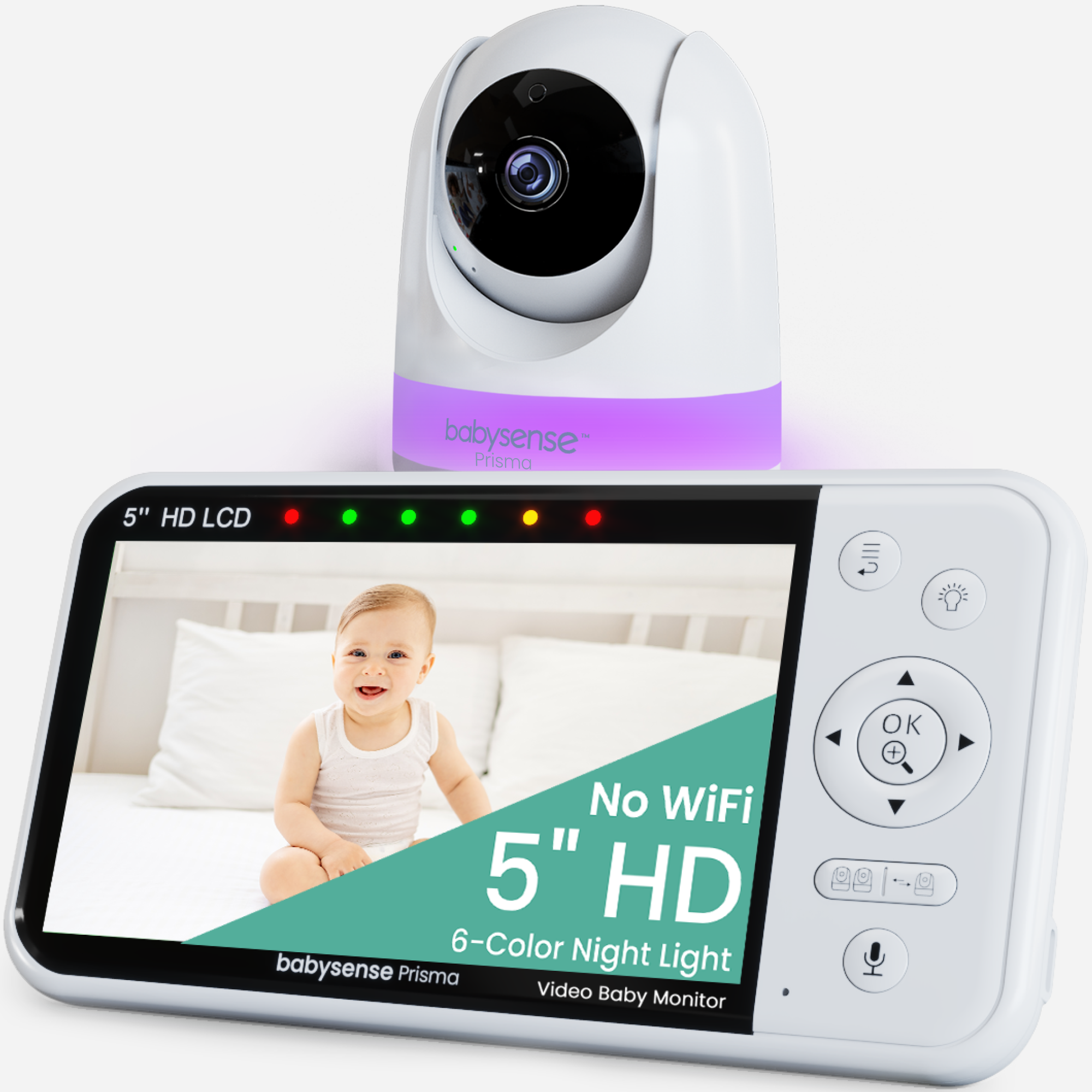
Yes. The exact SKU is a local camera-to-parent-unit system with a five-inch 1280 × 720 receiver and no documented app path.
Explore this need in the finder →Does the box include two camera views from the start?
No. This exact PRISMA-1CAM-US box contains one camera. The family can pair up to four, but the add-on camera is not in this package.
Explore this need in the finder →Can it pan and tilt remotely, but not meet a required motion alarm?
Remote pan/tilt is documented; the exact manufacturer Q&A says its non-Wi-Fi monitors do not include motion detection.
Explore this need in the finder →A one-room local monitor with a five-inch HD receiver
The Babysense Prisma one-camera kit is for a family that wants a camera picture on a separate parent screen but does not want the camera routed through home Wi-Fi or an app. It includes one camera, so its natural setup is one room at a time. The distinction between the camera-count packages is consequential: the two-camera Prisma can show two rooms side by side immediately; this one-camera box cannot do that unless a second compatible camera is added separately.
The exact U.S. listing identifies SKU PRISMA-1CAM-US. The shared Prisma guide identifies the hardware family as NVBM50 and explicitly covers both one- and two-camera packages. For the one-camera box, it lists one parent unit, one camera, two AC adapters, one wall-mount screw set and the manual. A listing feature says the parent unit can pair with as many as four cameras, but expansion capacity is not equipment in this starter kit. If a second room already matters to your routine, compare the separate two-camera SKU rather than treating the add-on option as part of this box.
What the local picture and camera controls offer
The manual specifies a five-inch TFT LCD at 1280 × 720 pixels. Its dedicated screen receives a direct local 2.4 GHz FHSS signal; no phone-viewing or internet setup is documented. That makes the Prisma a better fit than an app camera when you want a receiver that can remain on a counter while a phone is elsewhere. The trade-off is the reverse: it is not a way to check the nursery from outside the home, and reception depends on the radio path through your particular walls and floors.
The product page advertises remote pan, tilt and zoom, and the guide documents parent-unit pan/tilt controls plus 2× and 4× digital zoom. The zoom enlarges the displayed image rather than adding optical detail, and it is unavailable while split-screen is active. With one camera included, that limitation does not affect the out-of-box view; it becomes relevant only if you later pair another camera. The listing describes a 360-degree pan/tilt feature, but the manual does not give separate travel angles, so I would not buy it around a precise camera sweep.
Babysense's exact listing advertises up to 1,000 feet, while the manual says up to 980 feet / 300 meters in unobstructed open space. Treat those as approximate manufacturer range figures, not indoor coverage guarantees. The guide warns that walls, metal and nearby 2.4 GHz equipment can weaken the link; it recommends separation from Wi-Fi routers, microwave ovens and similar devices. Put the camera where it will actually be used and test reception there before depending on the link.
Sound, light and temperature are conveniences, not alerts for every event
The camera provides infrared night vision, parent-unit talk-back, a camera-side night light with six colors and three brightness levels, five built-in lullabies, white noise and a temperature display with adjustable high/low alerts. Those features suit a household that wants several bedtime controls in the same local system. The manual describes the temperature sensor on the camera and warns that positioning close to the camera body or in a stagnant corner can skew the reading. Treat a displayed value as a prompt, not a precision thermostat.
VOX sound activation is optional and off by default. When enabled, the monitor can stop sound and video transmission after the camera hears no sound for 30 seconds, then wake when sound crosses the selected sensitivity level. That is a sound-triggered screen mode, not motion detection; the exact product page says its non-Wi-Fi monitors do not have motion detection. Talk-back is also one-way-at-a-time: while the parent unit's talk button is held, the manual says you cannot hear sounds from the camera. If you require a motion alarm or simultaneous listening to two rooms, this is the wrong operating plan.
Battery estimates should not become a shift-length promise
The parent receiver has a built-in, non-removable 3.7-volt, 4,000-mAh lithium-ion battery. The manual estimates approximately up to 20 hours with VOX on, up to 15 hours in power-saving mode and up to 12 hours with the monitor on; it says a full charge takes about eight hours and that the monitor may be used while charging. These are estimates, not a guaranteed minimum or an independent runtime test. The screen-on figure is the closest match if you expect a continuously lit display, but battery age, brightness and radio conditions still matter. Keep the supplied adapter and a charging plan available rather than relying on a specific number of hours.
Choose this package for one camera, not for an imagined bundle
Choose the single Prisma when one room, a separate five-inch local screen, remote camera movement and a no-Wi-Fi connection are the essentials. Choose the two-camera Prisma if you need two included cameras and split-screen views from separate rooms; even that package focuses audio on one camera at a time. For a phone-based away-from-home feed, compare a Wi-Fi system such as Babysense FullPeek instead, while accounting for its network and app dependencies.
Follow the Prisma manual's setup limits: place the camera at least six feet from the crib, keep cords secured and out of reach, and never put either unit in a crib, bed or playpen. The product is for indoor use and the manufacturer says it cannot replace responsible adult supervision or a medical device.
Babysense Prisma one-camera listing · Official Prisma guide and download
Key details at a glance
| Parent-unit screen | 5 in |
|---|---|
| Published display resolution | 5-inch TFT LCD, 1280 × 720 pixels per the shared manual and exact manufacturer specification. |
| Camera-to-parent-unit connection | Direct local 2.4 GHz FHSS camera-to-parent-unit radio; no home Wi-Fi, internet or away-from-home phone-viewing mode is documented. |
| Manufacturer-stated open-space range | 980 ft |
| Advertised maximum range claim | 1000 ft |
| Cameras in the reviewed kit | 1 |
| Maximum camera units supported | 4 |
| Video rooms visible at once | 1 |
| Phone viewing away from home | No |
| User-replaceable parent-unit battery | No |
| Supplied camera lens setup | Product listing advertises 360-degree pan/tilt and digital zoom; the manual documents parent-unit remote pan/tilt and 2×/4× digital zoom, with zoom unavailable in split-screen. Separate verified travel-angle limits are not provided. |
| Recommended stable operation uses home Wi-Fi | No |
| Motion alert | No |
| Audio-only system | No |
| Parent talk-back | Yes |
| Room-temperature readout | Yes |
| Camera-side mood light | Yes |
| Parent receivers included | 1 |
Use the exact model’s instructions for operating limits, supplied equipment and version differences.
Sources for this assessment
- Babysense Prisma: Video Baby Monitor with 1 Camera, Non Wifi, Split Screen, Night Light & Sound Machine; exact U.S. package SKU PRISMA-1CAM-US
- Official 64-page multilingual Prisma video baby monitor manual; pages 1–12 cover both one-camera and two-camera models
- Babysense support article stating that the Prisma guide covers both 1-camera and 2-camera models
- Babysense Prisma (1 Camera) official manufacturer product rendering

Check the room and the receiving setup.
Read the exact model's constraints, camera count and supervision limits before choosing a package.