
Your needs, this model
Does it fit your priorities?
Can FullPeek provide one room on the Babysense phone app when I do not need a separate local parent screen?
Yes for the documented one-camera app path: the exact FullPeek listing and guide identify a Wi-Fi camera paired to the Babysense app, and the package list has no parent display.
Explore this need in the finder →Does the single-camera FullPeek package satisfy a requirement for two cameras in the box?
No. The linked FullPeek camera guide lists one camera in the package; the separately listed 2Peek bundle is a different two-camera configuration.
Explore this need in the finder →Can one FullPeek camera still fit a one-room phone plan if remote pan/tilt and talk-back matter?
Yes. The product listing names remote pan, tilt and two-way half-duplex talk; these functions affect one camera view and do not add a second room feed.
Explore this need in the finder →A phone-first camera, not a local parent monitor
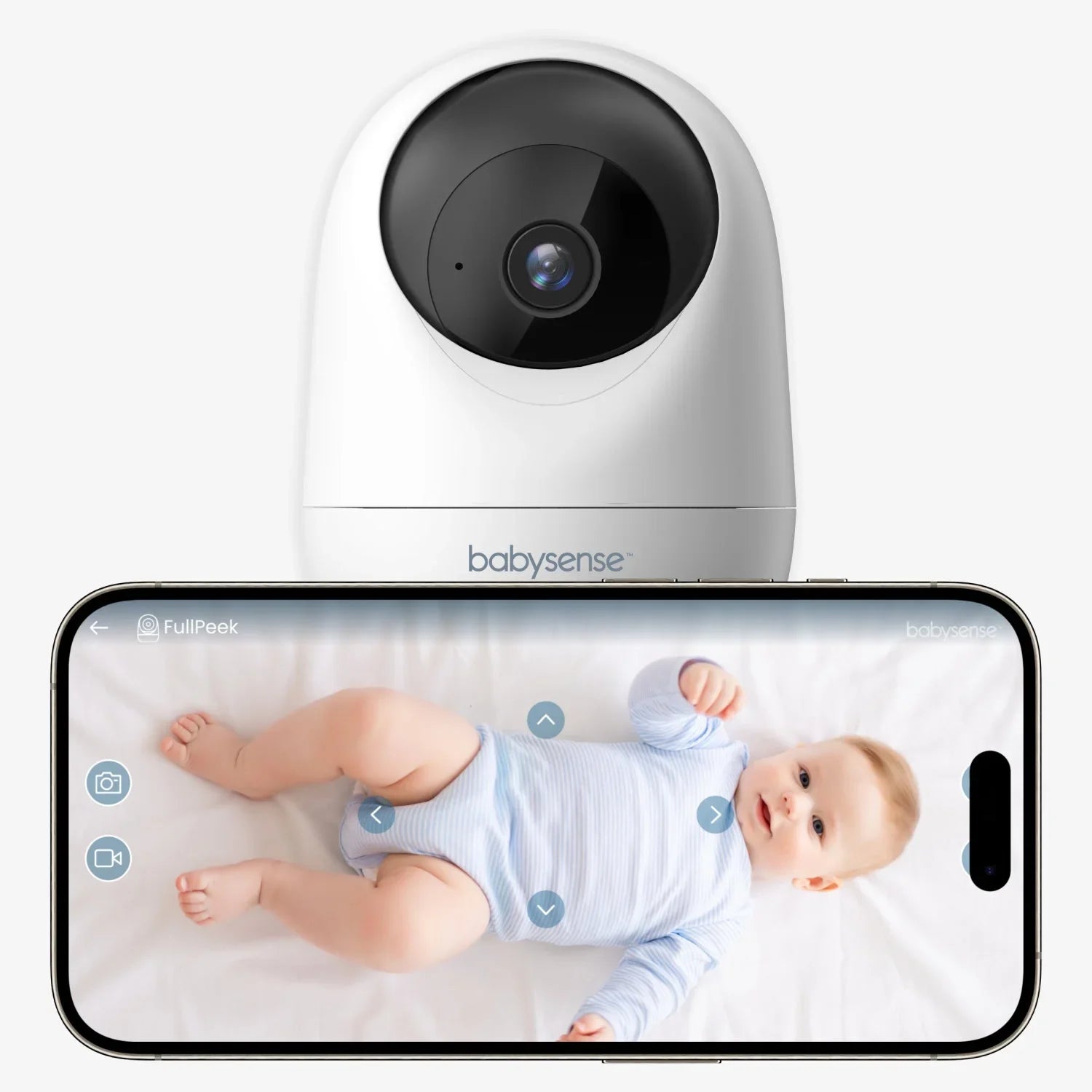
Babysense FullPeek is the one-camera Wi-Fi package for families who want to check a room through the Babysense Smart Nursery phone app. The current U.S. listing identifies this product as the FullPeek Smart WiFi Baby Monitor with 3MP Super HD Camera (SKU FullPeek-US-MD); its linked FullPeek guide lists one camera. There is no dedicated parent display in that documented setup. That is the main decision: it can put the picture on a phone you already carry, but it is not the independent screen-and-radio arrangement offered by a local monitor such as the Babysense HD S2.
That phone-first design is useful if you expect to check in from another room or away from home and already have reliable 2.4 GHz Wi-Fi. It is a poor match if you specifically want an always-on receiver that works without the router, a separate screen for a caregiver, or a monitor that remains useful when the phone is elsewhere. The manufacturer also sells a two-camera 2Peek bundle using FullPeek-branded cameras; this review is for the separate one-camera FullPeek kit, not that twin package.
One live room with movement controls and app alerts
The listing gives a video resolution of 2304 × 1296 pixels and calls it 3MP. It advertises remote pan, tilt and digital zoom, automatic motion tracking, motion and sound notifications, infrared night vision up to 10 metres, and two-way talk. The product page describes talk-back as half duplex: think of it as taking turns to speak rather than a full-duplex conversation. These are manufacturer-described functions, not independent findings about image quality, alert delay, tracking accuracy or how reliably a particular router reaches a nursery.
Because this kit supplies one camera, one picture and one camera's sound are the relevant operating plan. The manufacturer image shows the app on a phone, but that does not mean the single-camera box provides multiple room views or establishes how many extra cameras the app can pair. If you already know that two children need separate pictures, compare the 2Peek two-camera bundle and check its own audio and expansion limits; do not count the other model's included cameras as FullPeek accessories. If you want two cameras on a dedicated local display, the HD S2 twin package has a very different connection path.
Wi-Fi and the home network are part of the system
The camera guide says FullPeek supports 2.4 GHz Wi-Fi only and pairs through the Babysense Smart Nursery app. The product page advertises app viewing and alerts. In practice, that means a phone-based check depends on the powered camera, the home network and an available compatible phone; an internet connection is also needed for an away-from-home check. A dual-band router is fine only if it provides a usable 2.4 GHz connection where the camera sits. Check that before making remote access essential, and try the intended camera location rather than assuming signal strength from the router's room.
There is no dedicated screen to serve as a backup receiver if the app is closed or the phone is unavailable. Nor do the product materials quantify notification timing or guarantee that a network alert arrives under every outage. If immediate sound monitoring must continue independently of the app, choose a separate local audio or video monitor instead of treating phone notifications as a substitute.
Recording headlines need a storage plan
Babysense advertises continuous 24/7 video and audio recording, and the manual shows a microSD slot. The listing says a card is not supplied. The sources I could verify do not settle the maximum card capacity, how long a given card retains footage, whether storage is local or cloud-backed in every app mode, or what recording continues through a network interruption. If saved footage is essential, confirm those specific terms and buy a compatible card only after checking the current instructions; do not read “24/7” as an unlimited archive or an assurance that clips remain available indefinitely.
Night vision is specified as infrared, with a claimed visibility distance of up to 10 metres. That is a manufacturer range statement, not a guarantee of detail in your room. Motion and sound notifications are convenient prompts, but they do not measure breathing or assess sleep safety. A camera can help an adult look in; it is not a medical device and does not replace responsible adult supervision.
Power, placement and the right alternative
The FullPeek guide's package list names one camera, a Type-C cable, an AC adapter, a wall bracket, screw set and user guide. Its specification is 5V/1A, and the setup instructions show the cable and adapter connected to mains power. A separate disposal sentence mentions a non-removable preinstalled battery, but the manual does not describe battery-backed operation or give a usable runtime; plan on a properly placed outlet rather than relying on portable or outage operation. Secure the power cord well away from the crib, keep the camera outside the crib, bed and playpen, and use it indoors as directed.
Choose FullPeek when one app-viewable room, remote camera movement and phone access matter more than a local receiver. Choose the Babysense HD S2 one-camera kit if you prefer a dedicated five-inch local display and no Wi-Fi path. The 2Peek review is the related two-camera phone bundle if you need two supplied cameras, with its own unresolved simultaneous-audio and storage questions. Read the FullPeek listing and its linked camera guide for current setup and safety directions.
Key details at a glance
| Camera-to-parent-unit connection | Phone-app camera system over 2.4 GHz Wi-Fi; no independent local parent-screen/radio path is listed for this package. |
|---|---|
| Cameras in the reviewed kit | 1 |
| Video rooms visible at once | 1 |
| Phone viewing away from home | Yes |
| Supplied camera lens setup | Manufacturer lists remote pan, tilt and zoom and automatic motion tracking; travel angles, tracking accuracy and latency are not independently measured. |
| Recommended stable operation uses home Wi-Fi | Yes |
| Motion alert | No |
| Audio-only system | No |
| Parent talk-back | Yes |
| Parent receivers included | 0 |
Use the exact model’s instructions for operating limits, supplied equipment and version differences.
Sources for this assessment
- Babysense FullPeek Smart WiFi Baby Monitor with 3MP Super HD Camera
- Babysense FullPeek 3MP Super HD WiFi Camera user guide, version V.FullPeek.01(UG)03.24
- Babysense FullPeek WiFi Camera support article hosting the guide
- Babysense FullPeek product image showing one camera beside its phone app feed
- CPSC Babysense Max View recall identifies a separate parent-unit model VBM55RX

Check the room and the receiving setup.
Read the exact model's constraints, camera count and supervision limits before choosing a package.