
On this page
Your needs, this model
Does it fit your priorities?
Would two fixed camera locations with a ten-second sequential Patrol cycle cover your rooms?
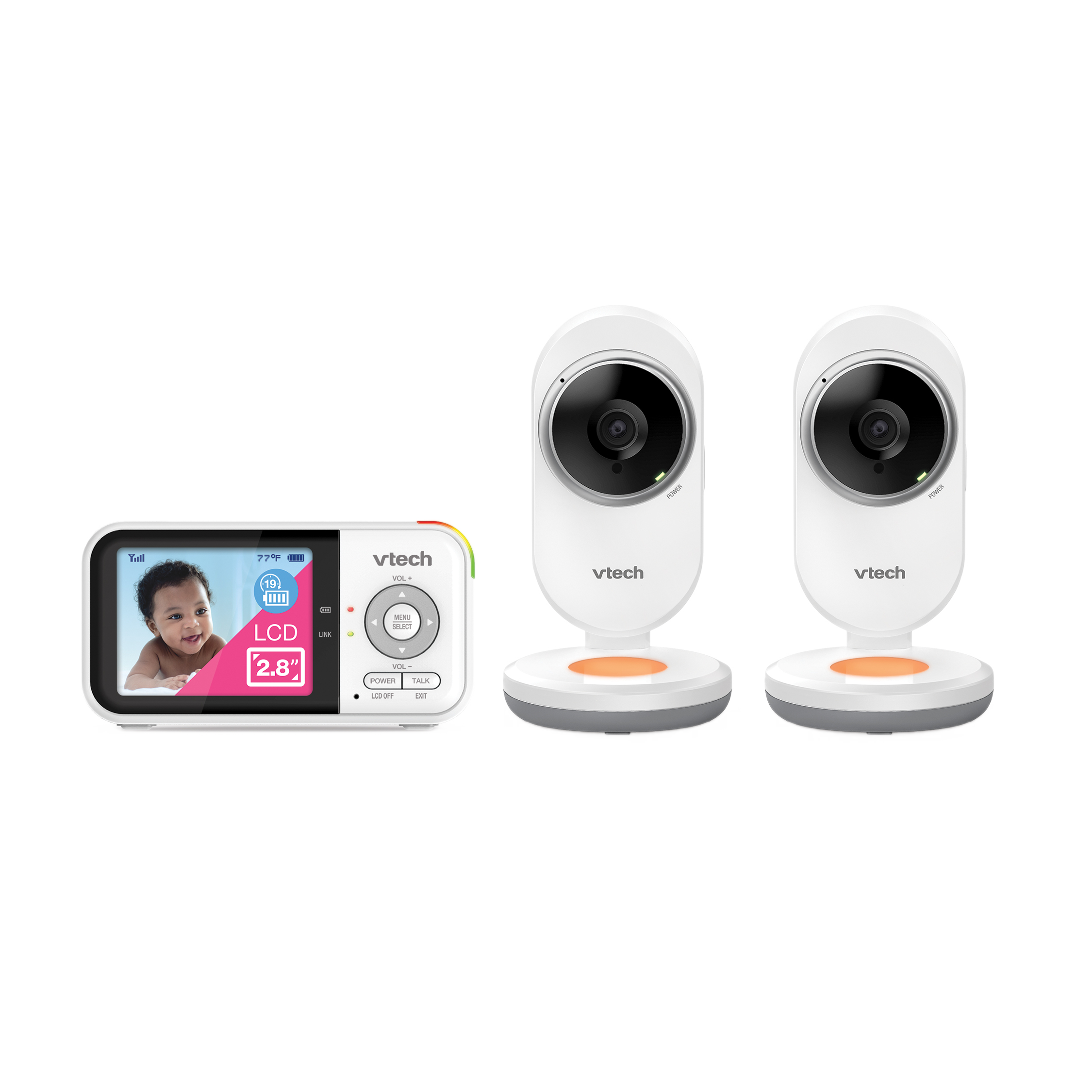
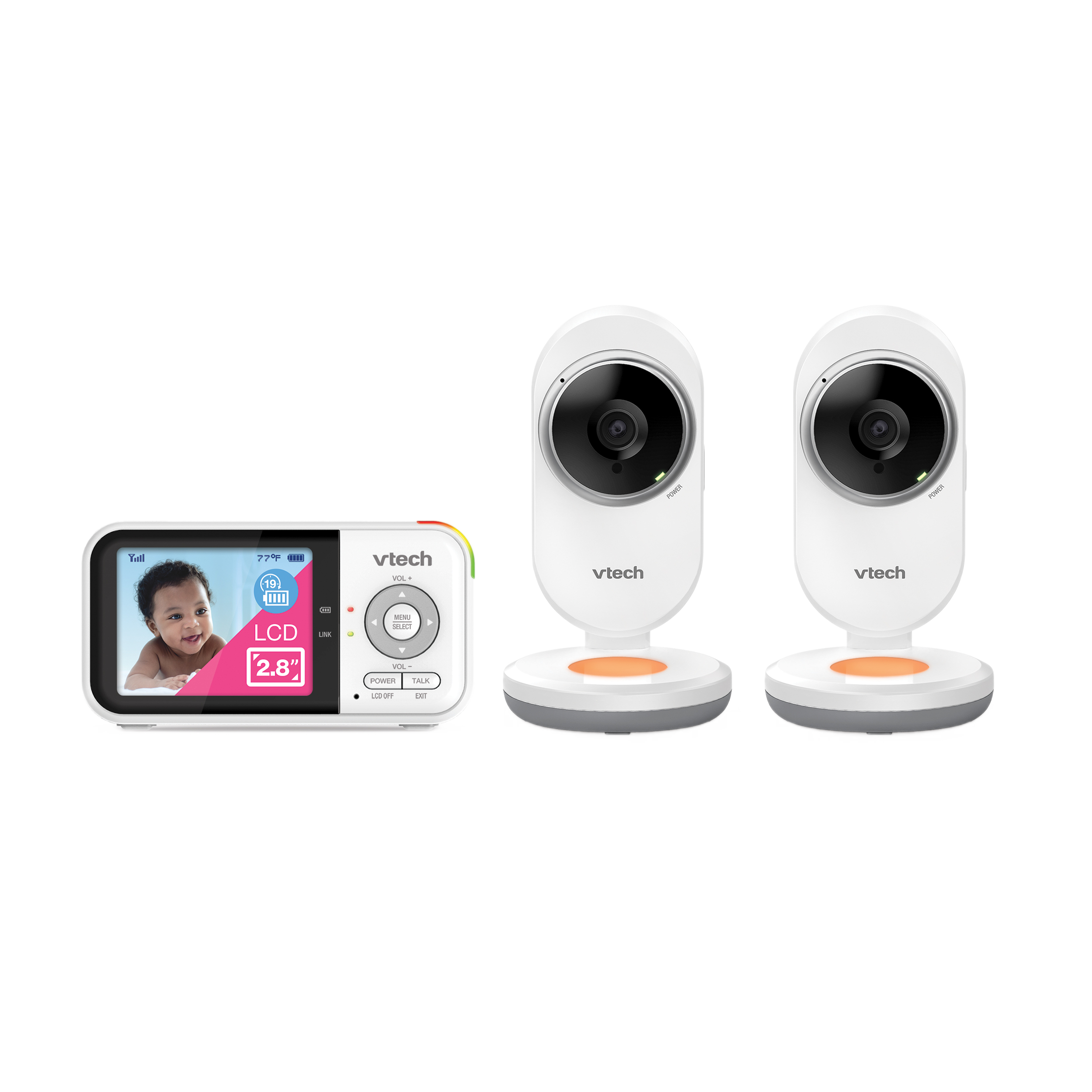
The exact VM3254-2 package includes two Baby Units and one Parent Unit. VTech’s family support article says Patrol cycles the selected full-screen image to the other camera every ten seconds; it does not show both together.
Explore this need in the finder →Do you require two live camera pictures on screen at the same time?
No. The VM3254-2 has two included camera units, but the documented Parent Unit shows one selected full-screen view or alternates sequentially in Patrol.
Explore this need in the finder →Is a local monitor with talk-back and a room-temperature readout enough, even without remote phone viewing?
The exact listing documents talk-back and temperature display. The operating plan is local radio to the dedicated Parent Unit; no away-from-home app route is documented.
Explore this need in the finder →The VTech VM3254-2 is the two-camera version of the VM3254 family: its exact U.S. page lists two baby cameras, one handheld Parent Unit and three power adapters. Its distinction is a second fixed camera and Patrol’s sequential view, not a larger screen or new connection type. If you need two pictures displayed together, this package does not meet that need.
Two cameras, one selected picture
The U.S. listing and VTech’s family guide agree that the VM3254-2 contains two sets of baby units but shares one Parent Unit. Each camera is fixed-position, so you aim both during installation. Once paired, the Parent Unit can show one chosen camera at a time. In Patrol mode it changes to the other camera every ten seconds; the manual does not describe split-screen viewing or concurrent two-room video. When the ordinary questionnaire asks how many views must be visible at once, the right answer is one at a time, not two together. The advanced camera-count choice can still reflect that the kit includes two cameras.
This separation is easy to miss in product listings: two cameras in the box is not the same as two live pictures side by side, and it is not proof that the parent hears both rooms at the same time. Use the selected-camera sound and Patrol behavior documented for the exact set. If your essential need is to watch both rooms continuously on one screen, compare products with a verified split-screen mode instead of expecting the VM3254-2 to create one.
There is one source wrinkle if Patrol is decisive: a menu note on the family quick-start guide says “VM3258-2 only,” even though that guide’s cover is for VM3254/VM3254-2. VTech’s separate, model-specific VM3254-family support article says Patrol is for VM3254-2 and specifies the ten-second cycle. I rely on that exact support entry, but keep the guide mismatch visible; verify the instructions supplied with the exact unit rather than treating the menu caption as resolved.
Local viewing, not phone access
The VM3254-2 uses the same local camera-to-Parent-Unit family design as the one-camera VM3254. Its documentation describes a direct radio connection, with no app or internet viewing plan. That can suit a family that prefers a dedicated screen and wants normal monitor viewing to work without home Wi-Fi. It also rules this model out if you need to check in from work, share a phone view, or keep viewing after you leave the home network.
The receiver is a compact 2.8-inch color screen. VTech’s manual specifies QVGA 320 × 240, while the current U.S. comparison table calls the screen 270p. That mismatch is worth keeping in mind: this is a small parent display for ordinary check-ins, not an HD panel. The camera units do not remotely pan or tilt. Their aim is set by hand, and the Parent Unit’s 2× digital zoom is a crop of the selected view, not motorized movement.
Shared family features and their limits
Both cameras have automatic infrared night vision and an amber night light. The product page describes the light’s automatic response to detected sound; the support guide also shows how to switch it on or off from the Parent Unit. The system provides two-way talk, lullabies and soothing sounds, temperature information, sound-level indicators and sound-activated screen behavior. None of these is a medical alert or a guarantee that every sound will be detected correctly.
VTech’s sound activation can switch the display on when a selected microphone threshold is crossed, then turn it off after 50 seconds without sound. Sensitivity starts at its highest level. The manufacturer notes that an external sound machine can keep the monitor active and suggests lowering its volume or reducing sensitivity. That is useful when you want a quieter display, but a lower threshold may also ignore softer sounds. Try the setting where each baby unit will be placed; do not assume that a quiet screen means the monitor has stopped listening.
The U.S. product page says the system can provide up to 19 hours of video streaming or 31 hours of audio-only use on a charge. These are manufacturer claims rather than a test of continuous screen-on runtime. Three adapters in the exact package reflect the Parent Unit and two powered cameras, so plan for outlets at both camera locations. The listing’s “up to 1,000 feet” range is also a maximum claim, not a guarantee through a home’s walls. Check reception at the installed locations and account for nearby 2.4 GHz electronics.
Placement and day-to-day setup
Patrol makes most sense when a caregiver wants one screen to rotate between two stable rooms and can accept a ten-second interval before the other view appears. If you need an immediate simultaneous glance at two rooms, pick a confirmed split-screen system. If your second room only needs occasional checking, the VM3254-2 avoids a second parent display, but you still have two cameras and power cords to position safely.
VTech’s quick guide says the camera units must remain outside the crib or playpen and out of the child’s reach, with cords kept more than three feet away. Keep the parent and baby units far enough apart to avoid feedback, and verify both links before relying on Patrol. The monitor is an aid to supervision, not a replacement for an adult or safe-sleep routines.
Fit and alternatives
Shortlist the VM3254-2 if you want two powered camera locations, one local parent screen, no documented Wi-Fi dependency and an automatic sequential way to revisit each view. Its key tradeoff is clear: it gives you a second fixed camera but never promises two on-screen rooms at once. If one camera is enough, the VM3254 has the same family display and one less camera location to power. If you need remote pan and tilt, the VM923-2 is a more relevant VTech comparison; if simultaneous two-room views are essential, choose only a model whose own manual explicitly confirms split screen.
Key details at a glance
| Parent-unit screen | 2.8 in |
|---|---|
| Published display resolution | QVGA 320 × 240 LCD in the official family guide; the current U.S. comparison table instead labels the display 270p. Preserve the discrepancy. |
| Camera-to-parent-unit connection | Direct local 2.4 GHz video/audio link between the Baby Unit(s) and Parent Unit; U.S. guide lists 32 channels across 2405–2475 MHz. No app, home-Wi-Fi or internet operating plan is documented. |
| Advertised maximum range claim | 1000 ft |
| Cameras in the reviewed kit | 2 |
| Video rooms visible at once | 1 |
More specifications and setup details
| Phone viewing away from home | No |
|---|---|
| Supplied camera lens setup | Fixed-position camera(s), manually aimed during placement; 2x digital zoom at the Parent Unit. Remote pan and tilt are not documented. |
| Recommended stable operation uses home Wi-Fi | No |
| Audio-only system | No |
| Parent talk-back | Yes |
| Room-temperature readout | Yes |
| Camera-side mood light | Yes |
| Preloaded lullaby count | 4 |
| Parent receivers included | 1 |
Use the exact model’s instructions for operating limits, supplied equipment and version differences.
Sources for this assessment
Check the room and the receiving setup.
Read the exact model's constraints, camera count and supervision limits before choosing a package.