
Your needs, this model
Does it fit your priorities?
Is a local parent display that can operate without home Wi-Fi important, with app viewing optional?
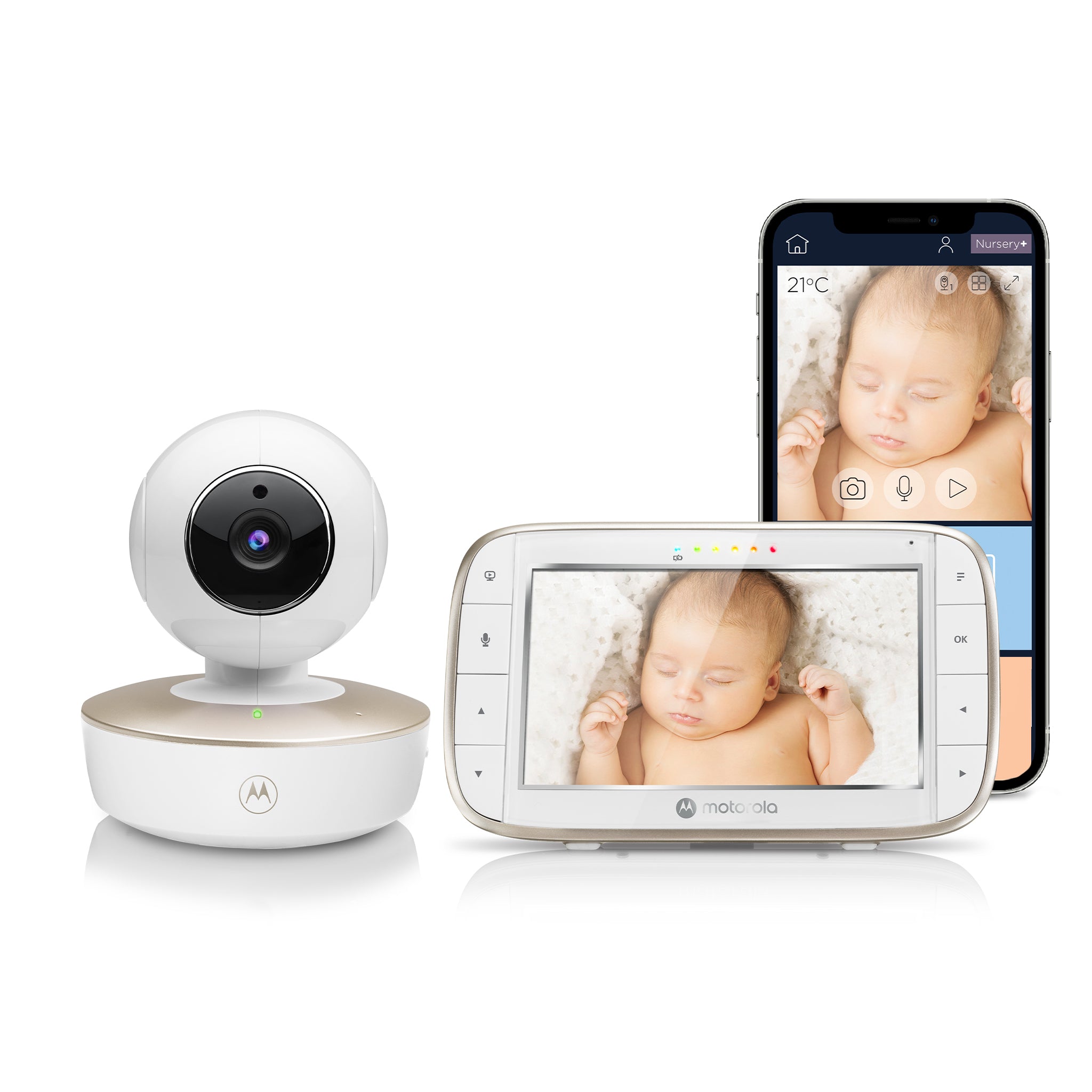
Yes. The exact VM855 kit has a five-inch dedicated parent unit; its local monitor path is distinct from the camera Wi-Fi/app route.
Explore this need in the finder →Must you be able to check in on a phone away from home?
The app route is documented, but it requires camera Wi-Fi setup, a compatible phone/tablet and Internet access for remote viewing.
Explore this need in the finder →Is a camera that can pan and tilt remotely essential?
Yes. The family guide gives parent-unit left/right pan and up/down tilt, and the current product page describes motorized pan and tilt.
Explore this need in the finder →Do you require two camera pictures at once in the exact package?
No. This VM855 CONNECT base kit includes one camera. It can be paired with additional units, but they are not in this package.
Explore this need in the finder →A local screen with an optional phone route
The Motorola Nursery VM855 CONNECT is the one-camera package for someone who wants a handheld parent display but also values the possibility of checking the room from a phone. It is not a phone-only camera: the exact U.S. listing identifies a five-inch monitor and one camera, and the family guide treats the parent-unit link and app setup as separate ways to view. That split matters if you want a screen you can carry in the house without making the router the only way to see a picture.
For everyday local monitoring, the parent unit is the center of the experience. Motorola specifies a five-inch TFT screen with 480 × 272 resolution and advertises a 2.4 GHz FHSS connection with a maximum range claim of up to 1,000 feet. Read that distance as a headline, not as a promise through bedrooms, floors or metal-framed structures. The manual warns that solid construction and nearby electronics may affect the link. Set up the camera in its intended spot, carry the parent screen to your usual rooms and check for a stable signal before relying on the arrangement.
Portability is real, but limited by battery planning
Compared with a camera that must stay on its adapter, the VM855 camera has a built-in rechargeable battery. Motorola says it can provide up to three hours of backup without the adapter; it is useful for moving the camera around the home for a short period or finding a better position without immediately routing a cord. It is not evidence of an all-night cordless monitoring plan. The manual directs first-time charging for 16 hours and says to use the supplied adapter. Treat the battery as a convenience window, not a substitute for a safe, steady power plan.
The included flexible grip mount gives this model more placement options than a camera designed only to sit on a shelf. That can help when a normal dresser angle is awkward, but a flexible mount is not permission to put the camera or cord within a child's reach. Follow the manufacturer's attachment and safety instructions, keep cords more than three feet from the child, and do not attach anything over the crib in a way that violates the guide. If you do not need to move a camera or use a flexible mount, a less portable fixed-camera system may be simpler.
Pan, tilt and night viewing have clear limits
The parent unit can remotely pan left and right and tilt up and down; the manufacturer also lists two-times digital zoom. Those controls are useful if the camera needs a small adjustment after placement. Night vision switches to black and white in low light, and the manual identifies eight infrared LEDs. A speaker and talk-back button allow a caregiver to speak through the camera. The parent screen can show temperature and sound-level indicators; those are household prompts rather than health measurements or a replacement for checking the room.
There are pleasant extras—Motorola lists lullabies, audiobooks and personal recordings—but they should stay secondary to the practical question of where the camera can safely sit, what the screen shows, and whether the local link reaches the caregiver. The product page advertises app event monitoring and motion, sound and temperature notifications. The reviewed material does not spell out event triggers, storage duration or complete capture, so do not treat the marketing phrase as a guaranteed archive of every wake or movement.
When the app helps—and when it adds work
If remote viewing away from home is essential, the camera must join a Wi-Fi router and the app requires a compatible phone or tablet, an account and Internet access for the remote route. The V4 guide lists Android 7.0 or later and iOS 10 or later, and recommends at least 0.6 Mbps upload bandwidth per camera. These are dated guide requirements; verify that the current app still supports your device before choosing this model. Setup is through the mobile app rather than a PC. If you only want a local parent display, you can keep to that pathway; if you need phone access, make network setup part of the plan rather than assuming it is automatic.
The parent unit's rechargeable battery is rated by the manual for up to five hours of monitor operation, but the guide does not state continuous-screen test conditions. The camera's three-hour backup and the parent's five-hour claim are separate figures; neither is a measured promise for every brightness, camera movement or usage pattern. A screen-off power-saving feature can leave audio active while the picture is off, which may help battery use but is not the same as continuous video. If minimum screen-on runtime is a must-have, this review leaves that requirement unknown.
Who should compare another package
This base VM855 is a natural fit for one room, a local receiver, some temporary camera mobility and optional app access. If two locations must appear together, compare the VM855-2 CONNECT Twin Pack; it includes two cameras and its split view changes the use case. The two-camera manual mode still selects one camera's audio at a time, so families that must hear two rooms simultaneously should not infer that from a split picture. If you do not want any phone or router setup, compare a dedicated local-only product. If you want a permanently fixed camera with a corded unit, the VM855's portability may not earn its extra battery and mounting complexity.
Before use, test the local parent screen at the locations where it will be carried, then separately test the Wi-Fi/app route if you plan to use it. Keep the camera and cords safely away from the crib, and use only the supplied power adapter. A video monitor is an aid for a caregiver, not a substitute for responsible adult supervision.
Key details at a glance
| Parent-unit screen | 5 in |
|---|---|
| Published display resolution | 5-inch TFT LCD, 480 x 272 pixels. The manufacturer’s 720p claim describes the app video route, not this parent screen. |
| Camera-to-parent-unit connection | A dedicated parent display receives a local monitor feed; Wi-Fi and the Motorola Nursery app are an optional, separate route for viewing on a phone or tablet away from home. |
| Advertised maximum range claim | 1000 ft |
| Cameras in the reviewed kit | 1 |
| Maximum camera units supported | 4 |
| Video rooms visible at once | 1 |
| Phone viewing away from home | Yes |
| User-replaceable parent-unit battery | No |
| Supplied camera lens setup | Motorized remote pan and tilt; two-times digital zoom. |
| Recommended stable operation uses home Wi-Fi | No |
| Motion alert | No |
| Audio-only system | No |
| Parent talk-back | Yes |
| Room-temperature readout | Yes |
| Parent-unit batteries included | Yes |
| Preloaded lullaby count | 5 |
| Parent receivers included | 1 |
Use the exact model’s instructions for operating limits, supplied equipment and version differences.
Sources for this assessment

Check the room and the receiving setup.
Read the exact model's constraints, camera count and supervision limits before choosing a package.