
On this page
Your needs, this model
Does it fit your priorities?
Can the VM85-3 family setup use a dedicated local parent screen without home Wi-Fi?
The family guide names VM85-3 CONNECT and describes the parent-unit/camera local viewing path. The exact suffix package is not verified, so this is an existing-unit reference, not a kit recommendation.
Explore this need in the finder →Does VM85-3 prove that the box includes three cameras or supports two rooms together?
No. The guide lists a generic one-camera kit and says multi-camera packs add units, but it does not map the -3 suffix to a quantity or confirm simultaneous views.
Explore this need in the finder →Can an owner use a phone away from home if the app path is set up?
The family guide describes app viewing on a compatible phone or tablet; camera setup needs home Wi-Fi and away access needs internet. The exact retail kit remains unverified.
Explore this need in the finder →What the -3 label confirms—and what it does not
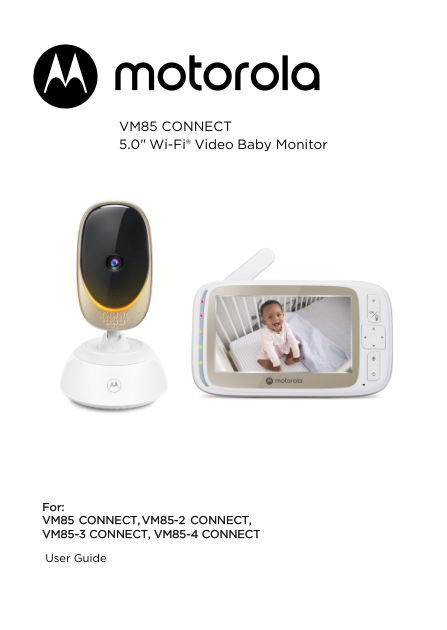
The Motorola family user guide names VM85-3 CONNECT on its cover, alongside VM85 CONNECT, VM85-2 CONNECT, and VM85-4 CONNECT. That is useful if you are trying to identify a unit or find its operating instructions. It does not supply a separate U.S. retail SKU or say how many cameras came in a -3 box. The generic “Got everything?” list describes one parent unit and one camera, then notes that multi-camera packs add camera units without mapping the amounts to individual suffixes. Do not turn “-3” into a three-camera claim. This is a manual-based identification page, not a confirmed kit recommendation.
The family’s two viewing paths
The guide describes a five-inch parent display linked to a camera for local viewing. That is the simpler fit when you want a dedicated screen in the home and do not need a phone away from the nursery. It has its own speaker and volume controls, and the screen can be switched off while audio monitoring continues. The manual also describes using the Motorola Nursery app: that route needs a compatible phone or tablet, home Wi-Fi for camera setup, and internet for remote access. It lists Android 7.0 or newer, iOS 10 or newer, at least 0.6 Mbps of upload bandwidth per camera, and says setup is done on a mobile device rather than a PC. These are separate uses of the system; the app is not a substitute path if the Wi-Fi camera has not been configured.
The parent-unit controls can pan and tilt the displayed image in scan mode. The guide describes moving the picture, not a motorized camera head, so do not treat it as proof of physical pan-and-tilt aiming. A parent can aim the camera at installation and use the on-screen controls for a different view. The camera itself needs its supplied power connection; the family guide tells caregivers to keep it at least three feet from the child and the cord out of reach. It also warns that walls, metal, and nearby 2.4 GHz equipment can weaken the radio link. No numeric indoor-range result follows from those cautions.
Useful everyday details, with sensible limits
The manual lists infrared night viewing, a mood light, two-way talk, a camera-unit temperature readout, and a parent-unit sound-level display. It does not describe the temperature display as a health monitor or a medical alarm, and a consumer video monitor is not a substitute for adult supervision. The camera can play ten preloaded lullaby or soothing-sound selections and ten audio books; personal recordings are handled through the app. A rechargeable battery is described for the parent unit, but this guide does not provide a screen-on runtime for the exact suffix package. Plan on charging rather than relying on an unstated all-night battery figure.
Who this reference helps
Use this page if your equipment or paperwork says VM85-3 CONNECT and you need to understand the shared family guide. The guide shows how the local parent display, camera pairing, picture scan, talk-back, and optional app are meant to work. It does not confirm the in-box quantity, maximum cameras, simultaneous multi-room display, product lifecycle, or exact package photograph for this suffix. Those unknowns matter if you need two or more rooms at once; they cannot be satisfied from the suffix or the number of camera slots you may see on a screen.
If you are comparing a defined retail kit, read the separate assessments for VM85 CONNECT and VM85-2 CONNECT. Their U.S. product records describe distinct one- and two-camera packages; neither establishes the contents of VM85-3 CONNECT. Until a suffix-specific U.S. package is documented, treat this page as a reference for an existing label rather than a shopping result.
Key details at a glance
| Parent-unit screen | 5 in |
|---|---|
| Published display resolution | The family guide specifies a 5.0-inch diagonal TFT LCD; it does not give the display resolution for this suffix. |
| Camera-to-parent-unit connection | Two distinct documented paths: a local parent-unit/camera link and a Wi-Fi/app route. The app path needs home Wi-Fi and internet for remote viewing; the local parent screen does not require the app path. |
| Phone viewing away from home | Yes |
| Recommended stable operation uses home Wi-Fi | No |
| Audio-only system | No |
More specifications and setup details
| Parent talk-back | Yes |
|---|---|
| Room-temperature readout | Yes |
Use the exact model’s instructions for operating limits, supplied equipment and version differences.
Sources for this assessment
- Motorola VM85 CONNECT 5.0-inch Wi-Fi Video Baby Monitor User Guide V3 (EN-EU&US)
- Motorola Nursery exact U.S. VM85 CONNECT listing (base package only)
- Motorola Nursery VM85 CONNECT U.S. product record (base package only)
- Motorola Nursery exact U.S. VM85-2 CONNECT listing (two-camera package only)
- Motorola Nursery VM85-2 CONNECT U.S. product record (two-camera package only)
- Motorola Nursery VM85 CONNECT support page
- Motorola Nursery VM85-2 CONNECT support page
Check the room and the receiving setup.
Read the exact model's constraints, camera count and supervision limits before choosing a package.