
Your needs, this model
Does it fit your priorities?
Do you want a local parent screen that works without home Wi-Fi, with phone viewing available only as an optional extra?
Yes. The exact VM85 package includes one camera and a dedicated parent unit; the guide describes a direct local link and a separate Wi-Fi/app route for remote phone or tablet viewing.
Explore this need in the finder →Must you check this camera from a phone or tablet away from home?
The app route is available, but needs Wi-Fi camera setup, a compatible device, app account and Internet for away viewing. The local parent-screen route is separate.
Explore this need in the finder →Is remote mechanical pan and tilt essential, rather than a digitally adjusted picture?
Do not count this as confirmed for a camera head that physically moves in both axes. The guide documents pan/scan and digital image tilt; Motorola describes remote pan and digital tilt.
Explore this need in the finder →Do you require at least five hours of continuous parent-screen video on battery?
Unknown. Current store copy says up to 16 hours, while the linked guide says four hours per charge; neither gives a continuous-screen test condition.
Explore this need in the finder →A hybrid monitor whose local screen is not tied to Wi-Fi
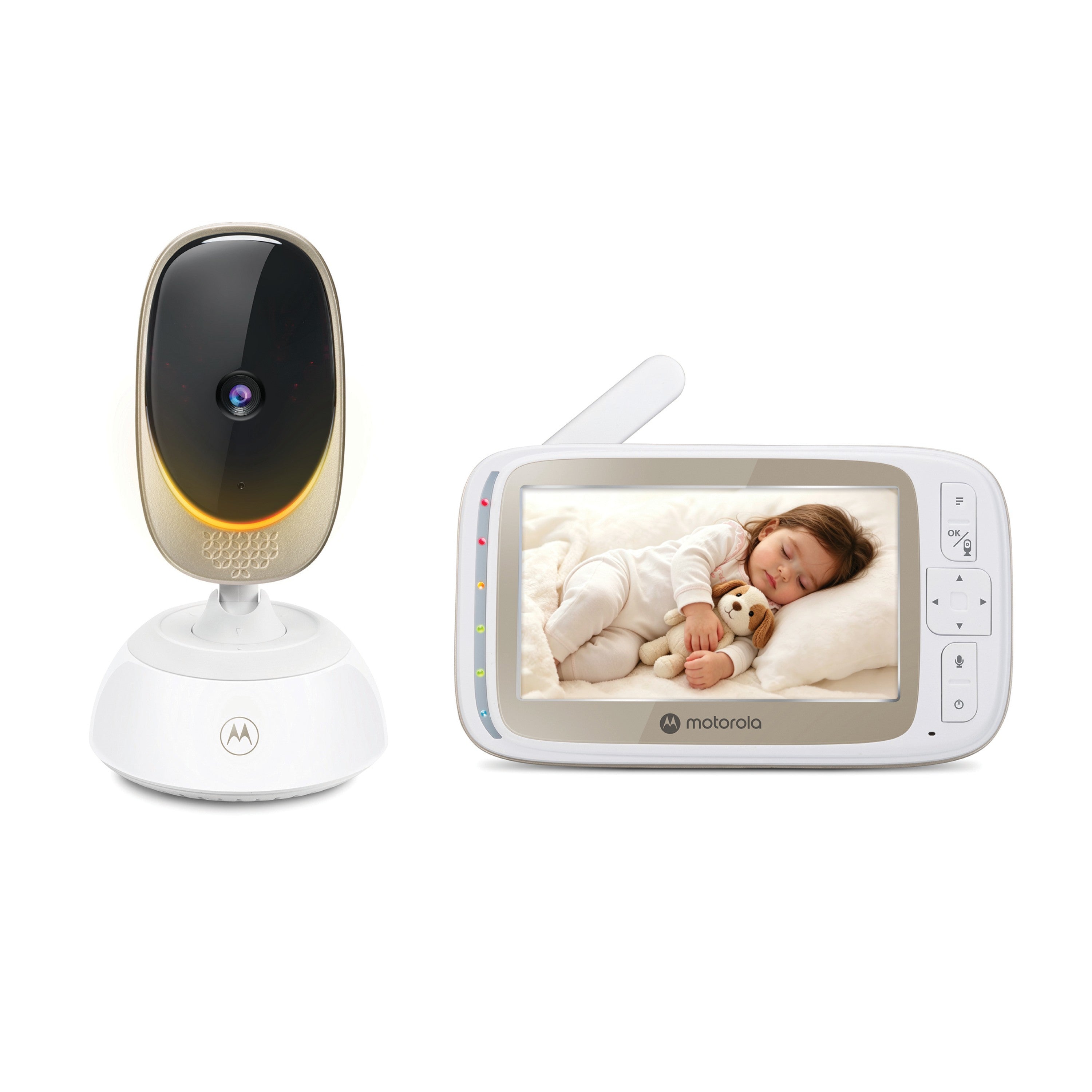
The Motorola Nursery VM85 CONNECT is the one-camera package: its U.S. product record identifies SKU 810036774284 and names one five-inch parent unit plus the VM85 camera. It is a hybrid rather than a phone-only camera. The parent monitor links directly to the camera over the local radio connection, so the basic picture and sound do not depend on a home router, Internet account or the Motorola app. The optional app route is a separate reason to consider this model: after connecting the camera to Wi-Fi and setting up the Motorola Nursery app, a compatible phone or tablet can provide a remote check-in.
That separation is valuable for a household that wants a simple local monitor every night but sometimes wants to check in from elsewhere. It is less compelling if you will never use a phone app: the network setup adds no value to the direct parent-unit connection. And the app path should not be treated as a fail-safe backup. It needs the camera to reach the router, a compatible device, an account and an Internet connection for away viewing.
The five-inch screen and camera controls need precise expectations
The manufacturer's product specification gives the parent display as a five-inch, 480 × 272-pixel LCD. The store page uses general “HD video” language, but that does not change the receiver's published resolution. The parent unit is the view you get from the direct local link; do not assume that app marketing describes the pixels on its screen.
VM85 gives you remote camera adjustment, but the details matter if camera motion is a must-have. The family guide calls its controls remote pan/scan and says the up/down controls tilt the image. Motorola describes the camera as offering remote pan and digital tilt. That supports a changeable view; it does not establish a mechanically moving head in both axes. If you specifically need the camera itself to turn left/right and physically tilt up/down, treat this requirement as unconfirmed. The controls do not replace choosing a safe, stable camera position at installation.
The manual documents infrared night vision, two-way talk, a sound-level indicator, a temperature value on the parent screen, a multi-color mood light, and ten lullabies or soothing sounds plus ten English audio books. These are convenience functions, not medical measurements or substitutes for adult supervision. The exact store page also advertises app event recording, but does not explain the recording trigger, retention period or whether every event is captured; do not buy it on the assumption of a particular recording history.
Power and runtime are the practical tradeoffs
The camera uses its supplied adapter and needs an outlet; this is not the portable battery-camera approach. That makes it a sensible fixed-room choice where a safe outlet and cable route are available, but less convenient if you regularly move the camera to follow a child around the home. The parent unit has a built-in rechargeable battery. There is a meaningful mismatch between sources: the current U.S. shop copy says “up to 16 hours on one charge,” while the linked family manual says the battery on a single charge lasts four hours and advises leaving the cable connected for longer use or overnight. Neither source defines a continuous screen-on test condition. For a hard minimum of several hours with the picture continuously lit, I would not count either claim as proven runtime; the finder leaves that condition unresolved.
The guide's power-saving mode can turn off the video after a selected interval while the parent unit continues audio. This can stretch battery use, but it changes what you see, so it is not equivalent to a long screen-on session. The manufacturer's page also claims up to 1,000 feet for the local link. That is a maximum claim, not a measured guarantee through walls: the guide warns that metal, reinforced concrete, other solid structures and nearby 2.4 GHz devices can interfere. Test the camera position and the place where you will carry the parent unit.
What the package can—and cannot—cover
This exact kit includes one camera. The system can pair with additional cameras, but expansion capacity is not a second camera in the box. The separately listed VM85 additional camera is explicitly an add-on and not a stand-alone monitor. If you already know you need two room views from day one, compare the separately named VM85-2 CONNECT Twin Pack; its exact U.S. package includes two cameras and its product page advertises split-screen viewing. A larger package is only a better fit if both positions will be used and you can power both camera units.
For a fixed camera and parent screen with optional phone access, VM85 CONNECT is a reasonable fit. If no network-dependent app is wanted, compare a dedicated local-only monitor instead. If camera portability matters more than a fixed outlet position, Motorola's VM855 family is a different design with a battery-powered camera; check its precise package and charging plan rather than assuming the VM85 camera can travel unplugged.
Plan the setup safely
The manual says to keep the camera and cord out of the crib and more than three feet from the child, use only the supplied adapter and avoid placing the parent and baby units too close together because audio feedback can result. Set up and test the monitor before relying on it, including the local link and, if wanted, the app route. A baby monitor is an aid to supervision, not a replacement for an adult checking on a child.
Key details at a glance
| Parent-unit screen | 5 in |
|---|---|
| Published display resolution | Manufacturer support lists a five-inch 480 x 272 parent display; product-page HD wording does not change the panel resolution. |
| Camera-to-parent-unit connection | A direct local camera-to-parent radio link works without Wi-Fi, alongside a separate Wi-Fi/router/app route for phone or tablet viewing. |
| Advertised maximum range claim | 1000 ft |
| Cameras in the reviewed kit | 1 |
| Maximum camera units supported | 4 |
| Video rooms visible at once | 1 |
| Phone viewing away from home | Yes |
| User-replaceable parent-unit battery | No |
| Supplied camera lens setup | Remote adjustment is advertised; the family guide describes pan/scan and tilt of the image, while product support describes remote pan and digital tilt. |
| Recommended stable operation uses home Wi-Fi | Yes |
| Audio-only system | No |
| Parent talk-back | Yes |
| Room-temperature readout | Yes |
| Parent-unit batteries included | Yes |
| Camera-side mood light | Yes |
| Preloaded lullaby count | 10 |
| Parent receivers included | 1 |
Use the exact model’s instructions for operating limits, supplied equipment and version differences.
Sources for this assessment

Check the room and the receiving setup.
Read the exact model's constraints, camera count and supervision limits before choosing a package.