
Your needs, this model
Does it fit your priorities?
Is a phone app your preferred way to check one room, with Wi-Fi and internet available?
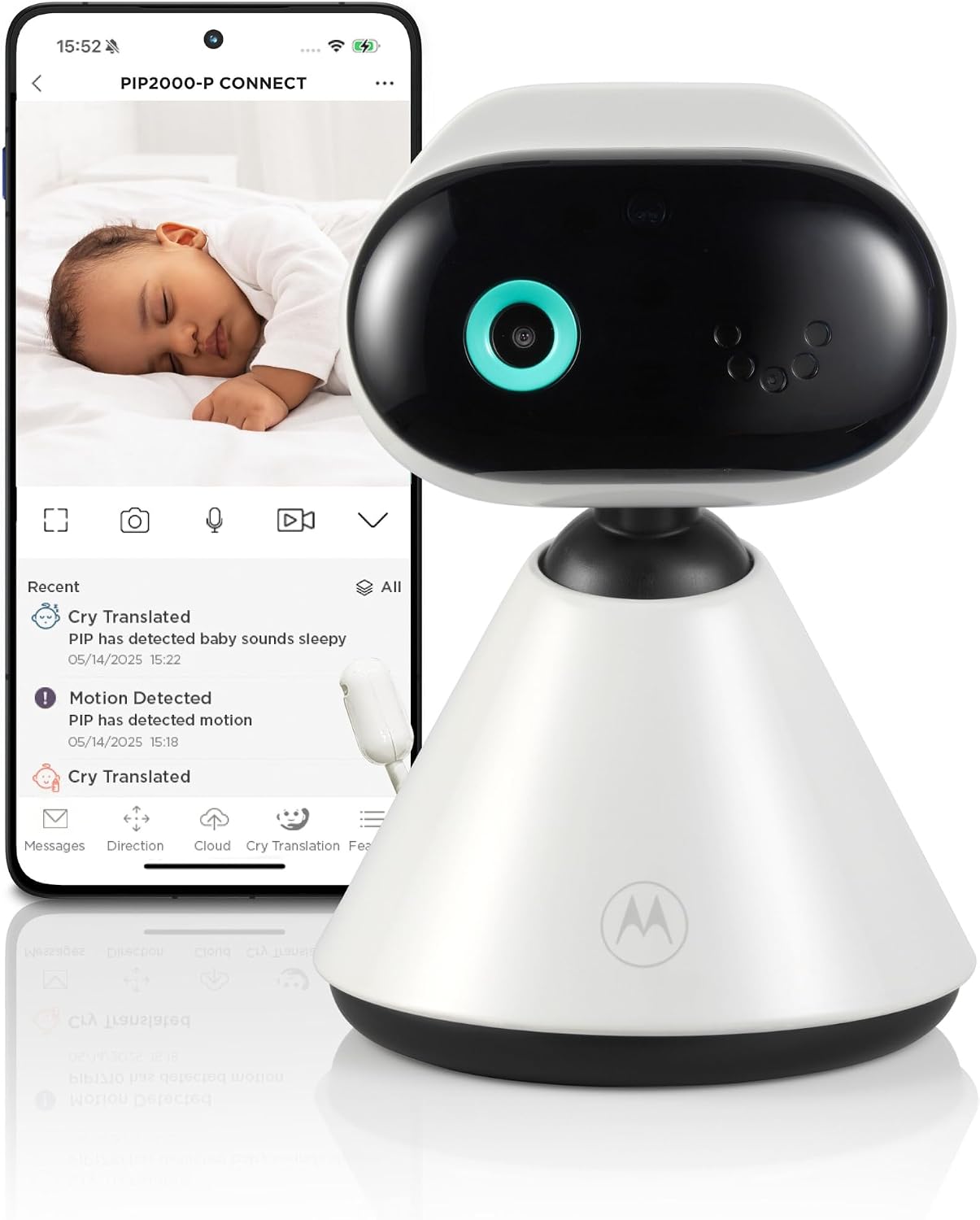
Yes, this exact one-camera kit is designed around Motorola Bebé on a compatible phone/tablet. It has no separate parent screen and no documented Wi-Fi-free viewing route.
Explore this need in the finder →Must you be able to see a room on a dedicated parent screen if home Wi-Fi is unavailable?
The PIP2000-P materials document app viewing over Wi-Fi/internet only; the listed package has no parent-screen receiver.
Explore this need in the finder →Do you need to aim the camera from your phone without entering the room?
No. The exact U.S. page says the camera is pointed by hand and has no motorized pan/tilt. Its 4× zoom is digital, not remote mechanical movement.
Explore this need in the finder →A phone-first camera, not a small parent monitor
The Motorola PIP2000-P CONNECT is a single-camera system built around the Motorola Bebé phone app. The current U.S. listing and its product record identify SKU 810036774321 and one default kit. Unlike the PIP1515 CONNECT, this package does not include a separate screen for the caregiver. That distinction should lead the decision: if you want a receiver that can sit on a nightstand, choose another setup; if checking a camera on a compatible phone or tablet suits your routine, the PIP2000-P is an app-first option.
The U.S. page promotes a 2K image, 4× zoom, infrared night vision and two-way talk. Treat 2K and zoom as manufacturer specifications, not a promise about the picture on every phone or network. The camera points by hand. Motorola explicitly says there is no motorized pan or tilt, so zooming does not let you move the view across a room.
Its viewing plan depends on the home network
The documented route is to connect the camera to Wi-Fi and watch through the Bebé app. The guide calls for an account, a compatible phone or tablet, Android 7.0 or later or iOS 13.0 or later, a router using 2.4 or 5 GHz Wi-Fi, and at least 1.5 Mbps of upload bandwidth per camera. Those are the guide’s listed baselines, not a guarantee that older devices will remain supported as the app changes. Check the signal and test the camera from the places you will actually use it.
There is no separate parent receiver as a fallback if a phone is charging, muted or in use. Nor do the sources establish a dedicated local viewing route when internet service is down. That makes this a poor fit for anyone whose essential requirement is a Wi-Fi-independent live picture. Motorola’s current product page links the PIP1515 CONNECT for a dedicated screen plus an app; its local parent screen is a different operating plan.
Portable is a useful claim with a real instruction to check
The U.S. shop describes the camera as cordless and advertises up to 16 hours on a charge, which sounds useful for moving a camera between familiar rooms or taking it along. But Motorola’s model-named English V8 guide also tells owners that the camera must remain plugged into the wall at all times. It calls for an eight-hour charge before use, yet that does not resolve the contradictory power instruction. Until Motorola confirms which direction applies to this current U.S. kit, do not make a battery-only session, travel setup or full-night runtime an essential reason to buy it. The advertised maximum is not an independently tested runtime.
The guide also says to keep the camera and cord more than three feet from a child and never place them in a crib. That placement rule matters whether the camera is run from an adapter or its claimed battery. The camera has a manual angle adjustment, so choose a safe location with the view you need rather than expecting to steer it remotely.
Alerts and recordings are app features, not a second supervision system
The U.S. listing advertises app notices for cries, motion, sound, temperature and humidity, along with sharing and event streaming. The listed capabilities do not establish exact alert thresholds, retention periods or that every event will be detected. The guide describes a temperature sensor and microSD support up to 128 GB for event or live recordings; it does not establish a calibrated temperature measurement, and whether a memory card is supplied is not confirmed in the kit record. Do not treat the room reading as medical monitoring.
BeyondCry is an optional feature, not a reason to treat the monitor as a diagnostic tool. The guide says it uses AI to offer possible interpretations such as sleepy, hungry or uncomfortable; results may be wrong, are explicitly not medical advice, and must not be used for safety-critical decisions. Activation involves the app and an internet-connected camera. The guide provides a free first month after activation and then subscription terms apply. If the app feature is not useful to your household, it is separate from the basic live camera view.
Who should shortlist it—and what to compare
Choose the PIP2000-P CONNECT when a phone-first view, one included camera, Wi-Fi app alerts and the manufacturer’s 2K claim match what you want. It is not the right answer when a local parent display, remote mechanical camera movement, verified Wi-Fi-free operation or a confirmed cordless runtime is non-negotiable. The exact kit records one camera; although Motorola says additional cameras can be added in the app, the current package does not become a two-camera kit, and concurrent multi-room app viewing is not established.
For a caregiver who wants a display at home and app access as a second route, compare the PIP1515 CONNECT. For a touch receiver and two included local camera pictures, review the PIP1710-2 CONNECT; it is a materially different package, not a substitute for a battery camera. The answers to “phone or receiver?”, “one camera or two?” and “must the camera move by itself?” should change your shortlist more than headline video resolution alone.
As with any baby monitor, use it only as an aid to responsible adult supervision and safe-sleep practice.
Manufacturer references: PIP2000-P CONNECT product page and English V8 user guide.
Key details at a glance
| Camera-to-parent-unit connection | Phone-first Wi-Fi video through Motorola Bebé; no dedicated local parent display or Wi-Fi-free monitor path is documented. |
|---|---|
| Cameras in the reviewed kit | 1 |
| Video rooms visible at once | 1 |
| Phone viewing away from home | Yes |
| Supplied camera lens setup | One fixed-position camera with manual angle adjustment, infrared night vision and 4× digital zoom. |
| Recommended stable operation uses home Wi-Fi | Yes |
| Audio-only system | No |
| Parent talk-back | Yes |
| Room-temperature readout | Yes |
Use the exact model’s instructions for operating limits, supplied equipment and version differences.
Sources for this assessment
- Motorola Nursery U.S. product listing: PIP2000-P Connect Portable 2K Wi-Fi Baby Camera
- Motorola Nursery U.S. Shopify product record
- Motorola Nursery Product Support: PIP2000-P CONNECT
- Motorola Nursery PIP2000-P CONNECT English User Guide, Version 8.0
- Motorola Nursery exact PIP2000-P CONNECT U.S. product image
- CPSC SaferProducts exact model-name recall query

Check the room and the receiving setup.
Read the exact model's constraints, camera count and supervision limits before choosing a package.