
Your needs, this model
Does it fit your priorities?
Do you need two local room pictures at once, even if two-room audio is not a requirement?
The exact Twin package includes two cameras and its family guide confirms local receiver split-screen; the guide does not confirm simultaneous audio from both rooms.
Explore this need in the finder →Must two room pictures also appear at once on the phone app?
The guide supports the app route for camera viewing but does not establish a two-room simultaneous app layout. Split-screen is documented on the parent unit.
Explore this need in the finder →Is at least nine hours with the screen continuously on a minimum?
The manual says up to nine hours on and up to 14 hours off under ideal conditions; it is a conditional manufacturer claim.
Explore this need in the finder →Does a two-camera package also need both nursery sounds open at once?
The user guide describes split pictures but does not settle simultaneous two-room audio.
Explore this need in the finder →The Twin version changes the camera count, not every kind of two-room monitoring
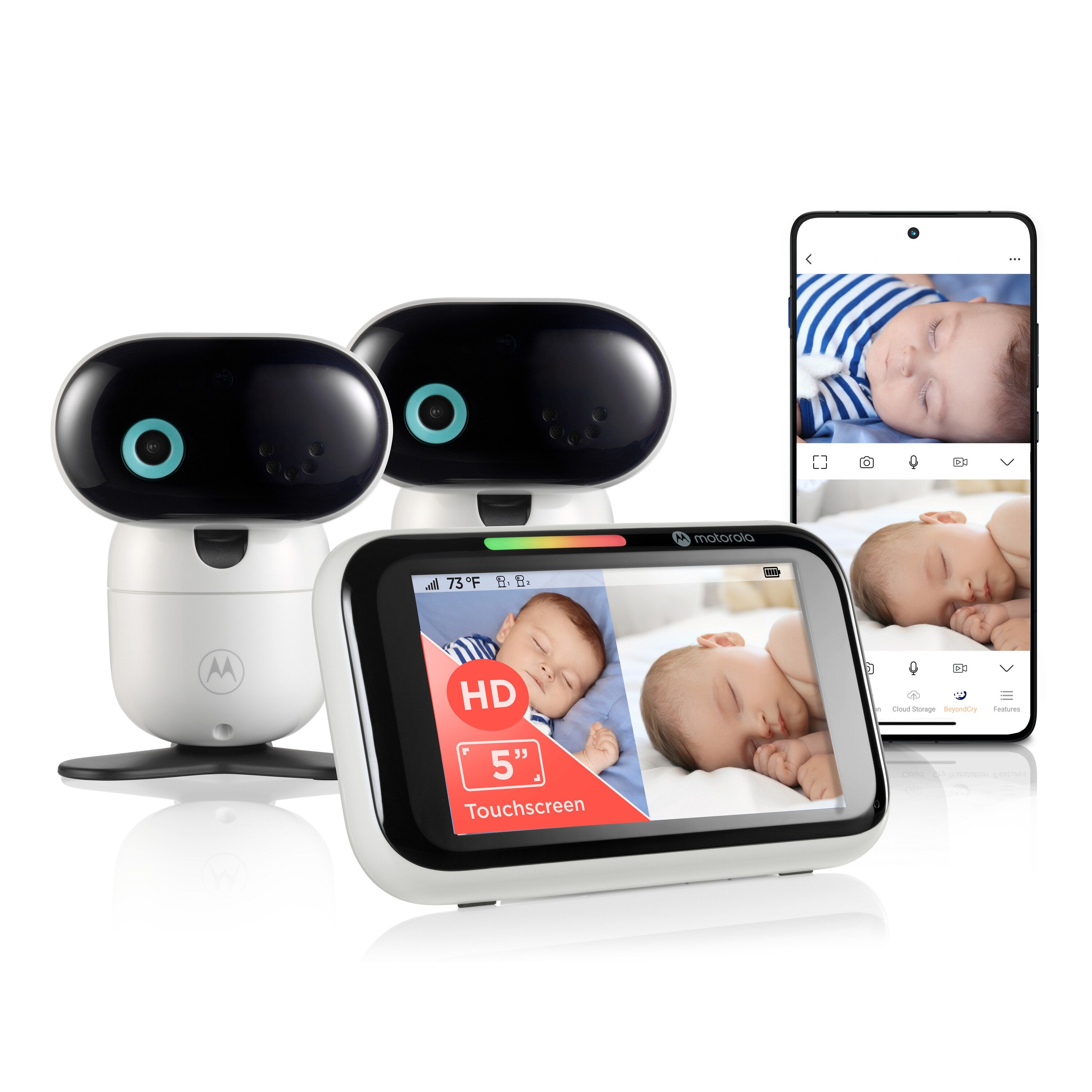
The Motorola PIP1710-2 CONNECT is the two-camera retail package in the current PIP1710 family. Its exact U.S. product page names two cameras, a five-inch touch parent screen and app access; its Shopify record identifies SKU 810036774376. The one-camera PIP1710 CONNECT is a separate listing and SKU. That distinction matters: a manual describing four camera positions does not mean all four cameras come in the box, and a Twin kit is not simply a product title with a second camera assumed.
The PIP1710-2 suits a household that wants both cameras in the same kit and needs two local room pictures on the parent unit. Motorola's English family guide describes a local split-screen view but does not confirm simultaneous two-room audio in that view. A second camera and a split picture do not prove a second open audio channel.
Local split-screen is the clearest two-room use case
With the cameras paired to the dedicated parent unit, the family guide allows multiple camera images on the screen together. That makes this package meaningfully different from the one-camera PIP1710 CONNECT: two views can be kept visible on the receiver without switching the selected room. The guide also describes selecting a particular camera and patrol mode when more than one camera is registered. It does not state that the parent unit carries both rooms' audio simultaneously while split-screen is displayed. If hearing both nurseries continuously at the same time is a must, treat that capability as unknown and look for an exact manual confirmation before choosing this kit.
The local radio link is separate from Wi-Fi. The manual says the system reaches up to 1,000 feet outdoors with clear line of sight and that obstructions reduce range substantially. This is a manufacturer's stated maximum rather than a house-specific test. Walls, metal and nearby 2.4 GHz devices can affect reception, so test both camera positions with the receiver from the places a caregiver will use it. The included cameras and receiver use their supplied power equipment; each camera needs a wall outlet. This is not a two-camera battery installation.
The phone route is useful, but do not call it a two-view app
For app viewing away from home, each camera connects through the home Wi-Fi router. The user guide specifies 2.4 GHz Wi-Fi, Android 7.0 or later or iOS 13.0 or later, and at least 1.5 Mbps upload bandwidth per camera. App setup requires a compatible smartphone or tablet, not a PC. With two cameras, the per-camera bandwidth statement is relevant to planning the network. The local screen and the app are distinct paths: a working local display does not supply remote phone access, and an internet problem can interrupt the app without changing the local-radio option.
The product page promotes app viewing, but the manual does not confirm that the app can display both rooms simultaneously. For an essential two-picture-at-once request, match the parent-unit split-screen plan only; do not count the app as a second split-view path. A single selected camera can be viewed through the supported app route, but a plan that needs both remote room feeds at once should remain unmatched unless Motorola documents it for this exact setup.
Touchscreen controls, battery figures and household prompts
The five-inch parent unit is a touchscreen. The manual says a swipe moves the camera head through pan and tilt, and infrared LEDs switch on night vision when ambient light is low. These functions make reframing a camera easier, but camera movement does not remove the need to place and secure it safely. Keep each camera and its cord more than three feet from a child and outside the crib or reach; use the supplied adapters and the manual's mounting guidance.
The manual's battery section specifies up to nine hours with the parent screen on and up to 14 hours with it off, under ideal conditions. The retailer has also used a general “up to 10 hours” claim without explaining screen state. Use the guide's nine-hour figure for a strict screen-on comparison, while remembering it is not a laboratory measurement or a promise for a worn battery. When the screen is off, the guide says audio remains active. The battery is not user-replaceable; contact support when it eventually needs service.
Motorola lists motion, sound and temperature notifications in the app. The family manual documents temperature readings and alerts, but a displayed room value is not calibrated medical monitoring. App motion notices are not proof of a motion alarm on the parent receiver. The optional BeyondCry feature requires activation in the Motorola Bebé app and a Zoundream account; a free first month is followed by subscription terms. Motorola warns that cry interpretations can be incorrect and are not medical advice. Treat this as optional, not as a reason to buy or as a safety-critical signal.
Which version fits your actual rooms?
Choose the PIP1710-2 CONNECT when two cameras are genuinely needed now, and simultaneous local pictures matter more than confirmed simultaneous audio. If one room is enough, the PIP1710 CONNECT provides the same family touchscreen and local/app concept with one included camera; it avoids paying for a second camera that may not be used. If your priority is a parent-unit motion alert, two-room audio or two app pictures at once, this manual does not establish that condition, so the finder should not call the PIP1710-2 a match.
In the questionnaire, choose video, a dedicated screen, two rooms at once and a two-camera minimum for the local split view. Do not select simultaneous two-room audio unless you have independent model-specific confirmation; the supported facts leave it unknown. For phone access, use a one-room-at-a-time requirement and accept the Wi-Fi, internet and device requirements. A monitor is an aid to supervision, not a substitute for adult care or safe-sleep practice.
Key details at a glance
| Parent-unit screen | 5 in |
|---|---|
| Published display resolution | Five-inch touchscreen; U.S. listing promotes 1080p HD video, but the English user guide does not give the parent LCD pixel matrix. |
| Camera-to-parent-unit connection | Two separate access paths: a direct local camera-to-parent radio connection for the dedicated touchscreen, and a 2.4 GHz Wi-Fi/internet camera connection for the app. Phone access depends on the network; the local parent unit does not. |
| Manufacturer-stated open-space range | 1000 ft |
| Advertised maximum range claim | 1000 ft |
| Cameras in the reviewed kit | 2 |
| Maximum camera units supported | 4 |
| Video rooms visible at once | 2 |
| Phone viewing away from home | Yes |
| Manual-stated screen-on runtime | 9 h |
| User-replaceable parent-unit battery | No |
| Supplied camera lens setup | 2 included motorized pan/tilt cameras; infrared night vision. Touchscreen swipes control pan and tilt. |
| Recommended stable operation uses home Wi-Fi | Yes |
| Audio-only system | No |
| Parent talk-back | Yes |
| Room-temperature readout | Yes |
| Parent receivers included | 1 |
Use the exact model’s instructions for operating limits, supplied equipment and version differences.
Sources for this assessment
- Motorola PIP1710-2 Connect Baby Monitor, 2 Cameras, Touch Screen & App
- Motorola PIP1710-2 Connect Baby Monitor, 2 Cameras, Touch Screen & App exact Shopify product record
- Motorola Nursery PIP1710 CONNECT support page
- Motorola PIP1710 CONNECT English User Guide V16
- CPSC SaferProducts exact-name PIP1710-2 CONNECT query
- Motorola PIP1710-2 CONNECT exact U.S. product image

Check the room and the receiving setup.
Read the exact model's constraints, camera count and supervision limits before choosing a package.