
Your needs, this model
Does it fit your priorities?
Is app or browser viewing of one room enough, without a separate parent monitor?
Yes. The exact U.S. kit includes one Lollipop camera, a wall-mount set and cable set, but no parent display. Lollipop supports phone/tablet and browser viewing through its account.
Explore this need in the finder →Must the live camera picture stay available when home internet is unavailable?
No. Lollipop support says internet is required for live viewing, so an internet outage does not have a documented local receiver fallback.
Explore this need in the finder →Do you need to aim or pan the camera remotely from the phone?
No. The manufacturer says its 128-degree camera angle is not controlled in the app; the flexible leg must be repositioned by hand.
Explore this need in the finder →Does this one-camera package meet a requirement for two simultaneous room pictures?
No. This exact box includes one camera. Lollipop documents multi-streaming after adding additional cameras, but those units are not part of this package.
Explore this need in the finder →Can this camera send an app alert specifically for detected crying?
Lollipop support documents True Crying Detection and a configurable sensitivity. This is an app function, not a medical alert or a guarantee that every event will be detected.
Explore this need in the finder →A phone camera, not a local parent-screen monitor
The Lollipop Smart Baby Camera is for a household that is comfortable checking one room through an app or browser, can leave the camera on its adapter, and has dependable Wi-Fi and internet where it will be used. The U.S. product page lists one camera, a wall-mount set and a cable set. There is no separate parent display in that package, and the manufacturer says live viewing needs an internet connection. If your must-have is a picture that keeps working when the router or internet is down, choose a direct local-screen system instead.
The exact U.S. product record covers three finishes of the same camera package: Turquoise (SKU CABC-LOL02USCY02), Cotton Candy (CABC-LOL02USPK02) and Pistachio (CABC-LOL02USGR02). The product pages list the same basic camera and included accessories; color does not create another viewing mode or a second included camera.
Stable internet and power are part of the monitoring plan
The camera connects to a home Wi-Fi access point and streams to a Lollipop account. It uses a phone app for setup and viewing, and the manufacturer also describes a browser live-view option. Bluetooth is used during first-time setup; it is not a substitute for the Wi-Fi connection. Lollipop’s current support guidance says internet is required for live video, and its separate bandwidth article recommends a stable 10 Mbps upload and download for each camera. Treat that as the manufacturer’s planning guidance, not an independently measured threshold or a promise that every router will work.
Before placing it, check that the intended camera location has both a reliable outlet and a good network signal. The camera itself is adapter-powered; the U.S. page specifies a 5 V, 2 A input and an included power adapter. There is no battery-powered camera or local receiver to fall back on if the connection is unavailable. The manufacturer supports 2.4 and 5 GHz Wi-Fi, but says the camera chooses a remembered available network rather than providing a simple in-app band switch. A hotel login page or a weak hotspot can also make setup less dependable, so this is not the easiest pick for every trip.
For compatibility, note a mismatch in the manufacturer’s own materials: the product feature block still lists older Android 4.4 and iOS 9 requirements, while current support guidance lists Android 8 and iOS 14 minimums. Use the newer support guidance and confirm that your actual phone or tablet can run the current app before buying; do not assume the older printed requirement is still sufficient.
Wide view, but framing is adjusted by hand
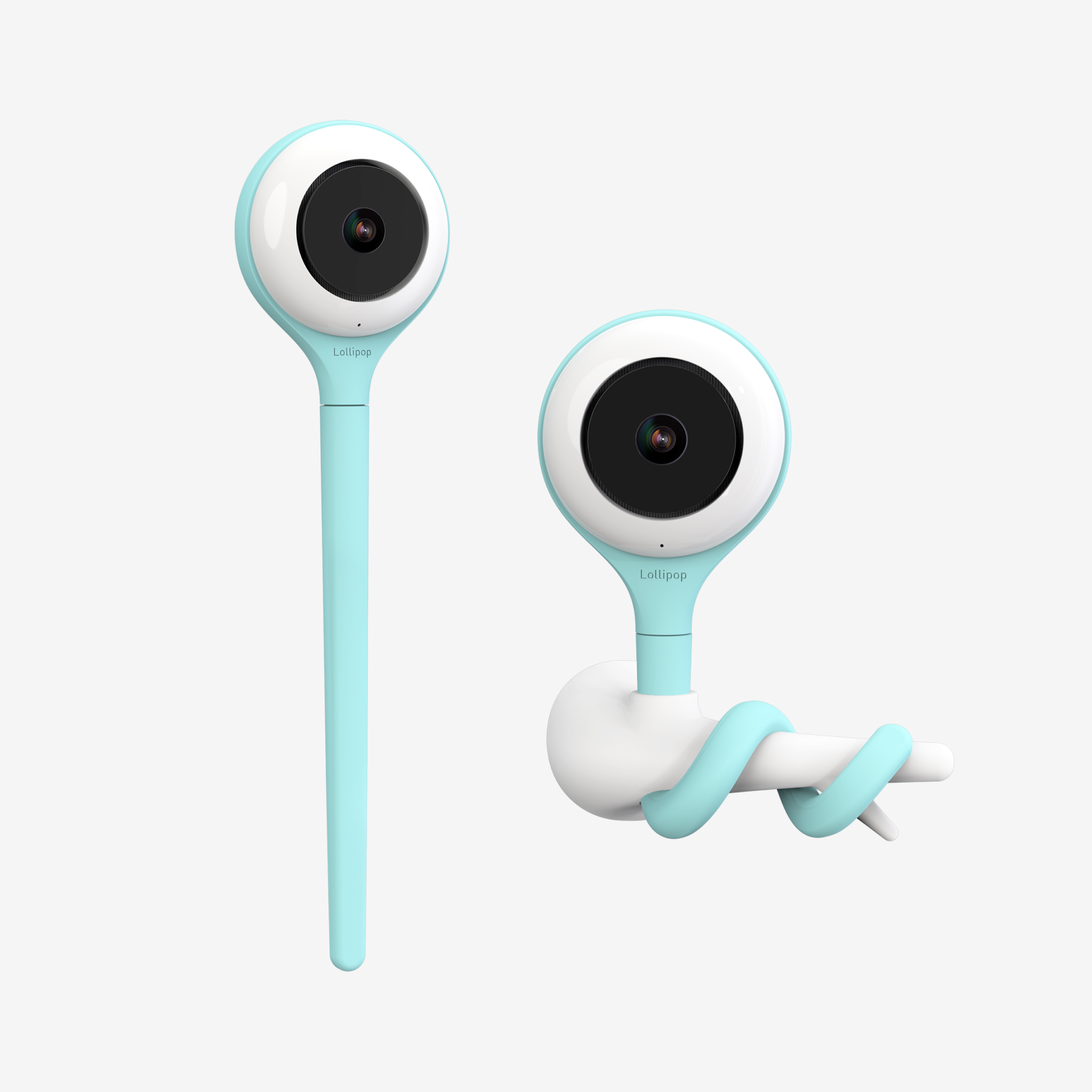
The product page claims a Full HD 1080p H.264 stream at up to 30 frames per second and a 2.07-megapixel Sony sensor. Its spec block also lists invisible infrared night vision, a microphone and a speaker. Those are manufacturer specifications, not independent image-quality or range measurements. A support page describes a 128-degree wide-angle lens and makes the practical distinction clearer: you cannot pan or tilt the camera remotely in the app. You bend the flexible camera leg to change its direction, or use a wall mount or separate floor stand to change the position.
That means this package suits a fixed view more than a household that wants to sweep a camera around the room from another room. Decide on the view before settling the mount. The included wall-mount set uses an adhesive pad or screws; Lollipop specifically recommends screws if mounting near a crib. Keep the cable routed and secured according to the manufacturer’s instructions and beyond a child’s reach. A separate floor stand is not listed among the base package contents.
App alerts and saved video are not the same as a continuous local recording
Lollipop markets crying, sound and motion detection and app notifications. Those functions are useful only if the camera remains online and the alert settings suit the household; they are not a guarantee that an event will always be detected or delivered promptly. Manufacturer support describes event clips in its basic service and reserves continuous video playback and longer history for Lollipop Care plans. Check the current plan terms if saved footage is essential, and remember that the support materials describe plans per camera. The camera does not include a local parent-unit recording system.
The company also advertises breathing-monitoring and sleep tools through its paid service. They are optional software features, not a medical device, diagnosis, or substitute for safe-sleep practice, supervision, or professional care. If your reason for buying a monitor is a health concern, ask a qualified clinician what is appropriate rather than treating an app alert as a medical safeguard.
One camera in the box; another room means another camera
The exact U.S. camera package includes one camera, so its ordinary setup is one room at a time. Lollipop’s support instructions allow a user to add more cameras and show a multi-camera split view in the app, but that does not turn this one-camera package into a twin kit. Each additional camera needs its own power and network position. The manufacturer does not establish a maximum number in the material used for this assessment, so a hard system-capacity requirement remains unknown rather than assumed.
This product makes most sense if phone access, a wide fixed view and the flexible physical mount matter more than an independent receiver. If a local screen and an offline operating plan are essential, compare the Eufy E21, whose reviewed camera can connect directly to its included parent monitor, or use the local-radio versus Wi-Fi guide to decide which connection suits your routine. For remote mechanical steering, compare systems that document motorized pan and tilt rather than expecting the Lollipop leg to move through the app.
Manufacturer sources
See the U.S. Turquoise product page, the camera user manual, and Lollipop’s guidance on network and device requirements, internet loss, camera framing and wall-mount installation.
Key details at a glance
| Camera-to-parent-unit connection | Internet-connected Wi-Fi camera viewed through the Lollipop app or browser account; Bluetooth is only part of first-time setup. |
|---|---|
| Cameras in the reviewed kit | 1 |
| Video rooms visible at once | 1 |
| Phone viewing away from home | Yes |
| User-replaceable parent-unit battery | No |
| Recommended stable operation uses home Wi-Fi | Yes |
| Motion alert | Yes |
| Audio-only system | No |
| Parent talk-back | Yes |
| Room-temperature readout | No |
| Supplied camera mount | Flexible camera leg plus the included wall-mount set and cable set; the exact box does not list a floor stand. |
| Parent receivers included | 0 |
Use the exact model’s instructions for operating limits, supplied equipment and version differences.
Sources for this assessment
- Lollipop official U.S. Baby Camera collection
- Lollipop official U.S. Baby Camera collection product data
- Lollipop official complete all-products store snapshot
- Lollipop Smart Baby Camera U.S. Turquoise product page
- Lollipop Smart Baby Camera Turquoise Shopify product data
- Lollipop Smart Baby Camera U.S. Cotton Candy product page
- Lollipop Smart Baby Camera Cotton Candy Shopify product data
- Lollipop Smart Baby Camera U.S. Pistachio product page
- Lollipop Smart Baby Camera Pistachio Shopify product data
- Lollipop Smart Baby Camera User Manual
- Lollipop support: current network, power and device prerequisites
- Lollipop support: bandwidth requirements
- Lollipop support: internet-disconnection behavior
- Lollipop support: camera angle control
- Lollipop support: wall-mount installation
- Lollipop support: silicone-tail mounting instructions
- Lollipop support: crying, crossing and noise alerts
- Lollipop support: event video and recording plans
- Lollipop support: Care plan feature comparison
- Lollipop support: add multiple cameras and multi-stream
- Lollipop support: browser viewing
- Lollipop monitor accessory collection
- Lollipop Smart Baby Camera marketing page
Check the room and the receiving setup.
Read the exact model's constraints, camera count and supervision limits before choosing a package.