
Your needs, this model
Does it fit your priorities?
Can the VM901HD cover one room with a five-inch screen and away-from-home phone access?
Yes, in the router operating plan. It includes one camera and a five-inch 720p parent unit; VTech lists remote app viewing with internet access.
Explore this need in the finder →Does a dedicated-screen-without-home-Wi-Fi requirement fit the VM901HD?
No. The guide calls Direct mode an out-of-box quick view and advises against continued use after installation; it recommends 2.4 GHz router mode for stable ongoing video.
Explore this need in the finder →Is sound from one selected room enough for the VM901HD?
Yes for one included camera. It cannot provide two separate room audio feeds at once; a simultaneous two-room audio need requires a different documented system.
Explore this need in the finder →A five-inch viewer with a genuine phone option
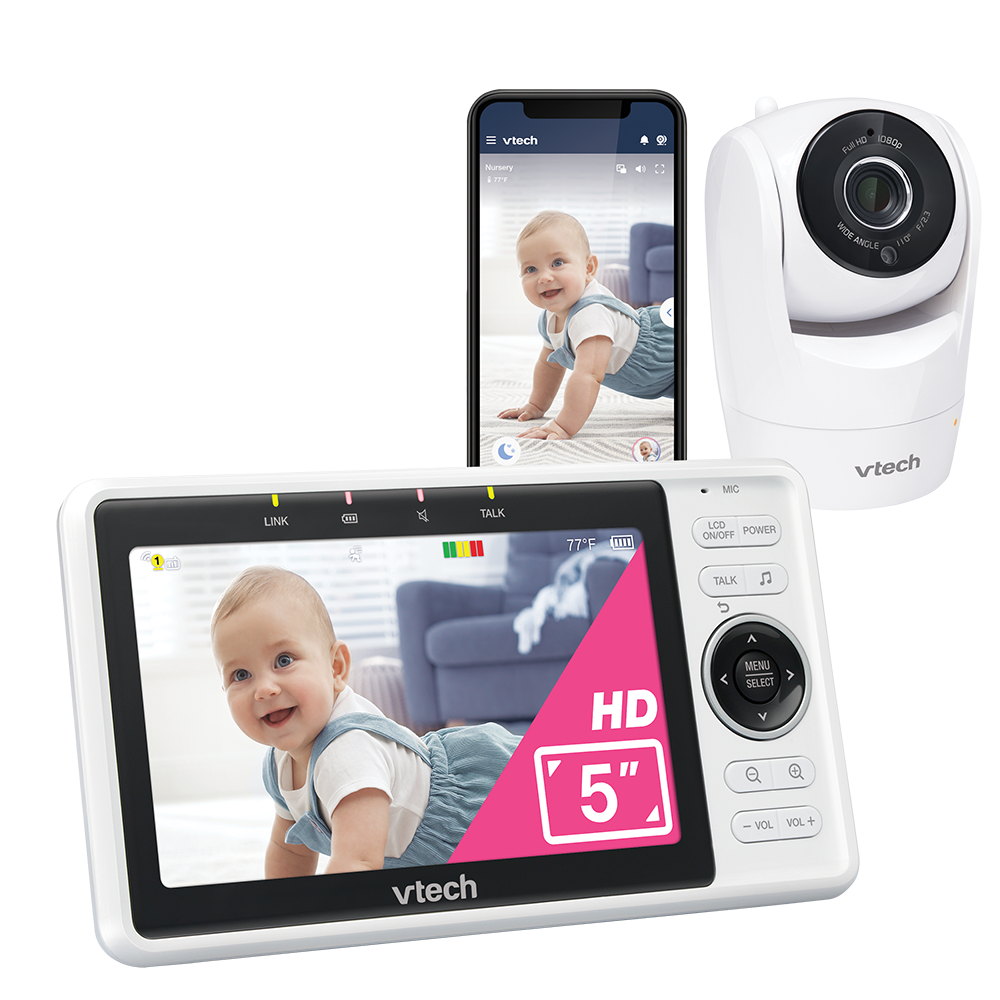
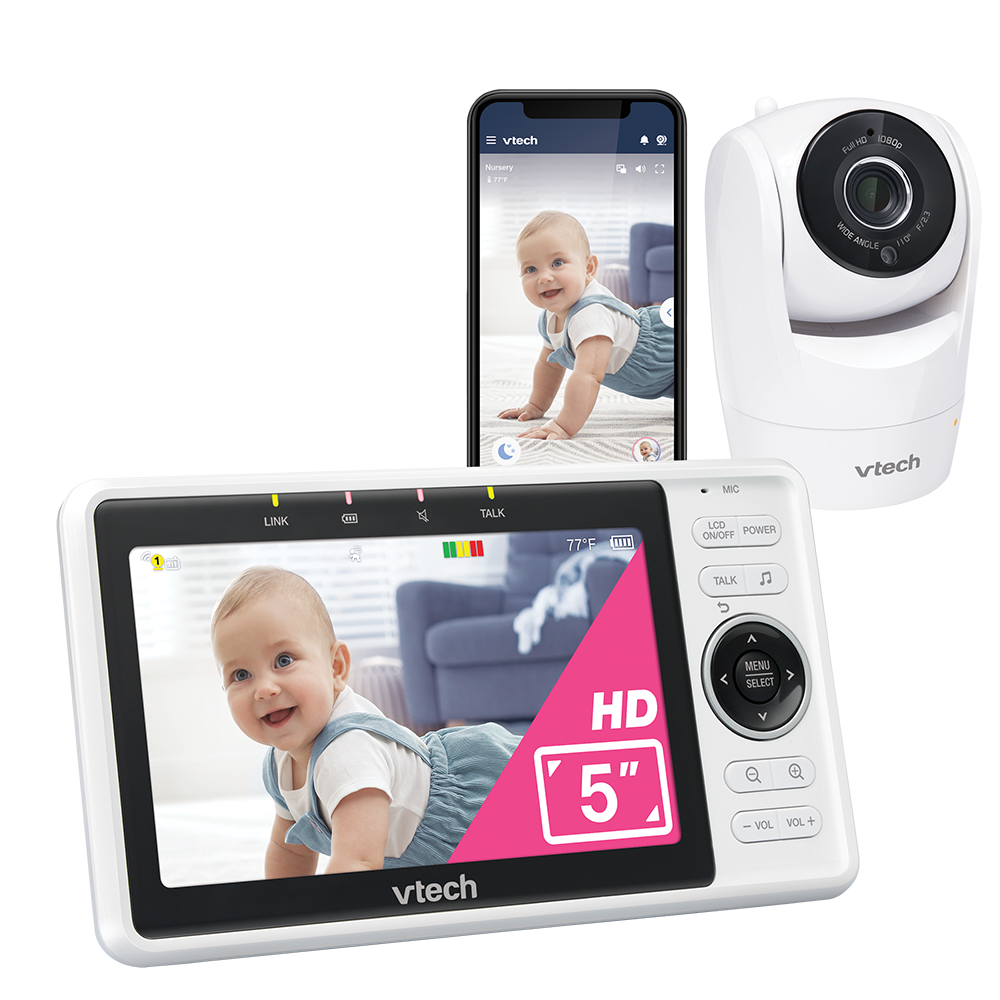
The VTech VM901HD is the one-camera member of a Wi-Fi video-monitor family: the current US listing identifies model VM901HD and shows a camera with a five-inch parent viewer, while VTech’s US quick-start guide names a 5-inch IPS LCD with a 1280 × 720 pixel display. The product page advertises 1080p video in its phone or tablet app. Those are two different screens and claims; the handheld viewer is not 1080p simply because the remote app is advertised at that resolution.
This suits one room when you want a dedicated viewer plus phone access. The camera pans and tilts, offers zoom controls and automatic infrared night vision. It is not a no-router radio monitor with an app added on.
The network is part of the normal setup
The most important choice is whether your home has a compatible 2.4 GHz Wi-Fi router where the camera will live. The quick-start guide says the units connect in Direct mode out of the box for an immediate picture, but it explicitly advises against continuing in Direct mode after installation. It describes Router mode over home Wi-Fi as the recommended way to get a stable live stream to the parent viewer; remote phone access also uses the home internet connection. If an essential requirement is a separate screen that works without home Wi-Fi, choose a local-radio model such as VTech’s VM5263 or the Infant Optics DXR-8 PRO instead.
For mobile access the guide specifies a 2.4 GHz 802.11 b/g/n router and 1.5 Mbps upload at 720p or 2.5 Mbps at 1080p per camera. Check that the 2.4 GHz band reaches the nursery; walls and router placement still affect the link.
One supplied camera keeps the coverage simple
The exact VM901HD page lists one camera package. That is the right count for a one-room plan, but it does not create two simultaneous room pictures. If your essential choice is “both rooms visible at once” or you need two camera units in the box, compare the separately listed VM901-2HD. Its exact suffix matters: the two-camera product is not the standard VM901HD package. The quick-start guide confirms one set for VM901HD and two sets for VM901-2HD.
VTech advertises motorized pan/tilt and up-to-10× zoom. Its product page’s lens-angle text conflicts with the number printed on the product rendering, so this review makes no fixed-angle promise. Zoom enlarges a captured image rather than adding optical detail.
Alerts, sound and two-way talk are household tools
The guide documents sound, motion and temperature alerts, sensitivity controls, two-way talk, soothing sounds and automatic infrared night vision. Alerts do not regulate the room or interpret a child’s health; this is not a medical monitor or a substitute for adult supervision.
VTech documentation uses different names for the companion app: the 2024 guide says MyVTech Baby Pro, the current two-camera listing says MyVTech Baby Plus, and an older VTech-hosted VM901 family app guide uses MyVTech Baby 1080p. The current single-camera page calls it a free app without naming it. Because the app label has changed across the sources, verify the current app-store listing and VM901HD support before relying on a particular app name.
Plan around power and safe placement
The parent viewer has an internal rechargeable lithium-ion battery that VTech calls non-user-replaceable. Its guide says the unit runs cordlessly for only a short time and tells owners to charge it for twelve hours before first use; it does not give a screen-on runtime. If you need a documented six-hour battery minimum or want to leave the viewer unplugged all night, the available documentation does not establish that fit. Keep a suitable outlet available for dependable use rather than treating the rechargeable battery as a long-runtime feature.
Position the camera more than three feet from the child, never inside a crib or playpen, and keep the power cord at least three feet away and out of reach. The guide also caps installation height at 6.5 feet and says to avoid placing the parent viewer too near the camera if feedback occurs. Follow the supplied wall-mount and cable instructions, and test the picture, sound and alerts in the actual room before relying on them.
Who should choose this model?
Choose the VM901HD if one included camera is enough, you want a five-inch local viewer at home, and you value a phone-access option enough to set up the 2.4 GHz router connection. In the finder it can meet a one-camera, five-inch video request and an away-from-home phone requirement; it should not be returned for an essential no-Wi-Fi parent-screen setup, two included cameras, two simultaneous room pictures, a known open-space range or a documented screen-on runtime.
For two rooms and phone access, investigate the VM901-2HD’s split-screen arrangement. For two-room viewing with documented simultaneous audio but no phone requirement, the Infant Optics DXR-8 PRO SS is a clearer local alternative. For a single room where the router must not be part of monitoring, the VM5263 or DXR-8 PRO better matches that operating plan. Read the official VM901HD product listing and VTech’s US guide for VM901HD and VM901-2HD for exact setup and safety instructions.
Key details at a glance
| Parent-unit screen | 5 in |
|---|---|
| Published display resolution | 1280 × 720 pixels (720p IPS parent display) |
| Camera-to-parent-unit connection | Dedicated 5-inch parent viewer and companion app; VTech recommends 2.4 GHz router mode for continued stable streaming. Internet is required for the away-from-home app feed. |
| Cameras in the reviewed kit | 1 |
| Video rooms visible at once | 1 |
| Phone viewing away from home | Yes |
| User-replaceable parent-unit battery | No |
| Supplied camera lens setup | One motorized pan/tilt camera with zoom controls; the fixed lens-angle figure is unresolved because the product page and rendering disagree. |
| Recommended stable operation uses home Wi-Fi | Yes |
| Motion alert | Yes |
| Audio-only system | No |
| Parent talk-back | Yes |
| Room-temperature readout | Yes |
Use the exact model’s instructions for operating limits, supplied equipment and version differences.
Sources for this assessment
- VTech Baby official current US VM901HD page
- VTech VM901HD / VM901-2HD Wi-Fi 1080p pan-and-tilt monitor US quick-start guide, V7, 09/24
- VTech-hosted VM901 Wi-Fi 1080p video monitor online manual (family manual, no -HD suffix)
- VTech-hosted VM901 mobile app manual (older family guide)
- CPSC public API exact-string VM901HD query; empty JSON array at check time
- VTech official VM901HD manufacturer rendering
Check the room and the receiving setup.
Read the exact model's constraints, camera count and supervision limits before choosing a package.