
Your needs, this model
Does it fit your priorities?
Can VM901-2HD put two supplied cameras on one parent screen while also offering remote phone access?
Yes for the parent screen: the exact guide adds Split mode for both units and the current page identifies a two-camera kit with app access. The app documentation does not establish a simultaneous two-camera split image.
Explore this need in the finder →Does Split mode establish continuous sound from both rooms at once?
No. The exact guide names Split image mode and sound-alert controls but does not document simultaneous continuous audio from both units.
Explore this need in the finder →Does the parent unit have a documented six-hour screen-on battery runtime?
No. Its guide describes short cordless operation but does not state a screen-on runtime; do not treat the internal battery as meeting a numeric runtime minimum.
Explore this need in the finder →The two-camera version is a distinct kit
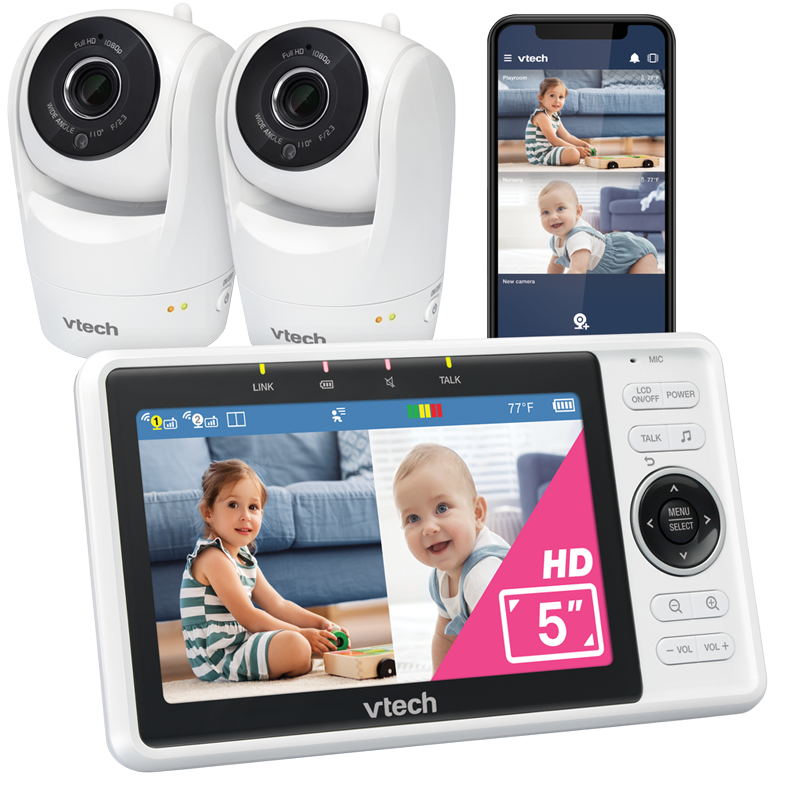
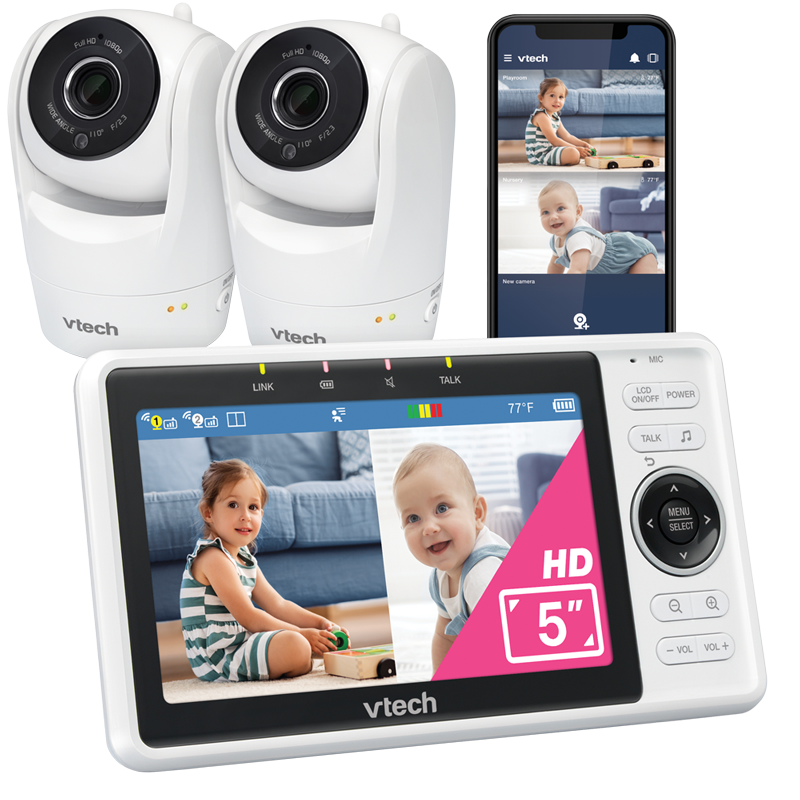
The VTech VM901-2HD is the current two-camera configuration in VTech’s five-inch Wi-Fi monitor family. Its exact US listing names VM901-2HD, identifies two cameras and one parent unit, and lists two wall mounts and three power adapters. The shared VTech quick-start guide makes the difference plain: one camera set is supplied for VM901HD and two sets for VM901-2HD. Do not rely on a seller’s shorthand or a family photo; check for the exact -2HD model name and two camera units.
Both cameras work with one five-inch 720p IPS parent viewer; VTech separately advertises 1080p remote phone viewing. The parent screen is not 1080p.
Split view changes the two-room question
The exact guide says VM901-2HD adds three parent-unit viewing choices: Single for either baby unit, Patrol to view both in sequence, and Split to view both together. This is the meaningful reason to choose the twin kit when two rooms must remain visible on one receiver. In Split mode the five-inch screen is divided between two feeds; each picture is smaller than a full-screen single view. Patrol is the alternative if you prefer the viewer to cycle rather than keep both images side by side.
The guide establishes two pictures, not continuous audio from both rooms. It does not document a selectable dual-audio mode. If “see both and hear both simultaneously” is essential, do not infer it from Split; the Infant Optics DXR-8 PRO SS documents selectable dual audio, though it has no away-from-home phone feed.
A two-camera Wi-Fi plan, not a no-network monitor
VM901-2HD includes a dedicated parent screen, but the way it is meant to operate is different from a local-only radio monitor. Its quick-start guide says Direct mode is for the initial quick view and is not recommended after installation. Router mode connects the units over 2.4 GHz home Wi-Fi and is the recommended stable setup. The manufacturer lists mobile access with a Wi-Fi router and internet connection, including per-camera upload requirements of 1.5 Mbps at 720p or 2.5 Mbps at 1080p. If you want an independent screen without a router, use the “dedicated screen without home Wi-Fi” requirement in the finder; this model should not satisfy it.
With that router in place, the twin kit suits one parent unit covering two rooms and a household that also wants remote phone access. Its documents do not establish two simultaneous phone pictures; the confirmed two-room view is the split screen on the parent unit.
Useful controls, with a documentation mismatch to notice
The guide documents talk-back, infrared night vision, lullabies and ambient sounds, sound and motion detection, and temperature alerts. The twin product page advertises motorized pan/tilt and up to 10× zoom in the app or 8× from the viewer. These are manufacturer claims, not image-quality tests. Product copy and some artwork disagree on fixed lens angle, so no exact field-of-view figure is used here.
The companion-app name is also inconsistent across VTech’s materials. The current twin product listing uses “MyVTech Baby Plus,” the 2024 shared quick-start guide says “MyVTech Baby Pro,” and an older VTech-hosted VM901 app manual says “MyVTech Baby 1080p.” Treat phone viewing as a documented system capability, but confirm which current app and account flow support the exact -2HD kit before setting up multiple caregivers.
One parent battery does not mean long cordless runtime
The kit has one parent viewer, not a receiver per room. Its internal rechargeable battery is non-user-replaceable; the guide describes cordless use as short and gives no screen-on runtime. A six-hour minimum is unverified. Keep the viewer near power rather than treating its battery as an overnight promise.
Before relying on the picture, install the cameras outside the crib or playpen and more than three feet from the child; keep each power cord at least three feet from the child and out of reach. The guide says not to mount a baby unit above 6.5 feet. It also recommends testing reception after setup and using router mode for stable connections. Do not put a camera or loose cord where an infant can reach it.
How this package fits different households
Choose VM901-2HD if two cameras must be included, a split parent-unit picture is important, and the household can use the 2.4 GHz router setup. It can meet “two rooms visible at once,” “two cameras in the reviewed box,” and “phone access away from home” as separate requirements in the router operating plan. It should not meet an essential simultaneous-two-room-audio need, a no-router local-screen requirement, a known minimum range or a specified screen-on runtime.
If you need only one camera, compare the VM901HD package rather than paying attention to generic family photos: it has one included camera and no two-camera Split/Patrol arrangement in its guide. If the router is not an option, compare local systems such as the VM5263 or the DXR-8 PRO SS. The VM5263 is a one-camera local option; the PRO SS has two local pictures and documented dual audio. These are genuine operating differences, not a ranking from side-by-side tests.
Check the official VM901-2HD listing and the US quick-start guide covering VM901HD and VM901-2HD before choosing the package. VTech’s guide also states that the monitor is only an aid to adult supervision and is not a medical monitor.
Key details at a glance
| Parent-unit screen | 5 in |
|---|---|
| Published display resolution | 1280 × 720 pixels (720p IPS parent display) |
| Camera-to-parent-unit connection | 5-inch parent viewer plus VTech mobile app; continued stable live video uses recommended 2.4 GHz router mode, and away-from-home viewing needs internet. |
| Cameras in the reviewed kit | 2 |
| Video rooms visible at once | 2 |
| Phone viewing away from home | Yes |
| User-replaceable parent-unit battery | No |
| Supplied camera lens setup | Two motorized pan/tilt cameras; exact listing identifies panoramic and vertical movement. The listing does not establish support for a third camera. |
| Recommended stable operation uses home Wi-Fi | Yes |
| Motion alert | Yes |
| Audio-only system | No |
| Parent talk-back | Yes |
| Room-temperature readout | Yes |
Use the exact model’s instructions for operating limits, supplied equipment and version differences.
Sources for this assessment
- VTech Baby official current US VM901-2HD two-camera listing
- VTech VM901HD / VM901-2HD Wi-Fi 1080p pan-and-tilt monitor US quick-start guide, V7, 09/24
- VTech-hosted VM901 Wi-Fi 1080p video monitor online manual (family manual, no -HD suffix)
- VTech-hosted VM901 mobile app manual (older family guide)
- CPSC public API exact-string VM901-2HD query; empty JSON array at check time
- VTech official VM901-2HD two-camera manufacturer rendering
Check the room and the receiving setup.
Read the exact model's constraints, camera count and supervision limits before choosing a package.