
Your needs, this model
Does it fit your priorities?
Can the exact one-camera VM819 fit a compact local-video setup when a 2.5-inch screen minimum is enough?
Yes. The current VM819 package is a one-camera local monitor with a 2.8-inch 320 × 240 parent display, which exceeds a 2.5-inch minimum. The advanced size question accepts half-inch steps, so the exact 2.8-inch figure remains in the facts and review rather than being offered as an unsupported input increment.
Explore this need in the finder →Does the base VM819 satisfy a two-camera essential requirement?
No. The reviewed current VM819 package contains one camera. The guide names a distinct VM819-2 package, but that bundle is not substituted into the base result.
Explore this need in the finder →Can the up-to-19-hour product claim meet a strict six-hour screen-on minimum?
No. The exact guide gives battery capacity and variable standby guidance but does not specify a screen-on runtime test or duration.
Explore this need in the finder →Does the VM819 meet a remote camera movement or away-from-home phone requirement?
No. The exact guide shows digital zoom and the camera is fixed; the current model page and guide do not document remote phone viewing.
Explore this need in the finder →A distinct 2.8-inch local monitor, not the seven-inch 819 Max
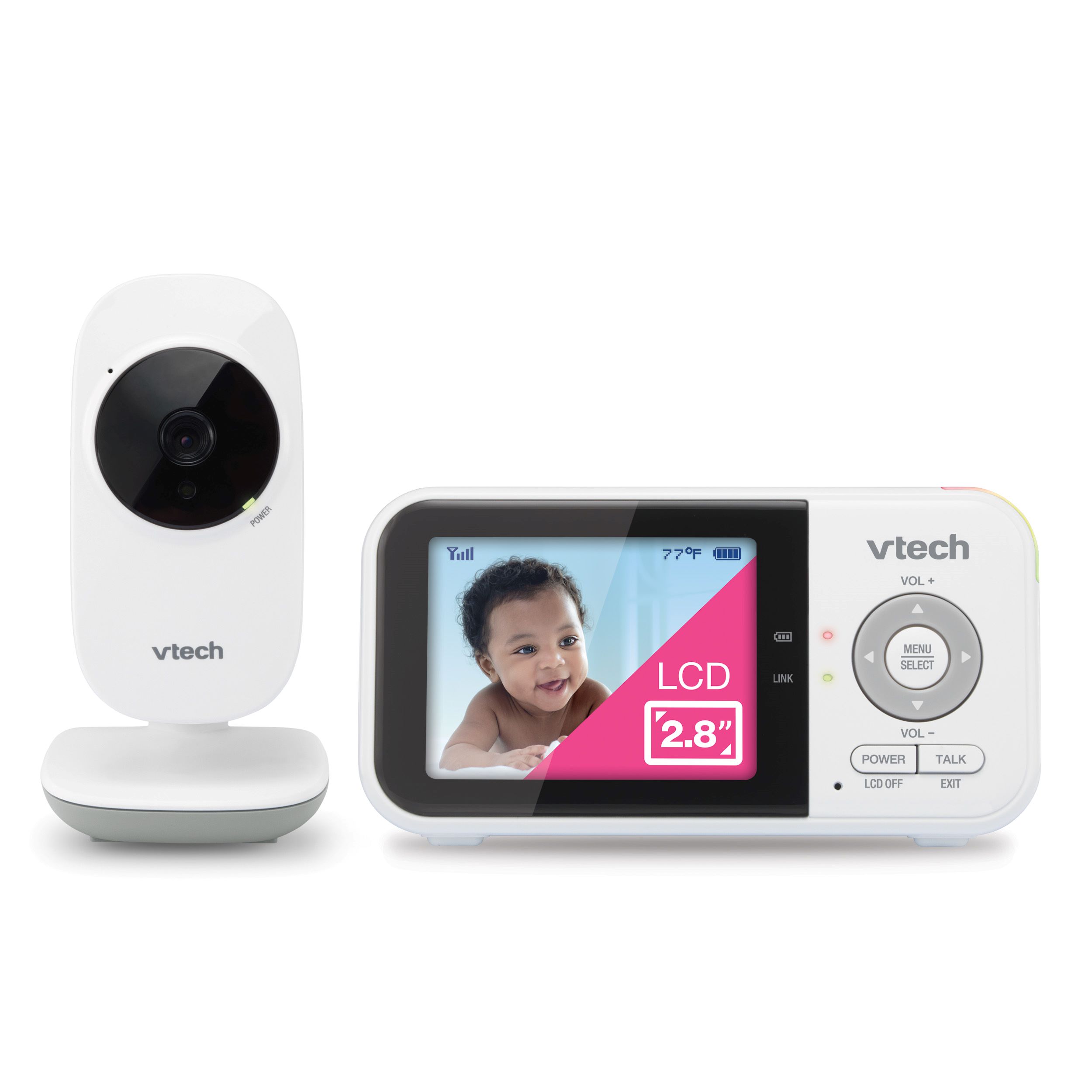
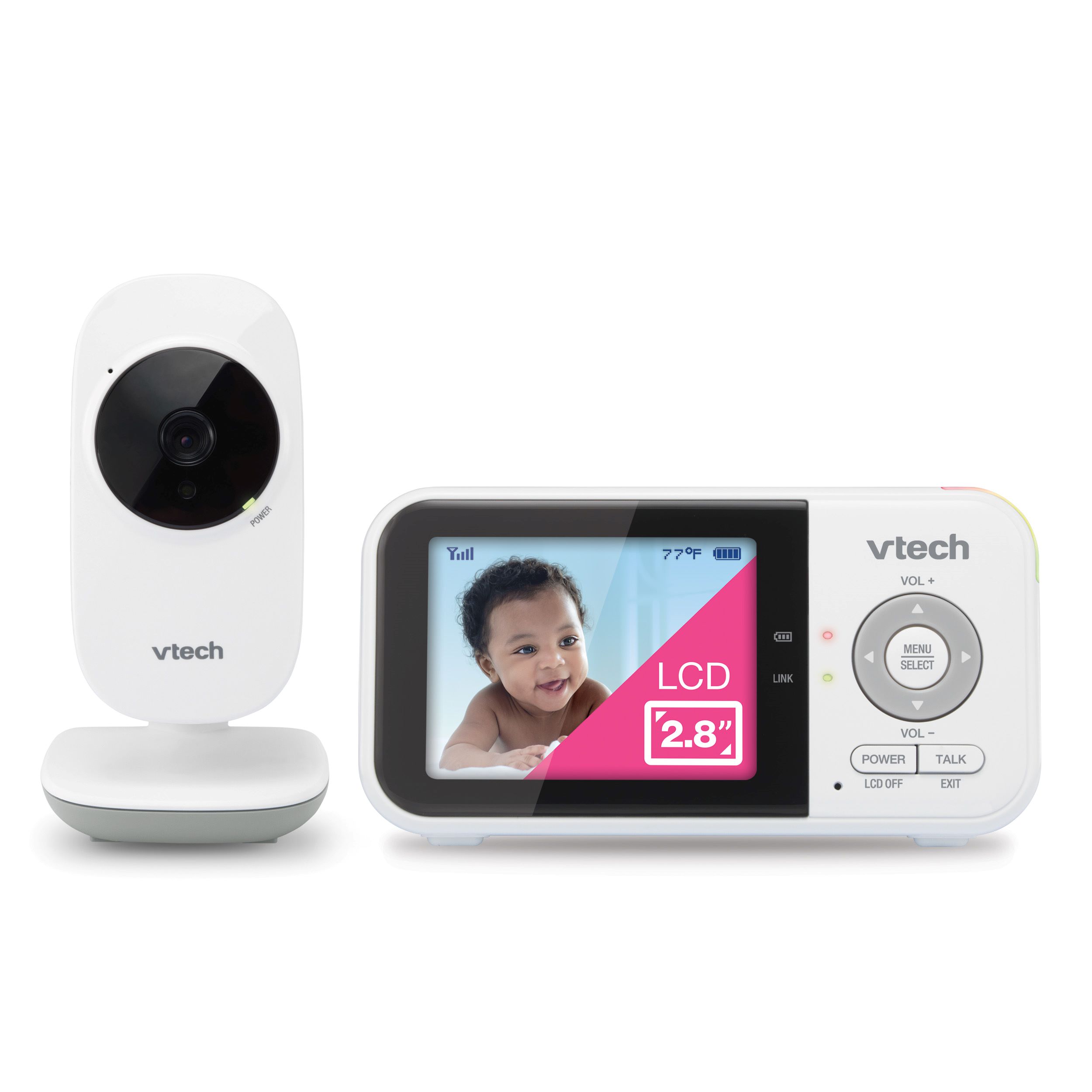
The VTech VM819 is a compact, no-Wi-Fi video monitor built around a 2.8-inch handheld parent unit and one included camera. Its small display makes it easier to carry around the house than a larger viewer, but it is the wrong choice if you want to study a picture closely or follow two rooms at once. One naming trap is worth clearing up first: VTech also lists a separate seven-inch product called “819 Max.” That is not this 2.8-inch VM819. Check the model name and screen size on the exact listing and box rather than buying on the shared 819 wording alone.
What the small screen can and cannot show
The current VM819 page calls its display high-resolution, but the VM819 / VM819-2 U.S. quick-start guide specifies a 2.8-inch color QVGA panel at 320 × 240 pixels. That is enough for a quick check-in from the parent unit, but it is a visibly more limited viewing area than the 3.5-inch VTech VM4263 or the five-inch VM5263. The guide also describes 1× and 2× digital zoom. Zoom can enlarge the image, but it does not add camera detail; the physical display remains small.
The camera is fixed during normal use: you can set its angle during placement or wall mounting, but the parent unit does not remotely pan or tilt it. That favors a stable, pre-tested view over repositioning after setup. Automatic infrared night vision changes the image to black and white in darkness.
One camera in the base kit; the -2 bundle is a different arrangement
The current VM819 listing shows one parent unit, one baby unit and two power adapters. The exact U.S. guide states one set for VM819 and two sets for VM819-2. Its VM819-2-only Patrol mode cycles the display between linked camera pictures every ten seconds; Single-cam mode shows one selected camera. That is useful if the two rooms only need alternating checks. The guide does not document split-screen or two continuously open audio feeds, so a household that must see or hear both rooms together should not treat Patrol as a substitute.
The VM819 support FAQ lists pairing slots CAM 1 through CAM 4, but the base result includes only one camera. The manual confirms a distinct two-camera VM819-2 package; its second camera is not shown in this base-model image. If camera count is essential, verify the suffix and box contents before buying.
Local reception, sound activation and daily controls
The parent unit receives the camera over a 2.4 GHz local radio link; the guide lists 32 channels and the 2405–2475 MHz band. No remote phone viewing is documented. VTech advertises up to 1,000 feet, but the guide provides no numeric open-space test distance and says conditions affect operation. Test reception where you plan to use the viewer.
The guide documents sound sensitivity and VOX: the parent screen can stay off until nursery sound passes a selected threshold. You can manually turn the screen off and continue to hear the selected camera. There are four lullaby melodies, two-way talk, a real-time room-temperature display and temperature-alert controls. These features can support a household routine, but sound activation is not motion detection and a temperature reading is not a medical assessment. A motion-alert need should not be satisfied by the VM819’s sound-triggered screen.
Battery and range headlines are not measured guarantees
The VM819 parent unit contains a built-in, non-user-replaceable 3.6-volt, 2,600-mAh lithium-ion battery. The product page advertises up to 19 hours of video streaming and 31 hours of audio-only use, but the exact guide does not define a screen-on runtime test or a minimum duration. It instead warns that standby varies with sensitivity settings, use and battery age. If a known number of hours with the picture continuously visible is essential, leave the battery claim out of the eligibility decision rather than inferring runtime from battery capacity.
The same distinction applies to range: an “up to” figure is not a promise through a particular floor plan. Use the manual’s adapter, placement and interference advice, then check reception in the intended room. A camera link can drop, and the model is not a replacement for an adult’s direct supervision.
Who should choose VM819—and what to compare next
Choose the VM819 when you want a simple dedicated local viewer, a single stable camera position, a compact 2.8-inch screen and sound-activated viewing. It can fit a smaller home or a routine where a quick picture is enough and the parent unit stays close. Avoid it if a larger screen, remote camera movement, a documented screen-on runtime, phone-away access, or two simultaneous rooms is a must-have.
Compare the VM4263 for a 3.5-inch screen and remote camera movement; its review explains its resolution discrepancy and VOX behavior. The VM5263 has a five-inch 720p viewer and documented motion alerts. VTech’s seven-inch 819 Max and Advanced HQ Max pages describe separate products, not VM819 variants. For two rooms visible and audible together, the Infant Optics DXR-8 PRO SS documents that arrangement; VM819-2 Patrol does not.
Install for safe placement and keep an adult in the loop
The guide says the monitor is an aid, not a medical monitor or a substitute for responsible adult supervision. Keep the camera outside the crib or playpen, keep its cord at least three feet from a child, and do not install the camera above 6.5 feet. Follow the supplied instructions for wall mounting, charging and power adapters. The exact U.S. product references are the current VM819 listing, its VTech support page, and the VM819 / VM819-2 U.S. quick-start guide.
Key details at a glance
| Parent-unit screen | 2.8 in |
|---|---|
| Published display resolution | 2.8-inch color LCD, QVGA 320 × 240 pixels (exact U.S. guide); VTech comparison table labels it 270p. |
| Camera-to-parent-unit connection | Direct local radio between the included baby unit and parent viewer; the exact U.S. guide specifies 2405–2475 MHz, 32 channels. Remote phone viewing is not documented. |
| Advertised maximum range claim | 1000 ft |
| Cameras in the reviewed kit | 1 |
| Maximum camera units supported | 4 |
| Video rooms visible at once | 1 |
| Phone viewing away from home | No |
| User-replaceable parent-unit battery | No |
| Supplied camera lens setup | One included fixed-position baby camera; its angle can be set during mounting, and the parent unit has documented 1×/2× digital zoom; remote pan/tilt is not documented. |
| Recommended stable operation uses home Wi-Fi | No |
| Audio-only system | No |
| Parent talk-back | Yes |
| Room-temperature readout | Yes |
Use the exact model’s instructions for operating limits, supplied equipment and version differences.
Sources for this assessment
- VTech U.S. current VM819 listing (page 4523)
- VTech VM819 product support page and FAQ (page 4523)
- VTech VM819 / VM819-2 U.S. Quick Start Guide, 03/25 version 2
- VTech official VM819 2.8-inch one-camera product image linked from exact support page
- CPSC exact-string VM819 recall API query; empty response on check date
- CPSC exact-string VM819-2 recall API query; empty response on check date
Check the room and the receiving setup.
Read the exact model's constraints, camera count and supervision limits before choosing a package.