
Your needs, this model
Does it fit your priorities?
Does the standard VM5263 meet a one-camera, five-inch HD local-video requirement?
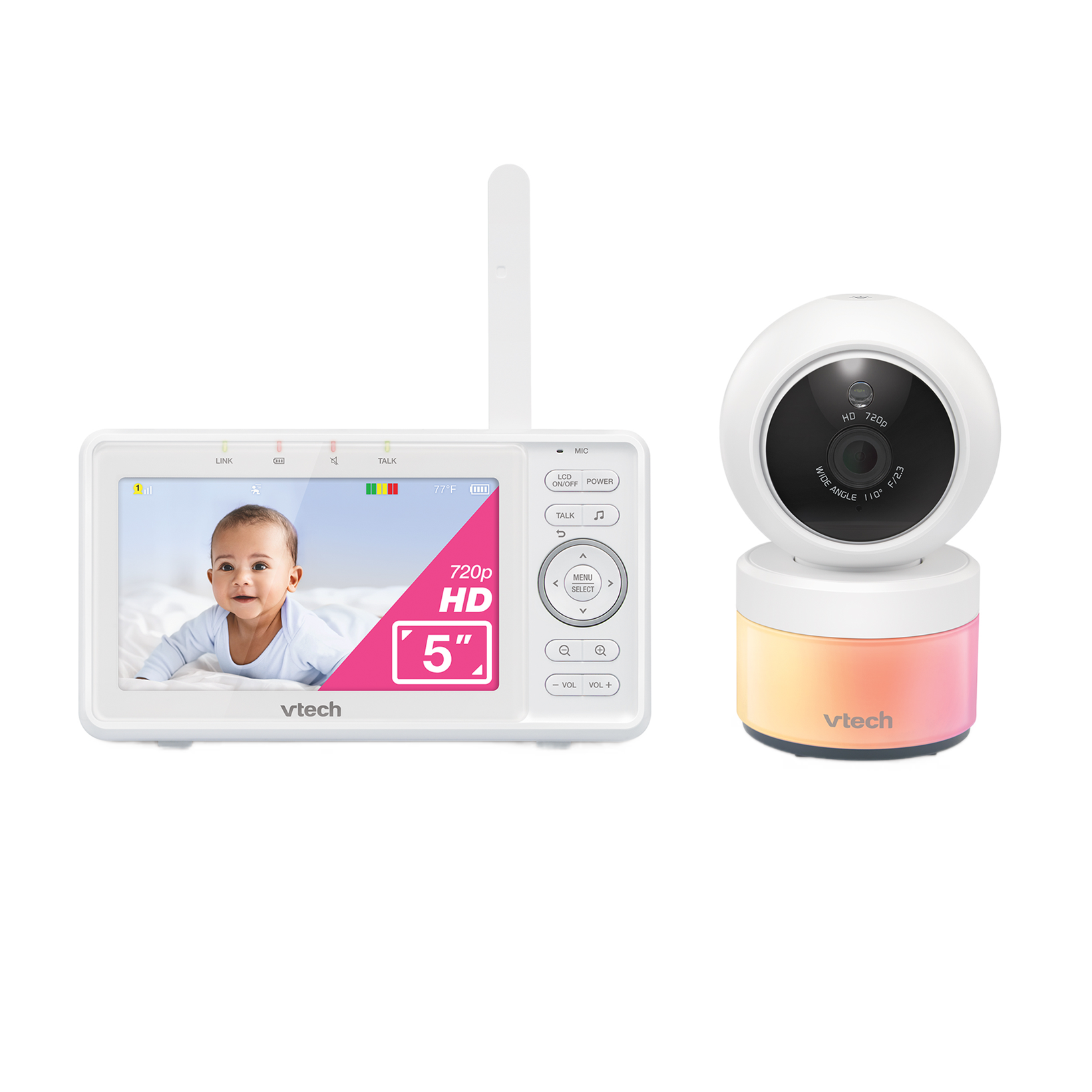
Yes. The current standard set contains one camera, and the exact US guide specifies a five-inch 1280 × 720 parent-unit display with direct local radio.
Explore this need in the finder →Can a documented motion-alert need fit a dedicated local-screen setup?
Yes. The quick-start guide lists motion detection among the parent-unit alert settings. This is a household notice, not a medical or safety judgement; the model page does not document remote phone viewing.
Explore this need in the finder →Can the advertised battery-life headline verify a six-hour screen-on minimum?
No. The current marketing page does not specify screen-on conditions, and the quick-start guide does not state a screen-on runtime; an essential numeric minimum remains unknown.
Explore this need in the finder →A dedicated picture with a genuinely sharp five-inch screen
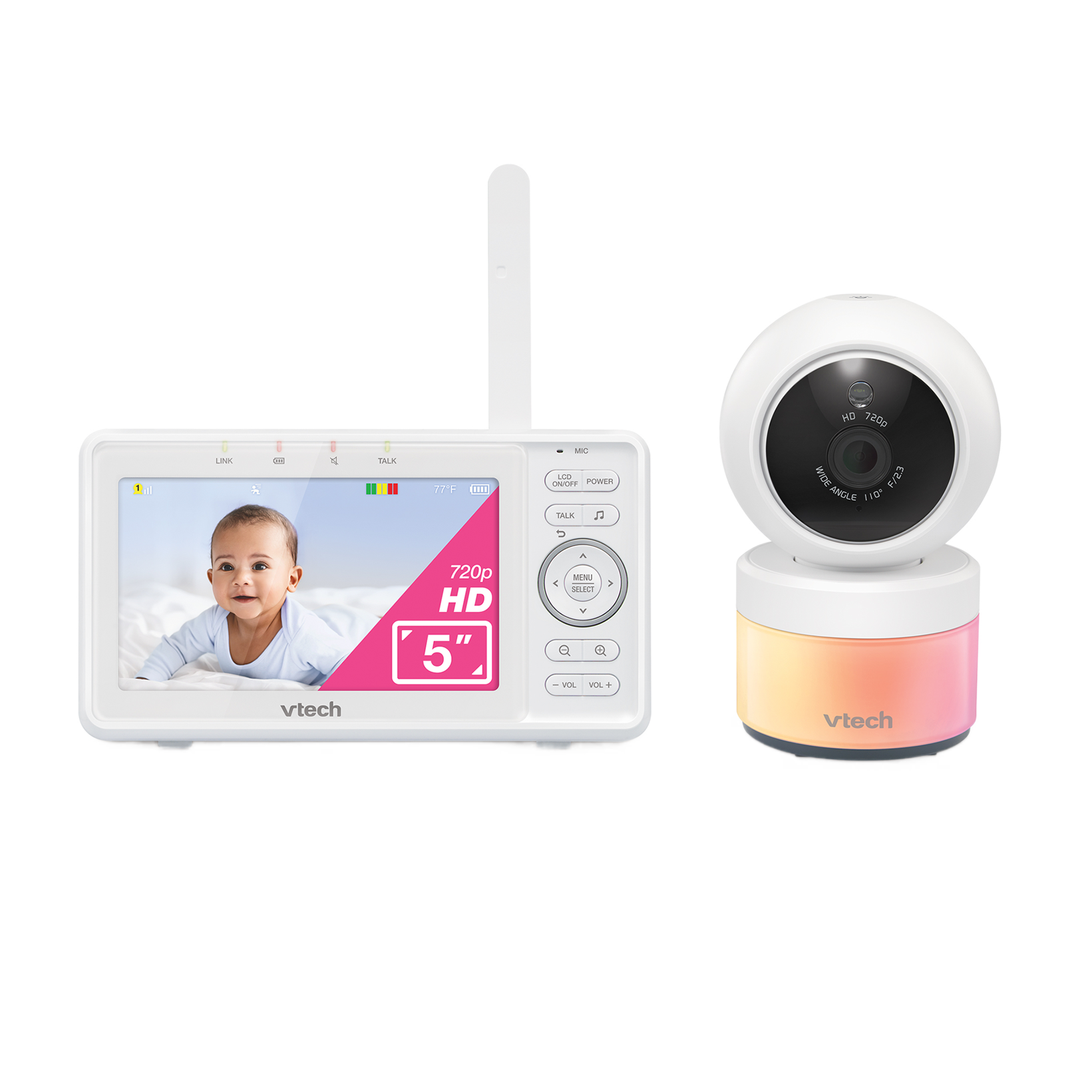
The VTech VM5263 is a local video monitor with a separate parent viewer and one camera. Its five-inch color LCD is specified at 1280 by 720 pixels. The camera pans, tilts and zooms digitally up to 2× from the viewer; automatic infrared night vision takes over in low light. This suits a household that wants a sharp dedicated picture without opening an app. The current product page lists one camera in the standard VM5263 set.
This is not a phone-first monitor. The quick-start guide describes a direct 2.4 GHz radio link between baby and parent units, and the parent unit handles viewing, talk-back, settings and alerts. The model page does not document viewing from a phone away from home. Choose this layout when a dedicated receiver is a requirement or a preference; if remote phone access is essential, this exact configuration does not meet it.
Camera movement and alerts are practical, not medical
The camera's remote pan, tilt and 2× digital zoom let you reframe after setup; digital zoom enlarges a view rather than adding optical detail. The camera also has automatic infrared night vision and an adaptive multicolor light. The monitor adds lullabies and ambient sounds, two-way talk, temperature display, sound activation, and parent-unit sound and motion alerts. These are ordinary check-in tools, not medical readings or safety alarms: a temperature prompt does not regulate the room, and a motion alert does not judge movement.
Sound activation is worth understanding before relying on it. With that setting enabled, the parent screen and speaker can wake when the camera detects sound above the selected sensitivity. A quiet interval can turn the display back off. That can reduce a continuously lit handheld screen, but you should adjust the sensitivity to your room and confirm the alert behavior yourself. A sound-activated screen is not the same thing as simultaneous audio from two rooms.
VM5263 and VM5263-2 are not the same box
Count the cameras in the exact package. The standard VM5263 set contains one camera. VTech's US quick-start guide also names the VM5263-2: its box diagram distinguishes one camera set for VM5263 from two sets for VM5263-2. The guide says the -2 configuration adds single, split-screen and patrol viewing modes; patrol moves between cameras at ten-second intervals. That is a real difference for two rooms. A package with two cameras is not merely a standard single-camera kit with an informal accessory name.
The manufacturer source reviewed for this page is the current VM5263 product listing, not a current separate VM5263-2 retail product page. Treat the -2 details as a documented bundle variant, and verify the exact suffix and camera count before buying a listing. The manual documents a sound-detection alert in split mode, but does not establish that the parent unit plays both rooms' audio continuously at once. If you need both room sounds open simultaneously, do not infer that from the split picture; the Infant Optics DXR-8 PRO SS manual documents a selectable dual-audio arrangement more explicitly.
Read the range and battery claims narrowly
VTech's product information advertises up to 1,000 feet of range. That is a manufacturer maximum, not a room-by-room measurement: walls, metal, placement and nearby electronics can affect a 2.4 GHz link. The quick-start guide tells owners to test reception after switching units on or moving a component, and to keep the camera and its cord away from a child's reach. Follow its wall-mounting, cable-management, adapter and distance instructions rather than choosing a location from the range headline alone.
The parent-unit battery is built in, with a 5,000 mAh lithium-ion specification in the guide. VTech's product page gives an up-to-12-hour battery-life claim, but the exact quick-start specification does not state that as a measured screen-on duration. It also asks owners to charge the unit for twelve hours before first use. For that reason this review does not treat the headline battery figure as proof that the screen will stay on for twelve hours, and a finder request requiring a known minimum screen-on runtime should reject the model as undocumented.
Who it suits—and when a different local system is better
Choose the VM5263 when one room, a dedicated handheld screen, high-definition detail, camera movement and local alerts match your routine. It suits someone who wants more screen detail than a small-screen basic unit, but the standard set still includes one camera. The finder can return it for a single-room video request with a five-inch minimum; two-camera, remote-phone, documented active-noise-reduction and verified screen-on-runtime requirements should reject this standard kit.
Against the Infant Optics DXR-8 PRO, the VM5263 has the same five-inch 720p local display, while VTech emphasizes movement, sound and temperature alerts and a built-in battery. Choose the PRO if reducing repetitive fan or purifier noise matters: its manual specifies active noise reduction and screen-on runtime. The DXR-8 PRO SS is the clearer alternative for a two-room household needing two cameras, split viewing and selectable dual audio.
Use the monitor as an aid, not a substitute for care
The manufacturer's safety guidance says the monitor is an aid and not a substitute for responsible adult supervision, and that it is not intended as a medical monitor. Do not place the camera or its cords inside a crib or playpen; keep cords at least three feet from a child and out of reach. A monitor's screen, range claim and alerts can help with a household routine, but they do not remove the need for an adult to check the child and follow safe-sleep guidance.
For exact package and setup details, consult VTech's VM5263 product page and its US quick-start guide for VM5263 and VM5263-2.
Key details at a glance
| Parent-unit screen | 5 in |
|---|---|
| Published display resolution | 1280 × 720 (720p) |
| Camera-to-parent-unit connection | Direct local 2.4 GHz FHSS radio link to the included parent viewer; the exact page does not document remote phone viewing. |
| Advertised maximum range claim | 1000 ft |
| Cameras in the reviewed kit | 1 |
| Video rooms visible at once | 1 |
| Phone viewing away from home | No |
| User-replaceable parent-unit battery | No |
| Supplied camera lens setup | One camera in the standard set; remotely controlled pan and tilt with up to 2× digital zoom. |
| Recommended stable operation uses home Wi-Fi | No |
| Motion alert | Yes |
| Audio-only system | No |
| Parent talk-back | Yes |
| Room-temperature readout | Yes |
Use the exact model’s instructions for operating limits, supplied equipment and version differences.
Sources for this assessment
Check the room and the receiving setup.
Read the exact model's constraints, camera count and supervision limits before choosing a package.