
Your needs, this model
Does it fit your priorities?
Is one local camera and a separate parent screen enough?
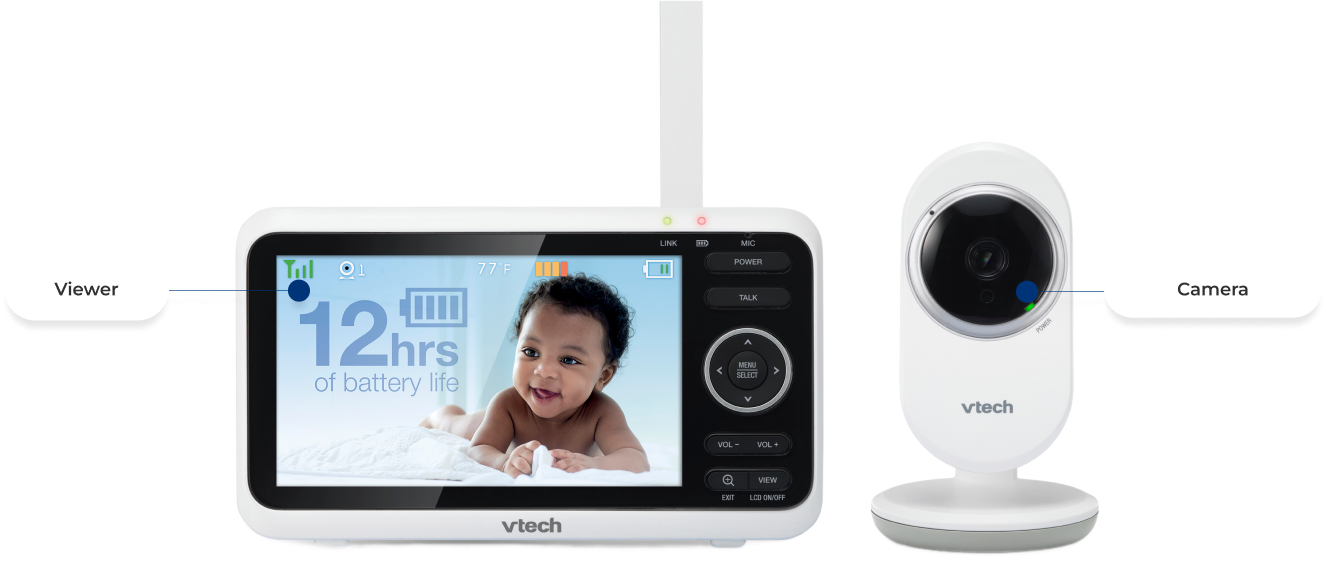
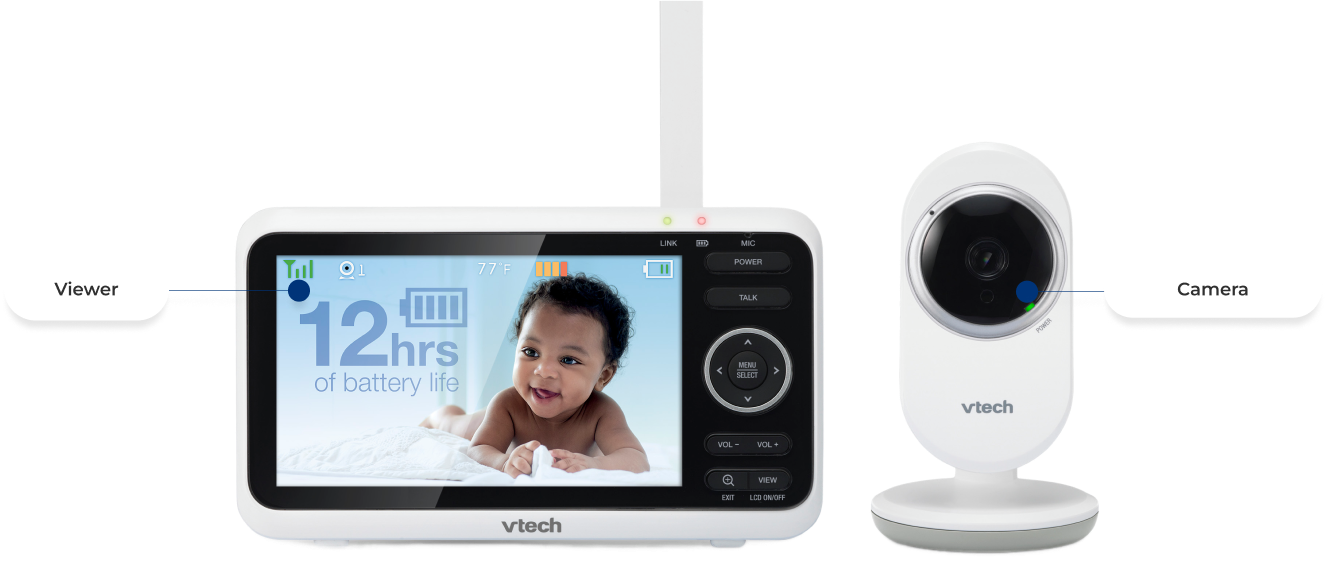
Yes. The exact U.S. VM350 package lists one camera and one viewer, and its manual describes a direct local radio connection without a phone-app route.
Explore this need in the finder →Would a five-inch screen and one-room audio fit if remote pan/tilt is not required?
The VM350 has a five-inch 480 × 272 panel and a manually aimed camera with digital zoom; sound from its one included camera plays on the parent unit.
Explore this need in the finder →Does the manual verify a six-hour continuous screen-on battery minimum?
No. The product listing advertises up to twelve hours of video streaming, but the manual gives no screen-on test duration and calls battery-only use short-time operation; a numeric screen-on requirement remains unknown.
Explore this need in the finder →A five-inch local viewer for one nursery
The VTech VM350 is a straightforward one-camera video system: a dedicated five-inch parent unit receives the camera directly, so the usual viewing route does not depend on your home Wi-Fi, an account, or a phone app. The exact U.S. listing identifies the standard VM350 set and shows one camera; the matching user guide names the VM350 and VM350-2 family but makes several multi-camera modes specific to the -2 kit. If you want to open a feed while away from home, this is the wrong branch of VTech’s range. Compare a documented Wi-Fi model such as the VM901HD instead.
Screen size is not the same as screen detail
The parent display measures five inches, but the model guide specifies a WQVGA 480 × 272 LCD rather than an HD panel. That is a useful distinction when comparing it with the five-inch 720p VM5263: the VM350 gives you a larger viewing area than a compact receiver, but the screen does not have the VM5263’s published pixel count. The VM350 camera also lacks documented remote pan and tilt. You can aim it physically during setup and digitally zoom the picture from the parent unit; zoom is not a way to sweep across a room or recenter a child outside the lens view.
One room at a time, with adjustable sound behavior
The standard package has one camera, and its normal operating arrangement is one picture and one room’s sound on the parent unit. Infrared night vision switches on automatically in low light, so the night picture is monochrome. You can turn the display off without ending audio monitoring, and the five-step VOX sensitivity setting ranges from transmitting all sounds to waking mainly for louder crying. Sound activation can turn the display back on when the selected threshold is crossed; after about 50 seconds without a detected sound, it switches off again. At the highest sensitivity, ambient noise can keep it awake.
VTech lists five lullabies and four soothing sounds, plus two-way talk and a temperature display with adjustable high/low alerts. These are household convenience features, not clinical measurements or a substitute for checking the room yourself. The parent speaker is muted while you speak through talk-back, and the manual advises keeping the receiver more than three feet from the camera to avoid feedback.
Plan around power and the real signal path
The manufacturer product page advertises up to 12 hours of video streaming or 21 hours of audio-only streaming. The manual does not define a continuous screen-on test for those figures; it instead calls battery-only use short-time operation and says to leave the parent unit on AC for continuous monitoring. The battery is replaceable, but its capacity is not published in the guide. Treat the marketing duration as an unqualified claim rather than a guaranteed overnight screen-on result. The camera itself uses a power adapter, so choose a safe place near an outlet before finalizing its view.
The guide describes a direct 2.4 GHz radio link and a manufacturer maximum of up to 1,000 feet outdoors. Walls, doors, and other obstructions can reduce reception; that maximum is not an indoor promise. Test the image and sound from the rooms where the viewer will actually be used. Keep the camera and cords out of the crib and beyond a child’s reach, as the guide directs.
Who should choose VM350—and what changes the answer?
Choose this model if a separate screen, a single-room camera, basic talk-back, night vision, and local operation fit the routine. A phone-away-from-home requirement changes the recommendation to a connected model. A need to watch two rooms from one receiver changes it to the separately listed VM350-2, which adds a second camera and split/patrol modes. A requirement for remote pan and tilt or a sharper documented panel points toward another model such as VM5263. If a minimum number of screen-on hours is essential, the VM350’s manual does not establish one, so the finder should not treat its battery headline as proof.
VTech cautions that the monitor is an aid, not a substitute for adult supervision. See the VM350 listing, its support page, and the user manual before setup.
Key details at a glance
| Parent-unit screen | 5 in |
|---|---|
| Published display resolution | WQVGA 480 × 272 pixels (user-guide technical specification) |
| Camera-to-parent-unit connection | Direct local 2.4 GHz camera-to-parent radio connection; the exact guide describes 32 channels, and no app or remote-phone setup is documented. |
| Manufacturer-stated open-space range | 1000 ft |
| Advertised maximum range claim | 1000 ft |
| Cameras in the reviewed kit | 1 |
| Video rooms visible at once | 1 |
| Phone viewing away from home | No |
| User-replaceable parent-unit battery | Yes |
| Supplied camera lens setup | One fixed-view camera is manually aimed during setup; the viewer offers digital zoom, not remote pan or tilt. |
| Recommended stable operation uses home Wi-Fi | No |
| Motion alert | No |
| Audio-only system | No |
| Parent talk-back | Yes |
| Room-temperature readout | Yes |
| Parent receivers included | 1 |
Use the exact model’s instructions for operating limits, supplied equipment and version differences.
Sources for this assessment
- VTech U.S. VM350 exact one-camera listing
- VTech VM350 support page and linked manuals/FAQ
- VTech VM350 User's Manual, VM350/VM350-2 family, V6 (02/19)
- VTech VM350/VM350-2 Quick Start Guide V7 (04/21)
- VTech VM350 parent viewer and camera clean-background rendering
- CPSC public recall API exact-string query for VM350
Check the room and the receiving setup.
Read the exact model's constraints, camera count and supervision limits before choosing a package.