
On this page
Your needs, this model
Does it fit your priorities?
Will one fixed camera and a small separate screen cover the room without home Wi-Fi?
The exact U.S. VM3254 set includes one camera and one Parent Unit. Its documented plan is a direct local link, with no phone-app or internet path.
Explore this need in the finder →Would a camera-side amber night light and a temperature readout be useful?
VTech lists an amber camera-side light and temperature information on the Parent Unit; neither is a medical or sleep guarantee.
Explore this need in the finder →Do you require a manufacturer-specified continuous screen-on runtime of eight hours?
No exact screen-on duration is established. The page claims up to 19 hours of video streaming, but the guarantee/test conditions are not specified; that claim should not meet a hard runtime minimum.
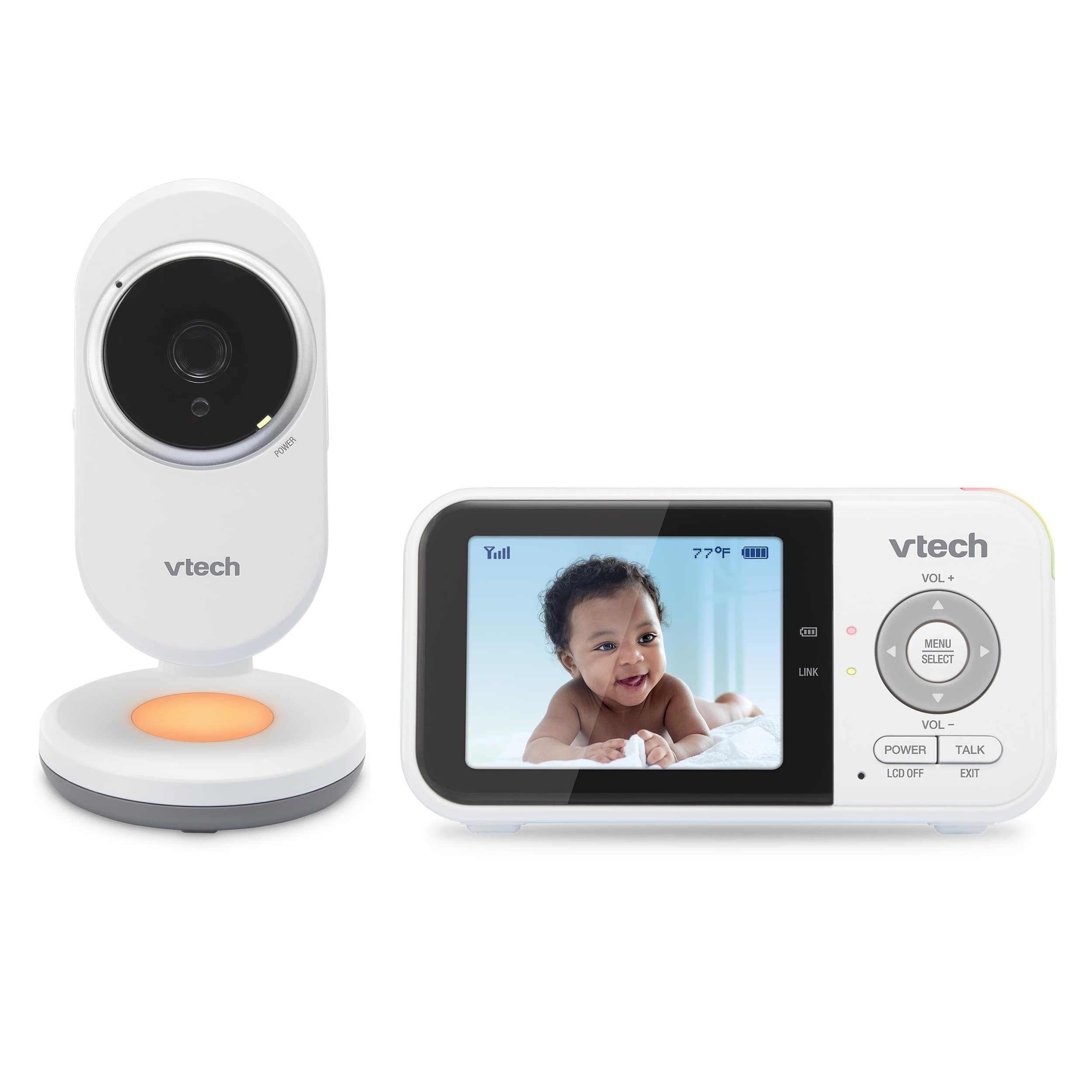
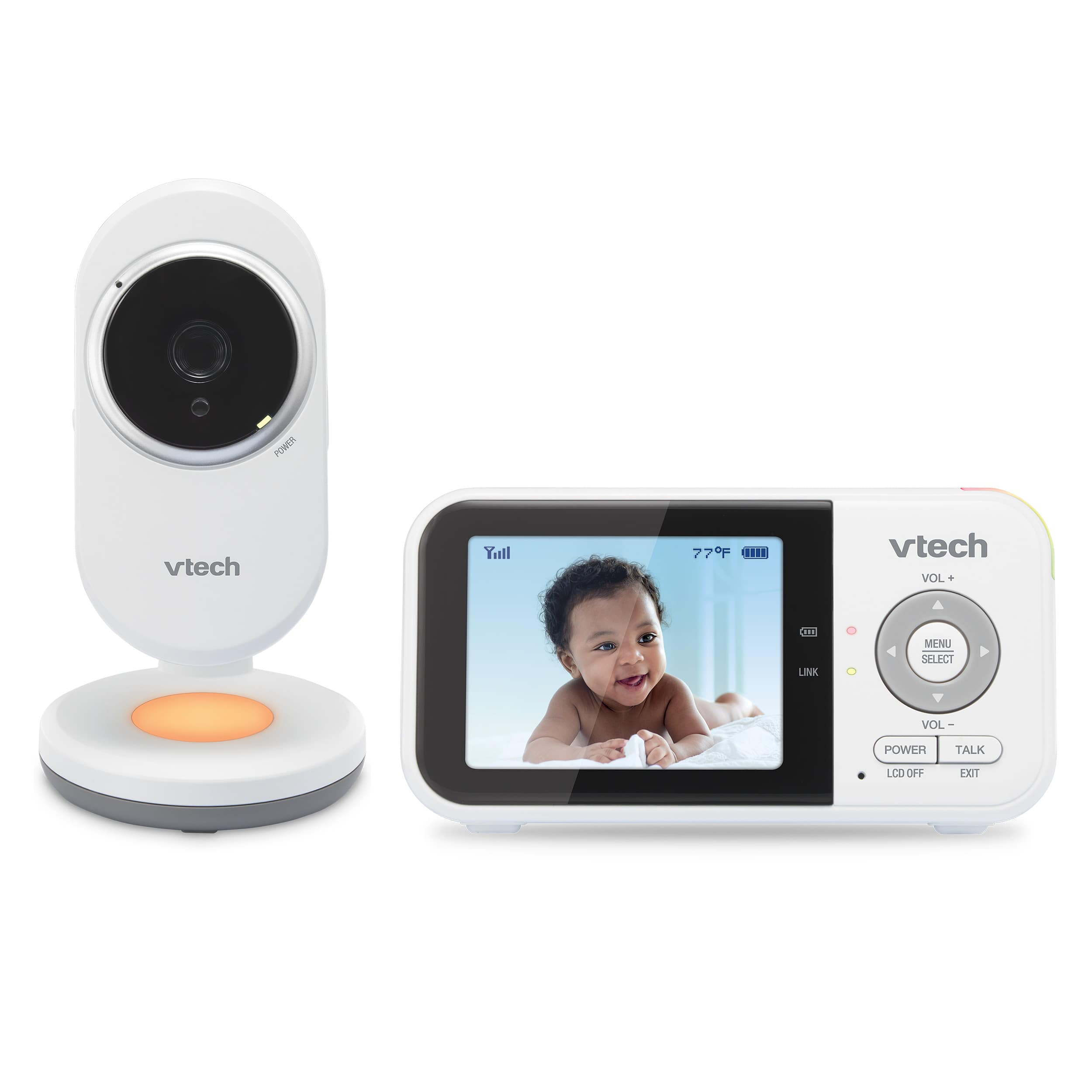
Explore this need in the finder →The VTech VM3254 is a compact, one-camera video monitor for a household that wants a small handheld screen and a direct local link rather than a phone-first setup. Its most distinctive extra is a gentle amber night light on the camera unit. The exact U.S. listing identifies a single camera and a single Parent Unit, so it is a one-room package; it is not the two-camera VM3254-2 and it does not provide two views at once.
A straightforward local picture
VTech’s U.S. product page presents a 2.8-inch color viewer, one camera, the night light, two power adapters and a quick-start guide. The shared family guide says the VM3254 is the one-set configuration. The link is between the camera and its dedicated Parent Unit, not a phone app. That keeps basic check-ins independent of a household Wi-Fi or internet connection, but it also means there is no documented away-from-home phone view. If remote access is essential, this is the wrong branch of VTech’s range.
The camera is listed as fixed-position. You can aim it by hand at setup and the Parent Unit has 2× digital zoom, but VTech does not document remote pan or tilt. A carefully placed camera can work well for a steady crib-side view; it will not sweep the room when the child or furniture moves. This distinction matters in the finder: selecting one camera and a dedicated screen can fit the VM3254, while requiring motorized pan-and-tilt should rule it out. A phone app or extra camera does not appear by magic from the two-way-talk feature.
What the light and sound controls actually add
The camera has an amber night light that can be controlled from the Parent Unit. VTech’s listing also describes auto-on behavior when noise is detected. It is a small comfort option, not evidence that a light will settle every child or replace another room light. The exact listing also documents temperature information, talk-back, lullabies, soothing sounds and automatic infrared night vision. Night vision switches to a black-and-white view in low light, as expected from this kind of infrared system.
Sound sensitivity and the sound-activated screen are practical controls, not a promise to identify cries or distinguish a baby from other noise. VTech says the screen can wake above the selected sensitivity and turn itself off after 50 seconds without detected sound. The default sensitivity is high; the manufacturer advises reducing it when a sound machine or white-noise device keeps triggering the monitor. If you choose a quiet-screen routine, adjust the threshold in the room where the camera will operate and listen to the result. Lowering sensitivity can also mean that quieter sounds do not wake the screen.
The published display descriptions do not line up perfectly. The family guide calls the 2.8-inch color panel QVGA, 320 × 240 pixels, while the current product comparison table labels it 270p. Treat the screen as a small, basic picture rather than shopping on a precise resolution claim. It is suited to quick checks and sound prompts, not a larger or high-detail parent display.
Power and placement are real constraints
The product page advertises up to 19 hours of video streaming or 31 hours of audio-only operation on a charge. Those are manufacturer claims, not independently measured runtimes, and the materials do not define a guaranteed screen-on duration for your brightness and alert settings. Keep the camera on its supplied adapter for a normal overnight installation and treat the handheld battery as convenience for moving around the home, not as a dependable outage plan. If you make a documented continuous screen-on minimum essential, the matcher should leave this model out rather than infer a runtime from battery capacity or an unqualified headline.
The listing cites up to 1,000 feet of range. That is a manufacturer maximum, not a promise through interior walls; room layout, materials and nearby electronics can change reception. The guide also cautions against placing units too close together because of feedback. During setup, confirm the link from the actual Parent Unit locations, keep the baby-unit cord more than three feet from the child, and never put the camera inside a crib or playpen. This monitor is an aid, not a substitute for adult supervision or safe-sleep practice.
Who should consider it?
Choose the VM3254 when one fixed camera, a dedicated 2.8-inch screen, local operation, talk-back and a camera-side amber light cover the job. It is a sensible shortlist candidate for a single nursery where the camera can stay plugged in and carefully aimed. It is not the right answer for remote phone viewing, motorized framing, a larger screen, a verified long screen-on battery minimum, or two camera feeds at the same time.
If you want the same family idea with two installed camera units, compare the VM3254-2 before buying. That package adds a second camera and a Patrol mode, but it alternates views instead of displaying two pictures side by side. The older VM3252 is another one-camera, 2.8-inch VTech reference, while the VM923 family is a closer comparison if remote camera movement matters. Compare the actual package contents and operating modes, not only the shared screen size or family name.
Key details at a glance
| Parent-unit screen | 2.8 in |
|---|---|
| Published display resolution | QVGA 320 × 240 LCD in the official family guide; the current U.S. comparison table instead labels the display 270p. Preserve the discrepancy. |
| Camera-to-parent-unit connection | Direct local 2.4 GHz video/audio link between the Baby Unit(s) and Parent Unit; U.S. guide lists 32 channels across 2405–2475 MHz. No app, home-Wi-Fi or internet operating plan is documented. |
| Advertised maximum range claim | 1000 ft |
| Cameras in the reviewed kit | 1 |
| Video rooms visible at once | 1 |
More specifications and setup details
| Phone viewing away from home | No |
|---|---|
| Supplied camera lens setup | Fixed-position camera(s), manually aimed during placement; 2x digital zoom at the Parent Unit. Remote pan and tilt are not documented. |
| Recommended stable operation uses home Wi-Fi | No |
| Audio-only system | No |
| Parent talk-back | Yes |
| Room-temperature readout | Yes |
| Camera-side mood light | Yes |
| Preloaded lullaby count | 4 |
| Parent receivers included | 1 |
Use the exact model’s instructions for operating limits, supplied equipment and version differences.
Sources for this assessment
Check the room and the receiving setup.
Read the exact model's constraints, camera count and supervision limits before choosing a package.