
On this page
Your needs, this model
Does it fit your priorities?
Do you need a live car-seat picture on a local screen, with the driver kept from direct view while moving?
This configuration can fit a passenger-side in-car viewing need: it uses a dedicated local Parent Unit and the manual requires the screen face the passenger away from the driver. It is not an app-away-from-home setup.
Explore this need in the finder →Is a compact 2.8-inch screen acceptable for this one-camera use?
The exact page and guide identify a 2.8-inch Parent Unit. A 2.5-inch minimum fits, but an essential 3-inch minimum does not.
Explore this need in the finder →Would one camera picture at a time meet the trip need?
The confirmed package contains one Baby Unit and one Parent Unit; two in-car camera pictures at once are not established.
Explore this need in the finder →V-Go 369000 is an in-car monitor, not a bedroom camera
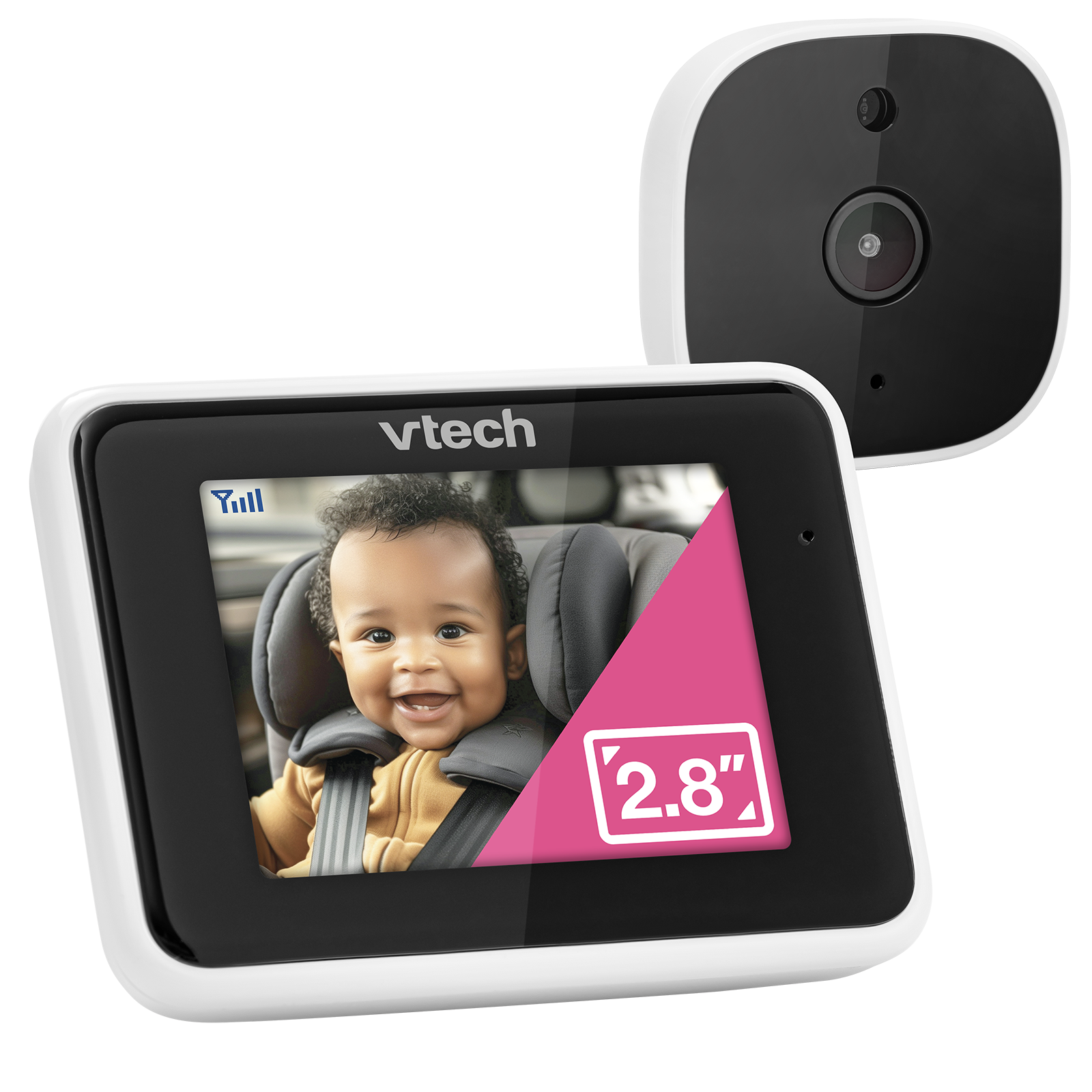
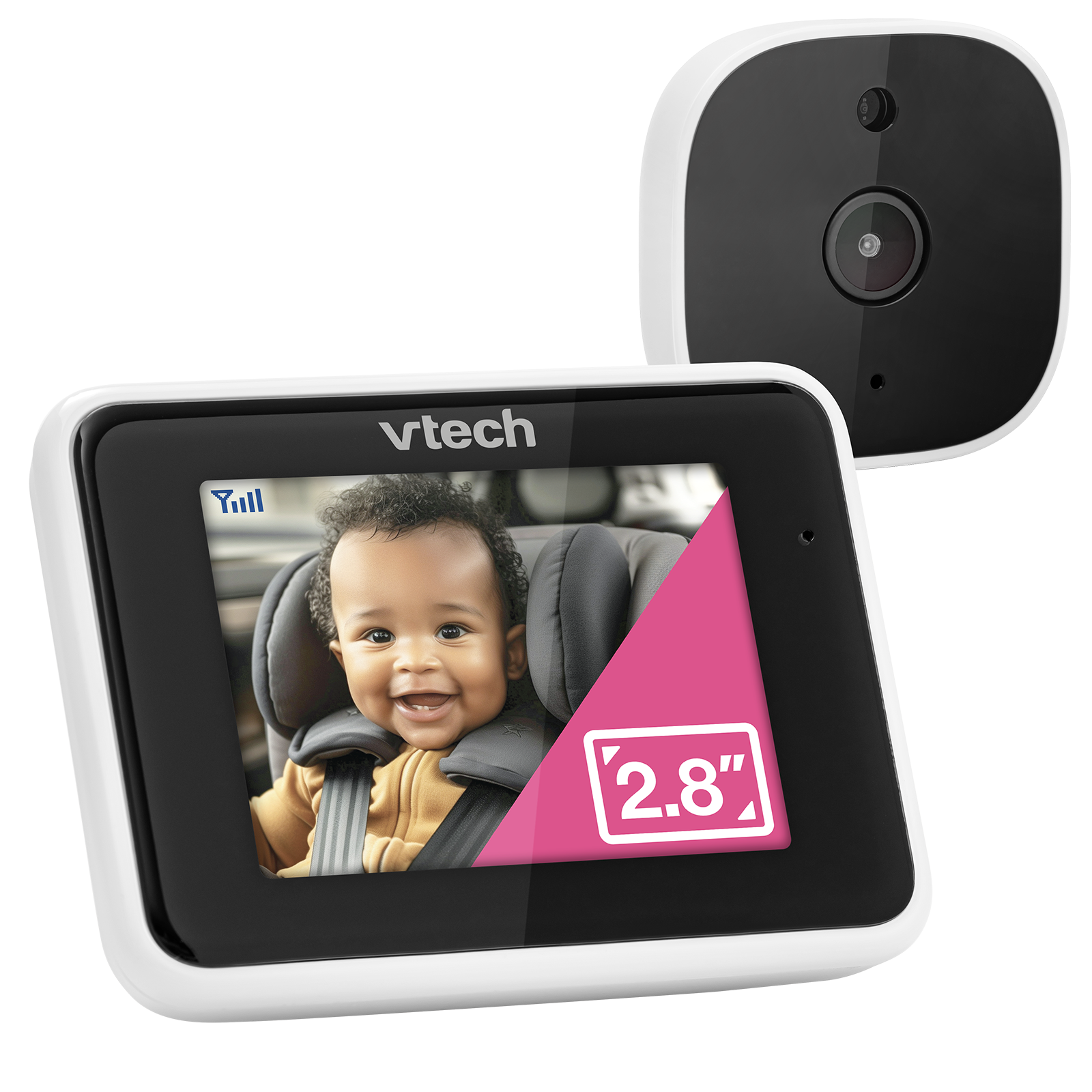
VTech’s V-Go is a purpose-built vehicle monitor: one camera mounts behind the child’s seat and sends a live picture to a separate 2.8-inch Parent Unit. The U.S. quick-start guide identifies this exact product as model 369000. Its screen is compact, and the official product page claims a 100-degree view and automatic infrared night vision. This is a narrow job, not a small version of a nursery monitor. Its mounting pieces and two power cords are designed around a vehicle, rather than a crib, bedroom wall or countertop.
The camera and viewer use a direct local radio link; the guide lists 2405–2475 MHz and 32 channels. That means the pictured system does not need a home router or internet for its dedicated screen. It is not an away-from-home phone camera. The guide’s package drawing shows one Baby Unit and one Parent Unit, so treat it as one camera view, not a two-child split-screen arrangement. If you are selecting for home use, a conventional local monitor such as the VTech VM819 or VM350 is a better starting point because those configurations are designed around a nursery camera and parent receiver.
The viewing position is a safety boundary
The in-car feature sounds appealing, but the exact guide contains a critical restriction: the driver must not directly view the Parent Unit screen while the vehicle is moving. It shows the viewer mounted on the passenger-side vent and turned toward the passenger, away from the driver’s view. The V-Go is therefore only a fit when the display will be used from that passenger position or while parked. If the driver wants to look at a live image during a trip, do not choose this model for that purpose. VTech’s promotional wording about keeping attention forward does not cancel the guide’s explicit warning.
Set it up while the vehicle is parked and without the child in the car, as the guide instructs. The Baby Unit attaches to a headrest strap; do not put it inside the car seat or attach it to the child restraint. The camera angle is adjusted by hand. The viewer clips to an air vent on the passenger side. Before driving, make sure both mounts are firm and that the passenger-facing screen cannot be seen directly by the driver. This is an aid for an adult passenger, not a substitute for responsible adult supervision, and it is not a medical monitor.
Power and cable routing take more planning than the screen suggests
Neither unit is described as battery-operated: the Baby Unit and Parent Unit have separate vehicle power cords. The guide lists 5V DC at 300mA for the camera and 5V DC at 1A for the viewer, and calls for two suitable USB-A outlets or an appropriately rated powered multi-output source. If the vehicle has only one available port, do not assume a passive splitter will meet the manual’s power requirements. On the camera side, the long cord runs along the side of the seats; the shorter cord powers the viewer.
VTech warns that cords must remain at least three feet from the child, away from sharp edges and areas where they could be crushed, and slack enough for seat adjustment. The guide says to secure the route before putting the child in the vehicle. If your car’s ports remain powered when the ignition is off, it recommends unplugging the units during long periods of non-use to avoid draining the vehicle battery. These installation details matter more than any headline about image quality.
What the 2.8-inch picture can and cannot promise
Automatic infrared night vision is useful in a dim cabin, and the guide describes a night-vision icon and a dimmed Parent Unit screen when the camera switches into that mode. The product page claims a 100-degree viewing angle, but there is no independent measurement here. The guide does not give a numeric operating range or a verified screen-on runtime. Its extracted pixel-resolution line is unusual, and the official comparison table leaves resolution blank, so do not treat a pixel count as settled. Battery-life figures from VTech’s unrelated home monitors should not be transferred to this cord-powered car kit.
The product page continues below the in-car section with generic nursery-monitor copy about a temperature sensor, talk-back, lullabies, sound activation and a night light. Because those descriptions refer to a baby’s room and the exact V-Go guide does not establish those controls, this assessment does not promise them. If you need a temperature readout, two-way talk, remote camera movement or phone access, select only a model whose exact package and manual confirm that feature.
Who should choose V-Go?
V-Go makes sense for a household that wants a one-camera rear-seat picture on a separate local display and has a passenger who can view it from the required position. It is a poor fit for a driver who wants an on-screen view, for someone who needs a cordless parent screen, or for a family shopping for a regular overnight nursery system. It also does not meet a three-inch screen minimum, a two-camera requirement, or a numeric range or runtime threshold that the guide does not establish.
Choose the finder’s passenger-side in-car option only when that position suits your vehicle. The model can pass a dedicated-screen, one-view, no-Wi-Fi request, but it should be excluded when the driver must directly see the display while moving. If you want one screen in the nursery, compare the VM819 or VM350 reviews instead; if you need phone viewing away from home, look at a verified Wi-Fi configuration. Check the VTech V-Go listing for the current product description, and follow the complete model-specific installation and cord warnings before use.
Key details at a glance
| Parent-unit screen | 2.8 in |
|---|---|
| Camera-to-parent-unit connection | Direct local radio between the single Baby Unit and Parent Unit; the exact U.S. guide lists 2405-2475 MHz and 32 channels. No app/remote-phone path is documented. |
| Cameras in the reviewed kit | 1 |
| Video rooms visible at once | 1 |
| Phone viewing away from home | No |
| Supplied camera lens setup | One in-car Baby Unit manually aimed on the supplied headrest strap; remote camera movement is not documented. |
More specifications and setup details
| Recommended stable operation uses home Wi-Fi | No |
|---|---|
| Audio-only system | No |
| Included crib-mount option | No |
| Supplied camera mount | In-car setup: Baby Unit on a headrest strap and Parent Unit on the passenger-side air vent, oriented away from the driver's view. |
| Portable Flex Stand included | No |
| Travel Case included | No |
| Parent receivers included | 1 |
Use the exact model’s instructions for operating limits, supplied equipment and version differences.
Sources for this assessment
Check the room and the receiving setup.
Read the exact model's constraints, camera count and supervision limits before choosing a package.