
On this page
Your needs, this model
Does it fit your priorities?
Do you need a live car-seat picture on a local screen, with the driver kept from direct view while moving?
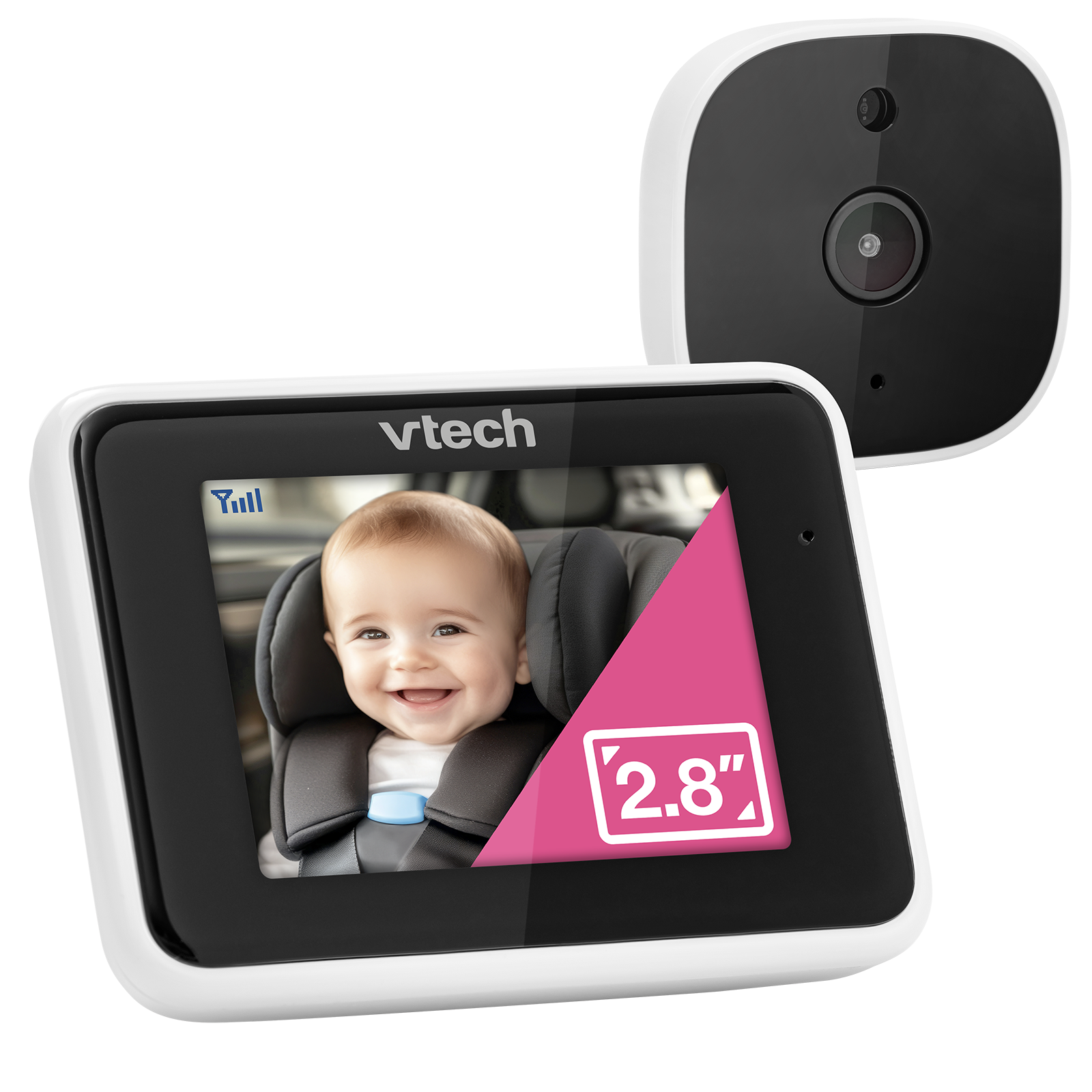
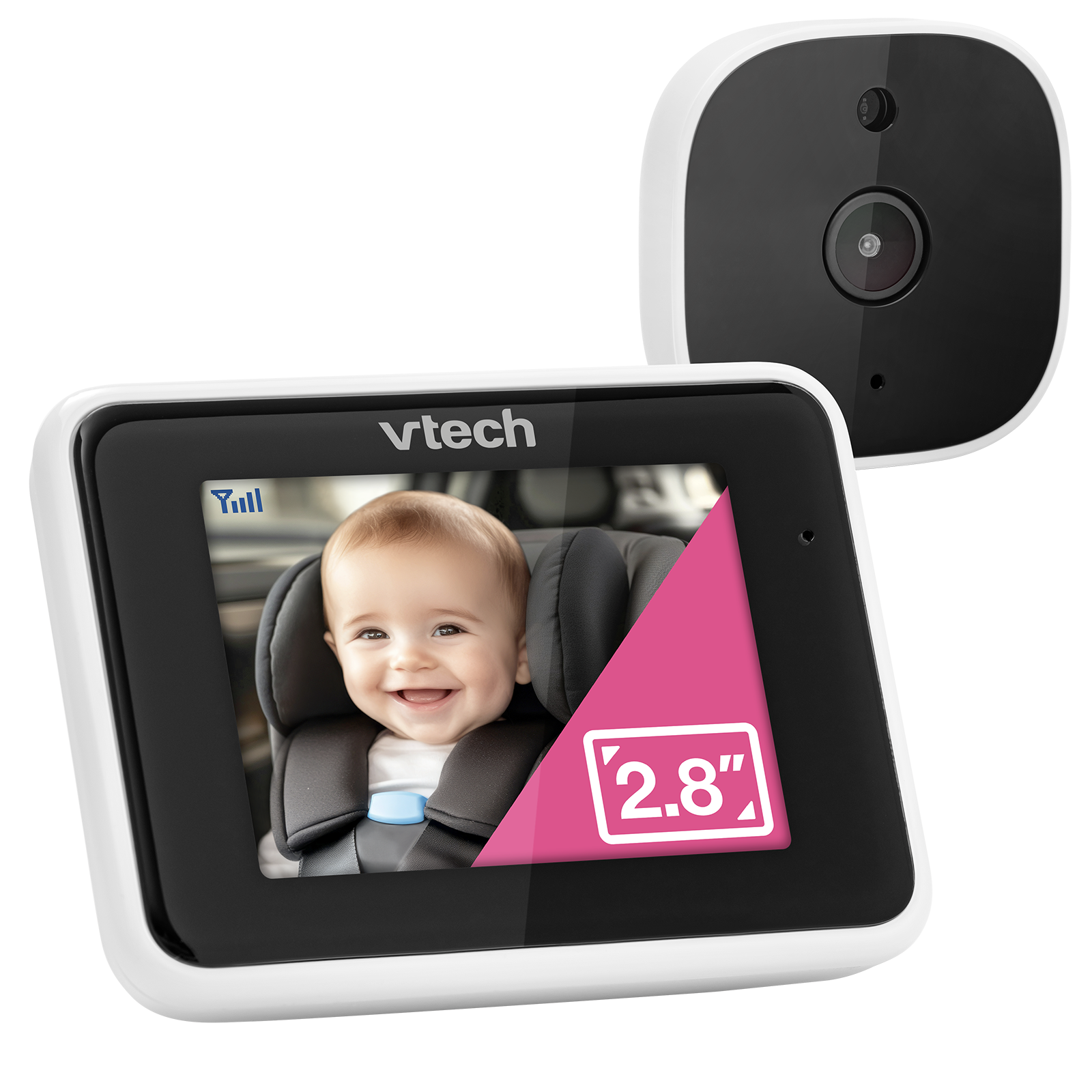
This configuration can fit a passenger-side in-car viewing need: it uses a dedicated local Parent Unit and the manual requires the screen face the passenger away from the driver. It is not an app-away-from-home setup.
Explore this need in the finder →Is a compact 2.8-inch screen acceptable for this one-camera use?
The exact page and guide identify a 2.8-inch Parent Unit. A 2.5-inch minimum fits, but an essential 3-inch minimum does not.
Explore this need in the finder →Would one camera picture at a time meet the trip need?
The confirmed package contains one Baby Unit and one Parent Unit; two in-car camera pictures at once are not established.
Explore this need in the finder →V-Go Kit 372901 is a distinct in-car package with one known view
The VTech V-Go Kit should be read as a vehicle monitor first. Its exact U.S. guide identifies model 372901 and the product page calls the configuration “V-Go Kit.” The known arrangement is one camera attached to a headrest strap and one 2.8-inch Parent Unit mounted on a passenger-side air vent. The guide lists the same local radio band and 32 channels as V-Go 369000, plus automatic infrared night vision. It does not document a phone app, a home-nursery mounting plan or multiple simultaneous camera views.
There is a reason not to assume that “Kit” means a performance upgrade. The page and guide confirm the model name and a separate model number, but they do not establish a better screen, a second camera or a longer range than the standard V-Go. The exposed component list names the Parent Unit, Baby Unit, headrest strap, vent mount and two power cords; the guide’s final model marking also names a Headrest Mounting Bracket without clearly explaining whether that is an additional piece or a labeling detail. The practical difference in supplied hardware remains unclear, so compare the exact box contents rather than paying more on the assumption of an extra camera or new monitoring mode.
Do not use it as a driver-facing screen
The most important limit is unambiguous. VTech’s V-Go Kit guide says it is important that the driver cannot directly view the Parent Unit screen while the vehicle is moving. The installation instructions put the viewer on the passenger-side vent and orient the screen toward the passenger, away from the driver’s view. That makes this a passenger-side monitoring arrangement; it is not a tool for the driver to glance at while travelling. If your only available viewer position leaves the display in the driver’s direct sight line, this is the wrong setup.
The same guide says to install the system before the baby is in the vehicle, secure the child seat properly and keep the camera off the car seat itself. The camera is fixed in place on the headrest strap and manually angled; it is not a remotely moving camera. Route the cord along the seat edge as instructed, keep it at least three feet from the child, avoid sharp or pinching points, and leave enough slack for seat movement. The manufacturer also says the monitor is only an aid, not a substitute for adult supervision or a medical monitor.
Expect two wired power connections and one local screen
This is not a battery-backed screen that follows you through the house. The V-Go Kit guide gives separate power requirements for the camera and viewer—5V at 300mA and 5V at 1A—and says to have two USB-A vehicle ports or use a suitable powered hub or multi-output charger. Both units turn on from vehicle power. Some vehicles keep accessory ports active after the ignition is off; the guide recommends unplugging the monitor for long periods when the vehicle does not cut that power automatically, to avoid draining the vehicle battery.
For a passenger who wants a local camera picture without home Wi-Fi, that wired, direct-link design is simpler than setting up a phone app. It is also less flexible: there is no documented remote-phone path, and the viewing plan ends at the in-car Parent Unit. The guide gives no numeric operating range, battery runtime, or independent resolution figure. It reports a 2.8-inch color screen, but its extracted pixel line reads 320 by 420, an unusual value that the official product comparison table leaves blank. Rely on the confirmed screen size, not that unsettled pixel transcription.
What to expect from low-light viewing
Automatic infrared night vision is the clearest documented picture aid. The guide describes an indicator for the mode and says the Parent Unit dims when night vision is active; the image may switch to black and white in low light. VTech’s page claims a 100-degree view, but that is a manufacturer specification, not an independent field-of-view measurement. No numeric range claim is listed for this exact Kit. A loss-of-link indicator is useful when the camera and receiver stop communicating, but the guide does not turn that into a guaranteed range through different vehicle interiors.
The product page also contains a general block of VTech nursery features—temperature, talk-back, lullabies and sound activation—but that block discusses room use and the exact vehicle guide does not confirm those functions for the V-Go Kit. They are left uncredited here. Do not treat a shared marketing section as proof that the car kit can replace a nursery receiver or provide a particular alert.
Where it fits in a shortlist
Choose V-Go Kit when the exact model 372901 is what you are comparing and you can use a passenger-facing screen, a headrest camera and two powered vehicle connections. A small local picture, no-home-Wi-Fi operation and infrared night vision align with that narrow trip use. It is not a fit for a driver who needs direct screen visibility while the car is moving, a household that needs phone-away access, a two-camera minimum, or a nursery screen-on runtime requirement.
V-Go 369000 is the closest known alternative; both packages share the same basic in-car layout and no sourced functional upgrade has been established for the “Kit” label. For an in-home monitor, compare a conventional model such as the VTech VM819 rather than repurposing the vehicle kit. In the finder, this model belongs only with the passenger-side, driver-out-of-view in-car answer. A driver-view request must reject it. Check the VTech V-Go Kit listing for current package and availability information, and follow its exact installation, power and cord directions.
Key details at a glance
| Parent-unit screen | 2.8 in |
|---|---|
| Camera-to-parent-unit connection | Direct local radio between the single Baby Unit and Parent Unit; the exact U.S. guide lists 2405-2475 MHz and 32 channels. No app/remote-phone path is documented. |
| Cameras in the reviewed kit | 1 |
| Video rooms visible at once | 1 |
| Phone viewing away from home | No |
| Supplied camera lens setup | One in-car Baby Unit manually aimed on the supplied headrest strap; remote camera movement is not documented. |
More specifications and setup details
| Recommended stable operation uses home Wi-Fi | No |
|---|---|
| Audio-only system | No |
| Included crib-mount option | No |
| Supplied camera mount | In-car setup: Baby Unit on a headrest strap and Parent Unit on the passenger-side air vent, oriented away from the driver's view. |
| Portable Flex Stand included | No |
| Travel Case included | No |
| Parent receivers included | 1 |
Use the exact model’s instructions for operating limits, supplied equipment and version differences.
Sources for this assessment
Check the room and the receiving setup.
Read the exact model's constraints, camera count and supervision limits before choosing a package.