
On this page
Your needs, this model
Does it fit your priorities?
Can the -4 suffix be used as proof of a four-camera package?
No. The manual names VM85-4 CONNECT but its package paragraph does not assign an included camera count to the -4 suffix. Unknown quantity cannot meet an essential room minimum.
Explore this need in the finder →Can an existing VM85-4 use the family guide’s local parent-screen path without Wi-Fi?
The guide names VM85-4 and documents local parent-unit viewing as well as a separate app path. This manual reference does not establish a specific retail kit or its package contents.
Explore this need in the finder →Does the manual establish motorized remote movement of the camera head?
The guide describes remote pan/tilt scanning of the displayed image, not physical movement of the camera housing. Do not treat that as confirmed motorized pan-and-tilt.
Explore this need in the finder →Do not read the suffix as a four-camera promise
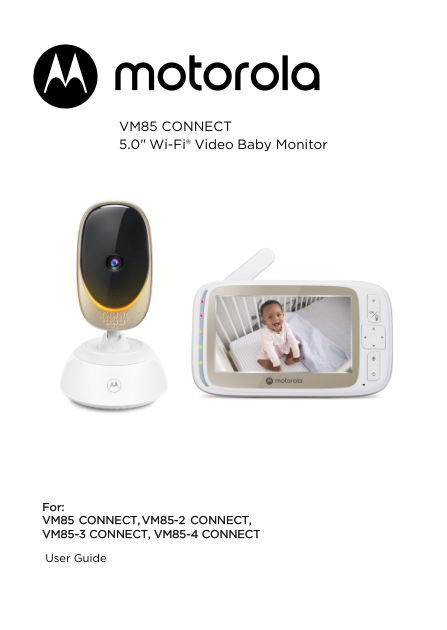
VM85-4 CONNECT is an exact name on Motorola’s VM85 family-guide cover. The same guide covers three other VM85 labels, including the base and -2 models. Its general package note says a standard box has one parent unit and one camera, while multi-camera packs add one or more camera units. It never assigns the -4 label to a particular number of cameras. A model suffix is not a bill of materials: the guide does not verify a VM85-4 U.S. SKU, box contents, lifecycle, or a kit-specific image. Use this assessment to identify the manual family for an existing unit, not to buy a supposed four-camera bundle.
What an owner can use
The documented system combines a five-inch TFT LCD parent screen with a camera and a separate app path. For a local check, the parent unit communicates with a paired camera; the user guide does not make that viewing path depend on a phone account or remote internet. When a phone or tablet is the goal, the manual’s app setup requires a Wi-Fi router, a compatible device, and internet for remote access. Motorola lists minimum Android and iOS versions and a per-camera upload requirement, so this is not a phone-only monitor that works without network setup.
The parent unit offers talk-back, volume and brightness adjustments, a sound-level display, camera selection, and an image-scan mode. That scan mode lets the operator move the displayed picture horizontally or vertically. It does not establish that the camera housing itself swivels. Night viewing uses infrared; the picture may appear black-and-white in a dark room. The camera also reports room temperature, but the guide does not establish a calibrated reading, a medical use, or a temperature-triggered alarm. There are ten preloaded lullaby/soothing selections and ten audio books, with audio content and personal recordings managed through the app.
Signal conditions still depend on the room. Motorola’s guide warns that walls, large metal objects and nearby 2.4 GHz equipment can reduce the link, but it does not provide an indoor range guarantee for this suffix. It also cautions that placing the parent and camera units too close together can create a high-pitched feedback sound; its setup directions keep the camera at least three feet from the child and its cord out of reach. The parent-unit sound LEDs show detected sound level rather than a documented cry detector or threshold alarm.
The package is the unresolved part
The guide explains how to add and select cameras if more than one has been paired, but it does not state a suffix-specific camera maximum or promise a split screen for VM85-4. It shows the basic selection flow, not that this package contains four cameras or can display four rooms together. That makes a multi-room essential need impossible to verify from this label alone. The parent unit has a rechargeable battery, but no exact screen-on runtime is stated here. The camera needs a supplied power adapter, and Motorola’s placement instructions keep it at least three feet from the child with the cord inaccessible. Walls, metal, and competing 2.4 GHz devices can affect connection quality, so the manual’s warnings are more useful than any unqualified range assumption.
When to choose a different reference
For a household that already owns a VM85-4-labeled device, this guide is a practical place to start pairing it, using local viewing, and understanding the optional phone connection. For a purchase decision, first distinguish a documented package from a family manual name. Motorola’s separate U.S. VM85 CONNECT record identifies a one-camera kit, while its VM85-2 CONNECT record identifies a two-camera split-screen set. Those assessments are linked here because they make the package difference concrete; neither is evidence about the -4 box. If exact room count is essential, rely on the exact package record, not this suffix reference. This page remains non-buying and does not claim a current offer.
Key details at a glance
| Parent-unit screen | 5 in |
|---|---|
| Published display resolution | The family guide specifies a 5.0-inch diagonal TFT LCD; it does not give the display resolution for this suffix. |
| Camera-to-parent-unit connection | Two distinct documented paths: a local parent-unit/camera link and a Wi-Fi/app route. The app path needs home Wi-Fi and internet for remote viewing; the local parent screen does not require the app path. |
| Phone viewing away from home | Yes |
| Recommended stable operation uses home Wi-Fi | No |
| Audio-only system | No |
More specifications and setup details
| Parent talk-back | Yes |
|---|---|
| Room-temperature readout | Yes |
Use the exact model’s instructions for operating limits, supplied equipment and version differences.
Sources for this assessment
- Motorola VM85 CONNECT 5.0-inch Wi-Fi Video Baby Monitor User Guide V3 (EN-EU&US)
- Motorola Nursery exact U.S. VM85 CONNECT listing (base package only)
- Motorola Nursery VM85 CONNECT U.S. product record (base package only)
- Motorola Nursery exact U.S. VM85-2 CONNECT listing (two-camera package only)
- Motorola Nursery VM85-2 CONNECT U.S. product record (two-camera package only)
- Motorola Nursery VM85 CONNECT support page
- Motorola Nursery VM85-2 CONNECT support page
Check the room and the receiving setup.
Read the exact model's constraints, camera count and supervision limits before choosing a package.