
Your needs, this model
Does it fit your priorities?
Do you want one room on a dedicated screen without home Wi-Fi?
The exact U.S. VM75 listing describes a direct FHSS screen and the record identifies one included camera.
Explore this need in the finder →Would remote aiming help if the camera must stay safely mounted in one place?
The VM75 family guide documents remote camera movement; digital zoom is a crop rather than optical zoom.
Explore this need in the finder →Do two rooms need to stay visible and audible at once?
VM75 is a one-camera package; two-room simultaneous audio is not documented for its local monitor arrangement.
Explore this need in the finder →Who the VM75 suits
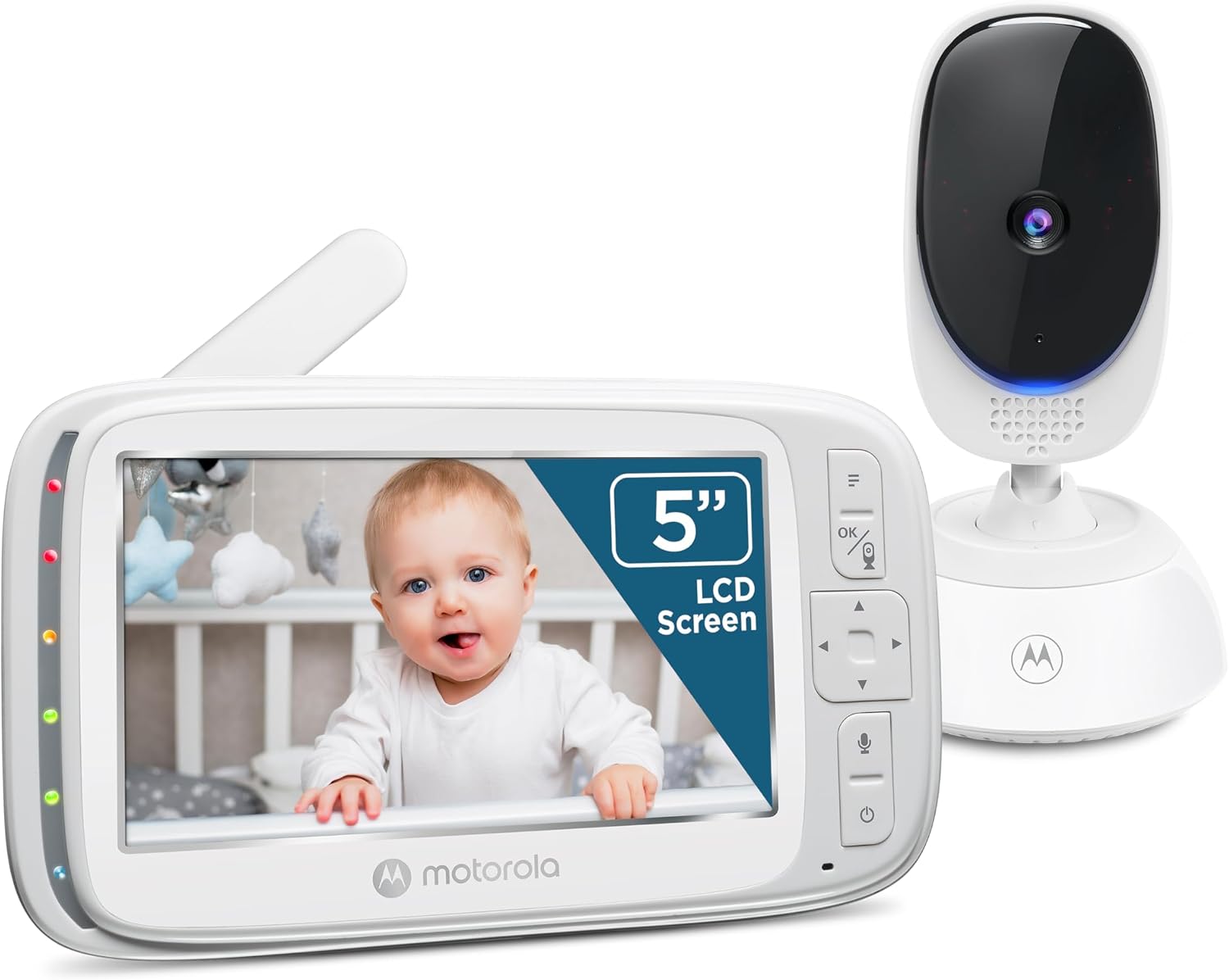
The Motorola Nursery VM75 is the one-camera version of a local video-monitor family. Its exact U.S. retailer listing and product record identify a single VM75 camera and a five-inch parent unit, while Motorola’s support entry separately names the VM75 and links the VM75-family user guide. The current store page says no Wi-Fi or app is needed: the camera sends audio and video directly to the dedicated screen. That is useful if you want a monitor which does not need router setup, but it also means there is no phone feed for a caregiver away from home.
This standard package is the relevant choice when one room is the priority and one included camera is enough. The separate VM75-2 Twin Camera package adds a second camera and split picture; it is not just an extra view created by pairing a new accessory. A separately sold VM75 Additional Camera is not a stand-alone monitor. Do not count an add-on camera as an included camera when comparing the standard VM75 package.
A larger local screen and a camera that moves
The five-inch color screen is the main ergonomic advantage over a compact receiver. On the family camera, Motorola documents remote motorized pan and digital tilt, plus selectable 1× and 2× digital zoom. This gives you a way to reframe the picture from the parent unit instead of relying only on how the camera was pointed during setup. Digital zoom enlarges a crop; it is not optical zoom, and a larger screen does not by itself establish a high-definition resolution. Motorola’s VM75 detail page for the model label lists 480 × 272 pixels, while the current retailer page confirms the five-inch size. If native pixel count is an essential specification for the exact newer retail SKU, ask the manufacturer to confirm the current version rather than turning a family model page into an unqualified promise.
Infrared night vision switches the parent display to black and white in low light. Five selectable lullabies can play through the camera, and the unit supports two-way talk. The guide also documents an audio-level indicator, a displayed room-temperature reading, camera pairing, and screen-off operation that continues sound. The temperature display is a household reference, not a clinical sensor. The exact current retail copy and older feature page use different wording about alerts; the user guide explains the displayed temperature and indicator behavior, not a user-set alarm threshold. Do not choose it for a specific audible temperature alarm or motion/cry detection unless the manufacturer confirms that exact function.
Direct radio, not a remote phone camera
The retailer describes a secure 2.4 GHz FHSS connection and claims up to 1,000 feet. Treat that as a manufacturer maximum, not a measured indoor guarantee or a result for every house. Motorola’s guide warns that walls, metal objects, electrical equipment, Wi-Fi routers and other 2.4 GHz products can reduce the link. Test the parent screen from the place where you will actually use it. If your must-have is check-in over the internet from outside the home, the VM75 does not fit; choose a documented connected system instead.
The camera uses a supplied adapter, so this is not a cordless camera you can move anywhere without an outlet. The guide says to place it at least three feet from the child, keep it out of reach and never put the unit or cord in the crib. Do not use an extension cord. The parent screen has a built-in lithium-ion battery that Motorola’s guide describes as non-user-accessible; it recommends a long initial charge and keeping the receiver plugged in for longer or overnight use.
There is a material runtime disagreement across the official pages. The current VM75 store listing advertises up to 17 hours for the parent unit, the V11 guide linked from the exact VM75 support page says approximately four hours on a charge, and Motorola’s VM75 feature page says five hours. Those sources do not state that they use the same test conditions, and the current retailer product SKU differs from the older support reference number. The exact version bridge and screen-on conditions are not resolved. None of these claims should qualify the model for a hard minimum of continuous screen-on hours; treat the usable runtime as unknown for that requirement.
What changes with the answers
If a five-inch dedicated screen, one-room picture and remote camera movement are priorities, the single-camera VM75 is a plausible fit. If two pictures must be visible simultaneously, the standard package does not include that second camera; compare the exact VM75-2 Twin Camera package. If you merely need to select one camera at a time, the family guide describes camera selection and a sequential scan of paired cameras, but a scan is not the same as two continuously visible rooms. The guide names up to four paired cameras, which is a pairing limit, not a statement that four cameras are included.
If two rooms must also remain audible at once, do not assume that split-screen solves it. Motorola’s VM75-family documents establish that split viewing exists but do not clearly state the audio behavior during split mode. Unknown does not pass that essential need. Likewise, a strict battery threshold, documented 720p resolution, guaranteed in-home range, remote phone viewing, or a specific motion/cry alert should send you toward a model with the exact condition in its own current manual. The exact VM75 retailer page showed the single-camera set available on October 23, 2026; stock changes, so verify current availability before purchase.
Sources and safe setup
Sources: Motorola Nursery’s current U.S. VM75 listing, its product record, the VM75 support page, the linked VM75-family user guide and North American quick-start guide, plus Motorola’s VM75 feature details. Follow the exact manual’s placement and cord warnings. A monitor is an aid, not a replacement for adult supervision or safe-sleep practice.
Key details at a glance
| Parent-unit screen | 5 in |
|---|---|
| Published display resolution | Five-inch LCD on current U.S. page; Motorola feature details for the VM75 model label list 480 x 272 pixels. Current retail SKU and support Ref differ, so confirm resolution if a current-revision pixel count is essential. |
| Camera-to-parent-unit connection | Direct 2.4 GHz FHSS link to the included parent display; exact current U.S. page says no Wi-Fi or app is required. |
| Advertised maximum range claim | 1000 ft |
| Cameras in the reviewed kit | 1 |
| Maximum camera units supported | 4 |
| Video rooms visible at once | 1 |
| Phone viewing away from home | No |
| User-replaceable parent-unit battery | No |
| Supplied camera lens setup | Remote motorized pan and digital tilt from parent unit; selectable 1x/2x digital zoom. |
| Recommended stable operation uses home Wi-Fi | No |
| Audio-only system | No |
| Parent talk-back | Yes |
| Room-temperature readout | Yes |
| Parent-unit batteries included | Yes |
| Preloaded lullaby count | 5 |
| Parent receivers included | 1 |
Use the exact model’s instructions for operating limits, supplied equipment and version differences.
Sources for this assessment
- Exact current U.S. VM75 listing
- Exact current U.S. VM75 product record
- Motorola Nursery VM75 support / family manual entry
- VM75 family user guide V11
- VM75 North American quick-start guide V8
- VM75 North American addendum V2
- Motorola Nursery VM75 model features
- Limited CPSC exact-name VM75 search
- Exact-model official product image

Check the room and the receiving setup.
Read the exact model's constraints, camera count and supervision limits before choosing a package.