
Your needs, this model
Does it fit your priorities?
Would a five-inch local screen with remote camera aiming fit your one-room routine?
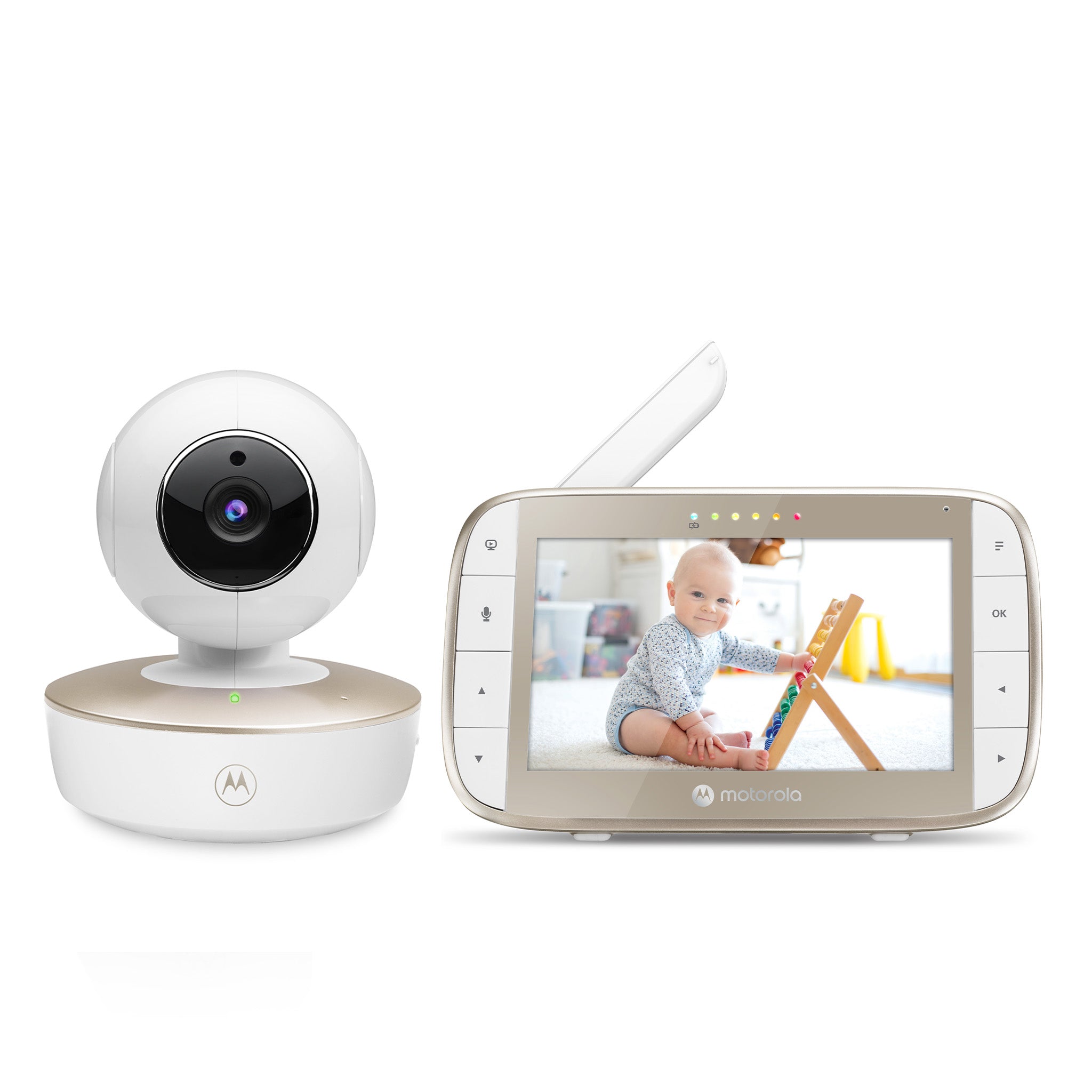
The exact VM50G specification lists a five-inch screen and the manual documents remote pan and tilt. The standard kit contains one camera.
Explore this need in the finder →Is one room's picture and selected audio enough, without a Wi-Fi phone feed?
The standard U.S. package has one camera paired directly to a dedicated local screen; no app or home Wi-Fi is required.
Explore this need in the finder →Do you need two rooms visible and audible at the same time?
The standard kit includes one camera, and the family guide says split-screen multi-camera viewing plays only selected-camera audio.
Explore this need in the finder →Who the VM50G suits
The Motorola Nursery VM50G is a one-camera local video monitor for a household that wants its own handheld parent screen and remote camera aiming, without adding the monitor to home Wi-Fi. The U.S. product record identifies SKU 810036771122, with one camera and one parent unit; the page showed Sold Out on October 23, 2026, a dated stock observation rather than a future promise. The direct 2.4 GHz FHSS link uses the supplied screen; it is not a phone camera for off-site viewing.
The strongest practical reason to choose this model is its combination of a five-inch parent display and camera movement controlled from that unit. It is for one supplied camera and one room at a time. The VM50G-2 Twin Pack is the separate exact package when you want two included cameras and two pictures on screen together. Motorola’s separate VM50G Additional Camera Unit is an add-on without a parent receiver, and its exact page lists VM50G and VM50G-2 as compatible systems; buying that camera is not the same as buying the Twin Pack.
Remote framing, with a corded camera
From the parent unit, you can pan and tilt the camera and select 1× or 2× digital zoom. That is useful when a camera mounted in a fixed, safely chosen position needs to be aimed at another part of the room. Zoom is a crop of the camera image, not an optical lens change or a higher-resolution feed. Motorola lists the display as a 480 × 272-pixel, five-inch color LCD; a larger panel than a compact monitor is not the same thing as a 720p detail level.
Do not mistake the built-in parent battery for a cordless camera. The manual explicitly notes that the camera battery indicator does not apply to this VM50G model; the camera uses its supplied power adapter. The parent unit has the mobility benefit: its internal 2,000 mAh battery is listed for up to five hours of monitor operation. The guide calls the battery built-in and not user-accessible, and suggests contacting support for replacement. That published “up to” figure does not state a controlled screen-on test condition, so it cannot answer a strict all-night continuous-video requirement.
The manual’s screen-off control leaves audio monitoring on. It also offers a battery-only video-off timer at five, 30 or 60 minutes; the screen can be turned back on with a button. These are useful ways to conserve the parent-unit battery when a picture is not needed every moment, but they change the routine from continuous viewing to audio with an occasional screen check.
What changes with a second camera
The parent unit can pair as many as four cameras, but the one-camera VM50G package contains only one. Multi-camera scanning changes feeds about every 12 seconds. Split-screen can show several pictures, but only the selected camera’s audio is heard. Talk-back is directed to that camera; digital zoom is unavailable in split mode, and a lullaby must be selected before entering multi-screen.
For a two-room requirement, the Twin Pack offers a more direct route because the package page and support record identify two included cameras (SKU 810036771139). It shows both rooms on the screen, but does not keep both audio feeds open together. If hearing two rooms simultaneously is essential, the VM50G family does not meet that need. A sequential scan can also miss a brief change in a room between turns, so it is a poor substitute for continuous concurrent room audio.
Temperature and sound are household cues
The sensor at the back of the camera sends a temperature reading to the parent screen. The guide says the reading turns red below 57°F or above 84°F, with LL/HH indicators at more extreme values. The product page uses the word “alerts,” while the manual describes the screen’s color and extreme-value display rather than a user-set audible threshold. Treat this as a basic room cue, not climate control or a clinical measurement.
The parent unit has a visual sound-level indicator and volume settings, and the camera includes a microphone and speaker for talk-back. The product marketing says the microphone can catch quiet sounds, but the manual does not establish a cry classifier, motion alert or an alarm that detects a particular kind of sound. If a motion or crying alert is essential, do not treat ordinary audio and LED level indication as proof that the VM50G supplies one.
Plan the radio link and safe location
The store advertises up to 1,000 feet. The manual does not give a measured open-space test protocol, and specifically warns that walls, metal, nearby electronics and other 2.4 GHz devices can reduce the signal. Treat that headline as a maximum claim, not a prediction for a multilevel home. Set up the monitor and test reception from the places you actually plan to use the parent unit.
Motorola’s guide says to keep the camera and cords out of the crib and more than three feet from the child; use the supplied adapter and no extension cord. The monitor does not replace adult supervision or safe-sleep guidance.
Choose it only if the one-room setup fits
The VM50G makes sense when a five-inch local screen, remote pan/tilt, two-way talk and no-Wi-Fi camera link fit the household, and when a single camera is enough. The exact Twin Pack changes the camera count and adds split viewing, but not the simultaneous-audio limitation. If you need remote phone access, look at a connected system instead; if you need two audio streams at once, compare only models whose own manual establishes that exact arrangement. Requirements for 720p resolution, a numeric open-space test distance, guaranteed screen-on battery duration, camera battery operation or a confirmed motion/cry alert should exclude the VM50G rather than be guessed from its headline features.
Sources: Motorola Nursery VM50G U.S. listing, VM50G product record, VM50G product support, its U.S. user guide the North American quick-start guide, and the VM50G Additional Camera Unit listing.
Key details at a glance
| Parent-unit screen | 5 in |
|---|---|
| Published display resolution | 5-inch color LCD; exact U.S. listing states 480 x 272 pixels, not 720p. |
| Camera-to-parent-unit connection | Direct local 2.4 GHz FHSS camera-to-parent connection; exact U.S. listing says no Wi-Fi or app is needed. |
| Advertised maximum range claim | 1000 ft |
| Cameras in the reviewed kit | 1 |
| Maximum camera units supported | 4 |
| Video rooms visible at once | 1 |
| Phone viewing away from home | No |
| User-replaceable parent-unit battery | No |
| Supplied camera lens setup | Remote motorized pan and tilt; selectable 1x/2x digital zoom; zoom unavailable in multi-camera split-screen. |
| Recommended stable operation uses home Wi-Fi | No |
| Audio-only system | No |
| Parent talk-back | Yes |
| Room-temperature readout | Yes |
| Parent-unit batteries included | Yes |
| Camera-side mood light | No |
| Preloaded lullaby count | 5 |
| Parent receivers included | 1 |
Use the exact model’s instructions for operating limits, supplied equipment and version differences.
Sources for this assessment
- Exact U.S. product listing
- Exact U.S. product record and SKU
- VM50G product support
- VM50G U.S. user guide
- VM50G North American quick-start guide
- Official exact-model product image
- Limited exact-name recall search
- VM50G Additional Camera Unit listing (non-standalone add-on)
- VM50G Additional Camera Unit product record

Check the room and the receiving setup.
Read the exact model's constraints, camera count and supervision limits before choosing a package.