
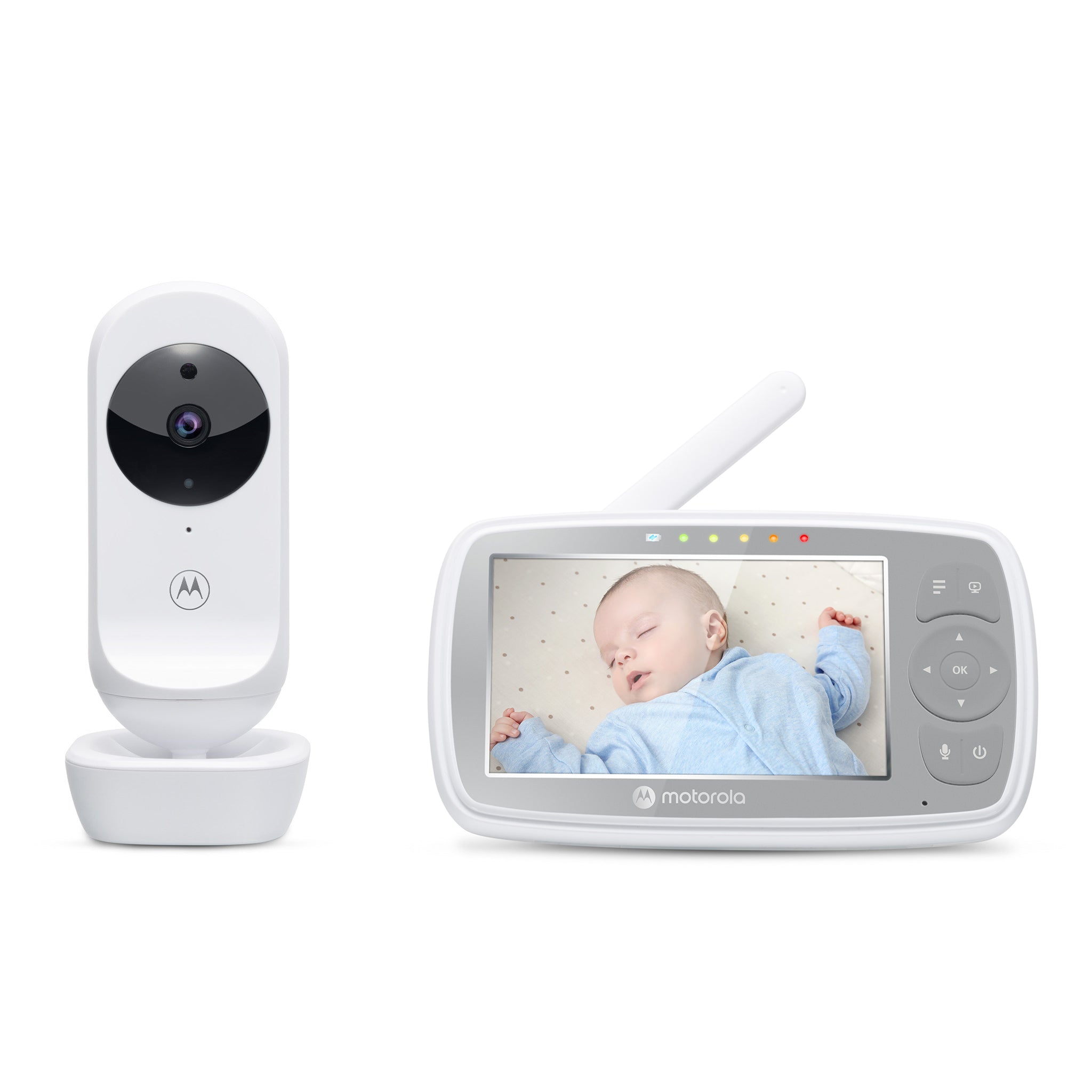
Your needs, this model
Does it fit your priorities?
Would a dedicated parent screen with an optional app be more useful than a phone-only setup?
The VM44 gives you a local parent receiver that does not need home Wi-Fi; if you also choose the app path, the camera needs a router, account, compatible phone and Internet. If you want no dedicated receiver at all, an app-only camera such as PIP2000-P is a different choice.
Explore this need in the finder →Is remote camera pan and tilt essential, or is aiming the camera by hand enough?
The VM44 camera angle is manually set, with 2x digital zoom; its guide does not document remote mechanical movement. If remote pan/tilt is a must-have, choose a model whose exact page/manual documents it.
Explore this need in the finder →Must two camera pictures be included and visible at once in the kit you choose?
No: the exact U.S. VM44 default package contains one camera. The family manual describes multi-camera split-screen after more than one camera is paired, but this base SKU is not a two-camera kit; require at least two included cameras and two live views to reject it.
Explore this need in the finder →A small local receiver with an optional phone-app route
The Motorola VM44 CONNECT is a hybrid monitor: the included camera pairs directly with a 4.3-inch parent screen, and the camera can also be set up for viewing in the Motorola Nursery app. The exact U.S. product page identifies a one-camera kit, SKU 810036770958, with a 480 × 272 parent display. Motorola's product page showed it sold out on October 23, 2026. That is a dated stock observation, not proof that no retailer has a remaining unit or that it will stay unavailable. The exact page does not label it a previous model.
The distinction between the receiver and app matters more than the word “connected.” At home, the parent unit receives the camera over the monitor's local radio link; the guide says the parent and camera automatically link and show a picture when both are on and within range.
What the 4.3-inch screen and camera actually offer
The parent display is a modest 480 × 272 panel, not a high-resolution 720p screen. Motorola claims HD 720p video for the Wi-Fi camera stream in the app, which is a separate viewing path; that claim is not an independent picture-quality test. The parent screen offers 2× digital zoom, infrared night vision and a five-step signal indicator. Night vision switches the picture to black and white in low light. The camera angle is adjusted by hand. The sources describe no motorized pan or tilt, so a camera aimed too far to one side must be repositioned in the room.
Talk-back is a push-to-talk button on the parent unit. The camera has a speaker and microphone, while the receiver also shows a five-part sound-level indicator. Ten lullabies or soothing sounds and ten English-language audio books are listed in the manual. These can be played from the baby unit, but they do not turn the monitor into a separate nursery speaker or a medical device. The camera itself uses its supplied adapter and an outlet; only the parent unit has a rechargeable battery.
Temperature and alerts are household cues, not alarms you can rely on alone
The camera has a temperature sensor and the receiver shows the reading. In the user guide, the displayed value changes color below 57°F or above 84°F, with HH or LL at more extreme readings. Treat that as a room cue rather than a calibrated thermometer or health warning. The shop page also lists app motion, sound and temperature notifications, but it does not establish their thresholds, false-alert rate, retention period or whether a particular event will be detected. Those app notices are not the same as a documented local parent-unit motion alarm; the manual does not describe one.
For the app, the version 4 guide lists Android 7 or later, iOS 11 or later and at least 0.6 Mbps upload bandwidth per camera. The older U.S. quick-start sheet lists lower operating-system baselines, so do not treat either old document as a promise about future app compatibility. Check the current phone requirements and make sure the router reaches the camera position before depending on remote viewing.
Battery and radio claims need a little context
The parent has a 2,000 mAh rechargeable battery and the exact shop page claims up to five hours of “playtime.” The guide allows the screen to switch off after 5, 30 or 60 minutes while audio continues, but defines no continuous-screen test; I would not use the claim to meet a hard runtime minimum.
The retailer advertises up to 1,000 feet of range. The user guide does not supply a numeric clear-line-of-sight testing method and warns that walls, metal surfaces, other electronics and 2.4 GHz equipment can weaken the link. This is a maximum claim, not an indoor guarantee. Check the receiver in the actual rooms and at the place where a caregiver will use it.
One camera is in this box; the other suffixes are different questions
Choose the standard VM44 CONNECT if one room, a separate receiver and optional phone access meet the need. It cannot satisfy a requirement for two included cameras: the exact U.S. record has one default variant, and the exact manual says extra cameras are found in multi-camera packs. The same guide describes four camera positions and split-screen viewing when more than one camera is paired; split mode shows pictures together but the controls select which camera's sound you hear. The named VM44-2, VM44-3 and VM44-4 packages are separate family variants, not contents to infer from this one-camera SKU, and their U.S. packages have not been confirmed here.
If you want app viewing but no separate receiver, compare the Motorola PIP2000-P CONNECT; it is phone-first and has no dedicated screen. If you want a larger screen or remote camera movement, the PIP1515 CONNECT is a different five-inch kit with pan/tilt. For shoppers who do not need Wi-Fi at all, a local-only model such as the VM34 is simpler. Your answers change the fit: choose a dedicated screen to use the VM44's local receiver; choose phone viewing only if router, internet and app setup suit you; reject it for remote pan/tilt, a required two-camera box, verified 1,000-foot open-space performance or a manual-stated screen-on duration.
Sources: Motorola Nursery VM44 CONNECT U.S. listing, VM44 CONNECT product support, VM44 CONNECT English User Guide V4, and U.S. Quick Start Guide V3.
Key details at a glance
| Parent-unit screen | 4.3 in |
|---|---|
| Published display resolution | The exact U.S. listing specifies a 4.3-inch, 480 x 272 parent screen; the separate app video is advertised as up to 720p. |
| Camera-to-parent-unit connection | Two separate routes are documented: direct 2.4 GHz FHSS camera-to-parent-screen operation without home Wi-Fi, and a camera-to-router Motorola Nursery app route that needs an account, compatible phone and Internet for away viewing. |
| Advertised maximum range claim | 1000 ft |
| Cameras in the reviewed kit | 1 |
| Maximum camera units supported | 4 |
| Video rooms visible at once | 1 |
| Phone viewing away from home | Yes |
| User-replaceable parent-unit battery | No |
| Supplied camera lens setup | Fixed camera direction, adjusted by physically aiming the camera; the parent unit offers 2x digital zoom. Remote pan/tilt is not documented. |
| Recommended stable operation uses home Wi-Fi | Yes |
| Audio-only system | No |
| Parent talk-back | Yes |
| Room-temperature readout | Yes |
| Parent-unit batteries included | Yes |
| Preloaded lullaby count | 10 |
| Parent receivers included | 1 |
Use the exact model’s instructions for operating limits, supplied equipment and version differences.
Sources for this assessment
- Motorola Nursery exact U.S. VM44 CONNECT listing
- Motorola Nursery exact U.S. product record
- Motorola Nursery exact product support reference 4955
- VM44 CONNECT English User Guide V4
- VM44 CONNECT U.S. Quick Start Guide V3
- VM44 CONNECT card on Motorola Nursery U.S. all-products collection
- Motorola Nursery official exact VM44 CONNECT U.S. image
- U.S. CPSC SaferProducts exact-name recall query

Check the room and the receiving setup.
Read the exact model's constraints, camera count and supervision limits before choosing a package.