
Your needs, this model
Does it fit your priorities?
Do you want one local camera picture on a parent screen without Wi-Fi?
The exact one-camera VM36XL package uses direct local FHSS and has no documented remote phone feed.
Explore this need in the finder →Is remote pan and tilt essential, not just manual aiming?
Yes. The user guide documents camera pan and tilt from the parent unit; digital zoom alone is not this feature.
Explore this need in the finder →Does one camera and a five-inch 480 x 272 screen fit?
The exact U.S. package includes one camera and a five-inch screen; it does not satisfy a two-camera minimum.
Explore this need in the finder →A portable-camera local monitor, not a Wi-Fi camera
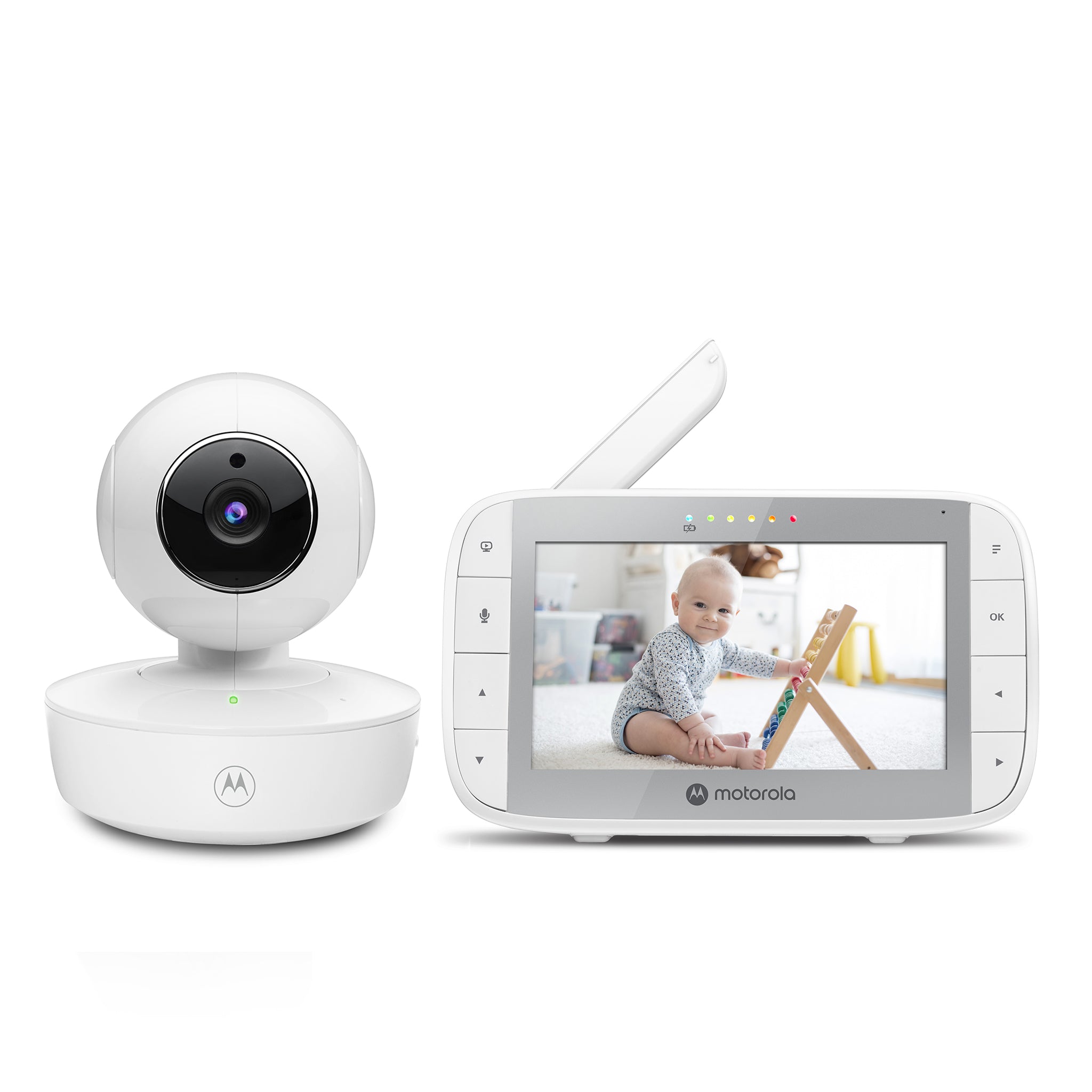
The Motorola VM36XL is a one-camera baby monitor for a household that wants a separate parent screen and remote camera movement without adding the camera to home Wi-Fi. Its exact U.S. shop record identifies SKU 810036771085, a parent unit and one camera; that listing showed sold out when checked on October 23, 2026. The shop and manual describe a direct 2.4 GHz FHSS link. “Portable” refers to the camera’s built-in battery as well as a rechargeable parent display: the camera can run away from mains power for up to three hours according to the manual, while its normal position still needs to be chosen and secured carefully. It does not create a phone feed or remote internet access.
The receiver has a five-inch color TFT at 480 × 272 pixels. Motorola’s product narrative calls the display “HD,” but its listed resolution is 480 × 272, so I would not treat this as a 720p monitor. The manual documents infrared night vision that turns the image black and white in darkness, and a camera speaker for parent talk-back.
Remote aiming changes the room plan
The motorized camera pans and tilts from the parent unit; the documented zoom is digital 2×. That matters if a camera has to be mounted in one safe position but you want to adjust which side of a room appears on screen. It is more flexible than the fixed VM34 camera, which must be aimed by hand. It is not a reason to put the camera within the child’s reach: Motorola’s guide says to keep the camera and cord more than three feet away and not place the unit in the crib. Plan the mounting point first, then test the remote controls and picture from the intended parent-unit location.
A one-camera VM36XL is a one-room operating plan. The parent receiver can pair up to four cameras, but the single-camera package does not become a two-room kit just because expansion slots exist. If you need two pictures at once from the beginning, the separately listed VM36XL-2 Twin Pack includes two cameras and the family manual supports split-screen. If you only want one picture and do not need remote pan/tilt, the smaller VM34 may be simpler; for a larger screen with fixed manual aiming, the PIP1500 is another local alternative.
Choose a view mode with the sound tradeoff in mind
With the standard VM36XL, the parent unit displays the one paired camera and plays its audio. The shared user guide allows additional camera slots, camera selection, automatic scanning and multi-camera split-screen when more than one camera is registered. Its scan mode switches between camera feeds about every 12 seconds. Split-screen can show more than one image, but the guide says only one camera’s audio is heard at a time: the parent selects a camera, and talk-back operates with that selection. Zoom is unavailable in split view. Pairing several cameras therefore does not mean continuous sound from every room.
The temperature sensor shows a room value on the parent display. The manual describes the reading turning red below 57°F or above 84°F, with more extreme readings shown as LL or HH; it does not make this a clinical instrument. The monitor also has a visual sound-level indicator, battery and out-of-range alerts, five lullabies or sounds, and a display-off option that leaves audio on. The displayed red temperature cue is not evidence of a user-set audible temperature alarm, and the manual does not establish motion detection or a cry-classification alert.
Battery figures are planning claims, not a guarantee of continuous video
The linked guide identifies a built-in 2,000 mAh parent battery for up to five hours of monitor operation and a built-in 1,200 mAh camera battery for up to three hours away from mains power. Those are useful manufacturer figures for short periods of moving between rooms or maintaining a link during a power interruption. The manual does not give a controlled screen-on runtime test condition, so the finder’s strict screen-on minimum remains unknown rather than treating “up to five hours” as a guaranteed all-night picture. A power-saving timer can shut off the display after five, 30 or 60 minutes on battery while leaving audio active; that is a different monitoring experience from continuous video.
Neither battery is user-accessible. The manual says to contact customer service if a battery needs replacement and recommends charging each unit for 16 hours before first use. Use the supplied adapters rather than substitutions, and do not use an extension cord. These instructions matter if portability is the selling point: the portable camera still has a finite backup window and charging routine.
What the range and questionnaire can—and cannot—prove
The shop page advertises up to 1,000 feet, but the family guide does not state a numeric open-space test protocol. It warns that walls, metal, nearby electrical equipment and other 2.4 GHz devices can reduce the link. Treat the number as a manufacturer maximum, not a promise for a multilevel home; test the connection at the intended parent-unit location before relying on it.
Choose video and a dedicated screen if a local camera picture is essential; the VM36XL meets that one-room use without Wi-Fi. A remote-pan-and-tilt requirement also fits the documented camera controls. A five-inch minimum fits the listed diagonal, but a requirement for 720p detail does not fit its 480 × 272 specification. For two visible rooms at once, require the exact two-camera VM36XL-2 rather than the single kit. A demand for two simultaneous audio feeds, phone viewing away from home, a confirmed motion alert, numeric open-space test distance or specified screen-on runtime should reject this model.
Follow the exact guide’s cord and placement instructions, and remember that a monitor is an aid to adult supervision, not a medical monitor or a substitute for checking on a child. Sources: Motorola Nursery VM36XL U.S. listing, VM36XL product support, and the VM36XL family user guide and U.S. quick-start guide.
Key details at a glance
| Parent-unit screen | 5 in |
|---|---|
| Published display resolution | 5-inch color TFT, 480 x 272 pixels per exact product specification; not documented as 720p |
| Camera-to-parent-unit connection | Direct local 2.4 GHz FHSS camera-to-parent link; exact spec says no Wi-Fi or app |
| Advertised maximum range claim | 1000 ft |
| Cameras in the reviewed kit | 1 |
| Maximum camera units supported | 4 |
| Video rooms visible at once | 1 |
| Phone viewing away from home | No |
| User-replaceable parent-unit battery | No |
| Supplied camera lens setup | Remote motorized pan/tilt from parent display; 2x digital zoom; zoom unavailable in split-screen |
| Recommended stable operation uses home Wi-Fi | No |
| Audio-only system | No |
| Parent talk-back | Yes |
| Room-temperature readout | Yes |
| Parent-unit batteries included | Yes |
| Preloaded lullaby count | 5 |
| Parent receivers included | 1 |
Use the exact model’s instructions for operating limits, supplied equipment and version differences.
Sources for this assessment

Check the room and the receiving setup.
Read the exact model's constraints, camera count and supervision limits before choosing a package.