
Your needs, this model
Does it fit your priorities?
Is one camera picture on a separate local screen enough, without Wi-Fi or an app?
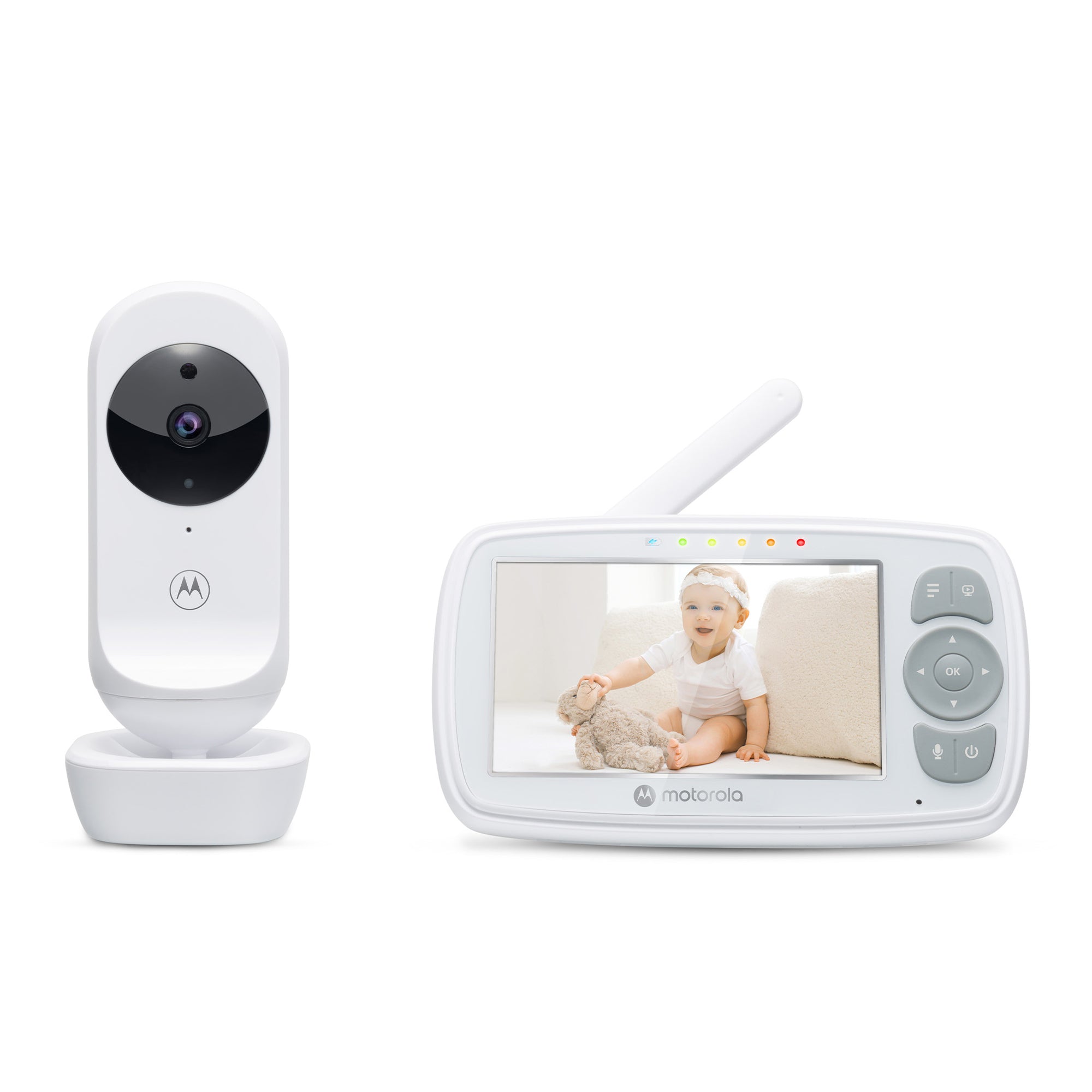
Yes. The exact VM34 kit has one included camera and one parent display linked locally over 2.4 GHz FHSS. It does not provide a documented phone feed.
Explore this need in the finder →Is remote pan and tilt essential, or is manual camera aiming enough?
The VM34 camera is aimed by hand, with 2x digital zoom from the parent unit. Leave camera movement unrestricted if that is acceptable; requiring remote pan and tilt rejects the VM34.
Explore this need in the finder →Does the display meet a four-inch minimum, and what if five inches is essential?
The U.S. listing specifies a 4.3-inch, 480 x 272 display. It meets a four-inch minimum but not a five-inch minimum.
Explore this need in the finder →A local 4.3-inch monitor for one nursery camera
The Motorola VM34 is a straightforward choice for a household that wants a separate screen and does not need to open a camera app on a phone. The reviewed U.S. package is the one-camera VM34, SKU 810036770972. It links the camera and parent display directly over 2.4 GHz FHSS; the manufacturer says no Wi-Fi or app is needed. That keeps the viewing path local to the supplied monitor, but it also means there is no away-from-home phone view. At the October 23, 2026 check, Motorola's exact product page showed the set as sold out. That dated status is not a promise about future stock.
The 4.3-inch color LCD is listed at 480 × 272 pixels. It is larger than the 2.8-inch class, but not a high-resolution panel by the standard of larger HD systems. The included camera is fixed in place and aimed by hand; you can use 2× digital zoom from the parent unit, but zoom is not remote pan or tilt. If you need to sweep the view around a room from the receiver, the VM34 does not meet that essential requirement.
Talk-back and room cues, without a promise of two-way conversation
The parent unit has two-way talk, a speaker, a room-temperature readout and sound-level LEDs. You can speak through the camera's speaker by holding the talk button. It is a useful way to offer a familiar voice from the next room, but it is not a full-duplex conversation; while you are transmitting, you are not hearing the selected camera in the ordinary listening mode. Five lullabies or soothing sounds are available through the camera. The exact guide lets the parent display select and play them at an adjustable level.
The camera's temperature value appears on the receiver; the manual says the reading changes red below 57°F or above 84°F, with LL or HH at more extreme temperatures. Treat that as a rough room cue, not a calibrated thermometer or health warning. The pages and manual do not establish a motion alert, an audible temperature alarm setting, or a validated cry-detection threshold. The sound-level indicator is a visual indication of received audio, not a substitute for listening or checking in person.
The battery is for moving around, not a verified all-night screen session
The parent unit has a built-in rechargeable lithium-ion battery, but Motorola's sources disagree about its capacity: the linked V5 user guide identifies 1,200 mAh, while the exact U.S. product page lists 2,000 mAh. I leave that discrepancy unresolved rather than choosing the larger number. The shop page says five hours of “playtime,” but the user guide does not define a screen-on test condition or promise five hours of continuous video. I therefore would not match this model to a required screen-on runtime. The screen can be turned off while audio remains active, and battery-saving options can switch the display off after five, 30 or 60 minutes; press a key to restore the picture. That is practical when walking around the home, but it changes the kind of supervision you receive.
Charge the parent unit for at least 16 hours before first use, as the guide advises. The battery is built in and the guide says to contact customer service if it needs replacement, rather than opening the receiver. The baby camera itself needs its supplied 5 V adapter and a reachable outlet. Plan its position before mounting, keep the camera and cord outside the crib and more than three feet from the child, and test the picture and sound where the parent will actually use the monitor.
Range depends on your house, not just the headline number
The product page advertises up to 1,000 feet, but the exact guide does not give a numeric line-of-sight test protocol or a guaranteed indoor distance. It warns that walls, metal objects and other 2.4 GHz devices can weaken or interfere with the radio link. Routers, Bluetooth devices and microwave ovens are specifically relevant to the band. A large floorplan or a monitor used across levels should be checked at the intended receiver position before you depend on it. This review leaves the strict open-space range field unknown; a marketing maximum cannot satisfy a question that asks for a documented numeric open-space result.
The same distinction applies to the battery claim. A shopper who only needs a portable parent screen for shorter checks may find the package's stated five-hour playtime useful as a rough planning note, but a hard minimum for documented screen-on runtime should rule it out. Unknown is not equivalent to enough.
Which answers make the VM34 a fit?
In a finder, choose a video picture and a dedicated screen if those are essential: the VM34 fits a one-camera, one-room arrangement without home Wi-Fi. A 4-inch minimum diagonal is compatible with its listed 4.3-inch display; a five-inch minimum is not. A second camera is not included in this reviewed package, even though the family guide supports pairing additional cameras up to camera slots 1 through 4. If you need two views in the box, choose the separately listed VM34-2 Twin Pack instead. That bundle can show multiple pictures but still does not establish simultaneous sound from two rooms.
Consider the Motorola PIP1500 if a larger five-inch local screen matters more, or the VTech VM4263 if documented remote pan and tilt is a priority. Those are different systems, so compare their exact packages rather than assuming one brand-family feature carries over. The VM34 makes most sense when a compact local display, simple talk-back and one nursery camera are enough. It remains an aid to adult supervision, not a medical monitor or a safe-sleep device.
Sources: Motorola VM34 U.S. listing, VM34 product support, VM34 User Guide V5, and U.S. Quick Start Guide V4.
Key details at a glance
| Parent-unit screen | 4.3 in |
|---|---|
| Published display resolution | 480 x 272 pixels in the exact U.S. shop specification; the family user guide states 4.3-inch diagonal but does not list display resolution |
| Camera-to-parent-unit connection | Direct local 2.4 GHz FHSS camera-to-parent connection; no Wi-Fi, app or remote phone viewing documented |
| Advertised maximum range claim | 1000 ft |
| Cameras in the reviewed kit | 1 |
| Maximum camera units supported | 4 |
| Video rooms visible at once | 1 |
| Phone viewing away from home | No |
| User-replaceable parent-unit battery | No |
| Supplied camera lens setup | Fixed camera direction adjusted by hand; 2x digital zoom at the parent display; remote pan and tilt not documented |
| Recommended stable operation uses home Wi-Fi | No |
| Audio-only system | No |
| Parent talk-back | Yes |
| Room-temperature readout | Yes |
| Parent-unit batteries included | Yes |
| Preloaded lullaby count | 5 |
| Parent receivers included | 1 |
Use the exact model’s instructions for operating limits, supplied equipment and version differences.
Sources for this assessment

Check the room and the receiving setup.
Read the exact model's constraints, camera count and supervision limits before choosing a package.