
Your needs, this model
Does it fit your priorities?
Is a one-room local screen with camera-direction adjustment enough?
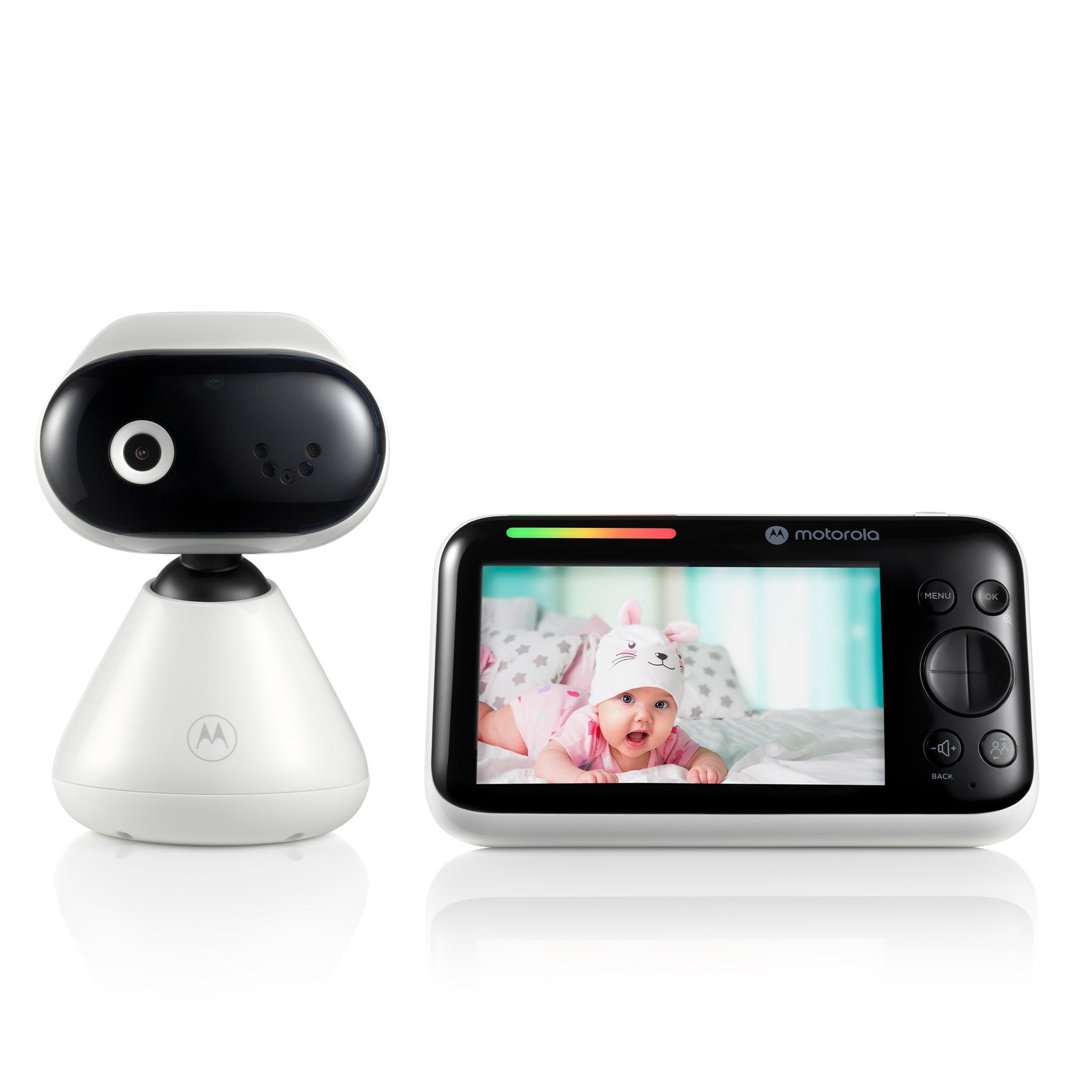
The exact box has one camera and a five-inch local parent unit. Its guide describes pan/tilt from the parent-unit controls; local video uses direct FHSS without router setup.
Explore this need in the finder →Would you use the separate phone app away from home for one camera?
Motorola describes an app route over home Wi-Fi; the family guide lists a compatible phone/tablet and at least 0.6 Mbps upload per camera.
Explore this need in the finder →Would a motion alarm on the dedicated receiver be essential?
The page lists app motion notifications, but the dedicated display’s sound-level bars are not a documented receiver-side motion alarm.
Explore this need in the finder →A dedicated screen plus an optional phone route
The Motorola PIP1500 CONNECT is a one-camera kit for a household that wants its own portable parent display and may also want to check in through a phone app. Those are two separate ways of viewing, not a promise that the app is required for ordinary use. Motorola’s U.S. store page identifies the exact single-camera SKU as 810036772594; its product record said unavailable and the page showed “Sold out” when checked on October 23, 2026. Keep the model in comparisons, but treat that stock status as a dated observation rather than a guarantee of future availability.
Do not confuse this with the non-connected PIP1500 (SKU 810036772556), which is a local-only package, or with the separate PIP1500-2 CONNECT Twin Pack (SKU 810036772853), which includes two cameras. Similar names do not mean the same box or the same feature path.
The local parent unit is the simpler one-room setup
For the dedicated monitor, the parent unit receives video over a direct 2.4 GHz FHSS radio link. The U.S. listing specifies a 5-inch color display at 480 × 272 pixels and advertises up to 1,000 feet. That number is a manufacturer maximum, not a measurement of coverage through a particular house. The manual cautions that walls, metal, reinforced concrete and nearby 2.4 GHz electronics can weaken or interrupt the signal. Put the camera in its intended position and check reception from where a caregiver will actually listen instead of treating a line-of-sight claim as an indoor guarantee.
The camera’s direction can be adjusted using the parent-unit controls; Motorola describes the camera movement as manual pan and tilt, and the receiver offers 1× or 2× zoom. That is useful when a carefully chosen camera position is not enough to frame the view. It is not automatic tracking. The baby unit must stay connected to its supplied power adapter, while the parent unit has an internal rechargeable battery. The user guide rates the parent battery for up to seven hours in ideal conditions, but does not give a continuous-screen runtime. Its screen-off timer can blank the display after five, 30 or 60 minutes while audio continues. Initial charging is specified as 16 hours, and the manual says to contact support rather than attempt battery replacement.
Mounting is a real setup decision: the package guide describes a wall bracket and screws, and the camera still needs AC power. Keep both the unit and its cord more than three feet from the crib and out of a child’s reach, as the manufacturer warns. Check the outlet and cord path before deciding where to mount it.
Remote app viewing adds Wi-Fi, internet and account setup
The camera can also join the household’s Wi-Fi for the Motorola Nursery app. The family guide calls for a compatible phone or tablet, a Wi-Fi connection, an app account and at least 0.6 Mbps of upload bandwidth per camera. It prints Android 7.0 and iOS 10.0 as minimums; those are the manual’s stated baselines, not a guarantee that a current app version still supports every device at those versions. The manual describes setup through a smartphone or tablet rather than a PC. Away-from-home viewing depends on the internet-connected camera path; the dedicated local screen is a separate route that does not need a router.
There is a manufacturer copy discrepancy worth keeping in view. The exact U.S. single-camera listing says the app camera can deliver up to HD 720p, while Motorola’s broader model page advertises up to HD 1080p. The manual identifies a 2-megapixel camera sensor but does not settle that app-stream claim. We would not choose this kit over another model on a supposed resolution advantage without clearer exact-version documentation. The five-inch receiver remains 480 × 272 either way.
Motorola lists app motion, sound and temperature notifications and “24-hour event monitoring and streaming.” The reviewed materials do not establish notification thresholds or how long any recording is retained, so that wording should not be read as a 24-hour stored archive. On the parent unit, the colored sound-level bars are visual indicators; a receiver-side motion alarm is not documented. The room-temperature sensor can help show a reading, but it is not a calibrated or medical instrument. During parent-unit talk-back, the manual says you cannot hear the nursery until you release the talk button.
What changes when the questionnaire answers change
Choose video and a dedicated screen if the main routine is local, one-room checking without router setup. Choose phone access only if you are willing to connect the camera to Wi-Fi and use the app. The PIP1500 CONNECT has one included camera, so a requirement for two pictures at once does not fit this exact kit—even though the family manual explains adding cameras and the receiver can register positions numbered one through four. Those extra positions are not extra cameras in the box. The separately sold CONNECT camera is an add-on, not a stand-alone monitor; the Twin Pack is the documented two-camera route for a split view.
This model may suit someone who values a dedicated display, directional camera adjustment and an optional app more than a higher-resolution receiver or a verified screen-on battery estimate. Consider the PIP1500-2 CONNECT Twin Pack if two room pictures should appear together, and the PIP1510 CONNECT if you are comparing a different earlier camera-control package; each exact U.S. kit has its own review and limits. If a receiver motion alarm, a strict open-space range test, a defined seven-hour screen-on runtime or two simultaneous room-audio feeds is essential, the PIP1500 CONNECT evidence does not confirm that need. A baby monitor is an aid to supervision, not a replacement for adult care or safe-sleep practice.
Key details at a glance
| Parent-unit screen | 5 in |
|---|---|
| Published display resolution | 5-inch color receiver, 480 × 272 pixels. App resolution is a distinct manufacturer claim and the exact single-camera U.S. page (720p) conflicts with the broader model page (1080p). |
| Camera-to-parent-unit connection | Two separate routes: direct local 2.4 GHz FHSS to the parent unit, or a camera joined to home Wi-Fi for Motorola Nursery app viewing. Local screen use does not require Wi-Fi; remote app viewing needs Wi-Fi and internet. |
| Advertised maximum range claim | 1000 ft |
| Cameras in the reviewed kit | 1 |
| Maximum camera units supported | 4 |
| Video rooms visible at once | 1 |
| Phone viewing away from home | Yes |
| User-replaceable parent-unit battery | No |
| Supplied camera lens setup | One directional camera with parent-unit pan/tilt controls, 1×/2× receiver zoom and infrared night vision; no automatic tracking claim. |
| Recommended stable operation uses home Wi-Fi | Yes |
| Audio-only system | No |
| Parent talk-back | Yes |
| Room-temperature readout | Yes |
| Parent-unit batteries included | Yes |
| Preloaded lullaby count | 10 |
| Parent receivers included | 1 |
Use the exact model’s instructions for operating limits, supplied equipment and version differences.
Sources for this assessment
- Motorola Nursery exact U.S. product listing
- Motorola Nursery exact Shopify product record
- Motorola Nursery exact model support page
- Motorola Nursery exact U.S. store product image
- CPSC SaferProducts exact model-name recall query
- Motorola PIP1500 CONNECT family User Guide V1, English
- Motorola PIP1500 CONNECT family North American Quick Start Guide V5
- Motorola Nursery PIP1500 CONNECT manufacturer model page

Check the room and the receiving setup.
Read the exact model's constraints, camera count and supervision limits before choosing a package.