
Your needs, this model
Does it fit your priorities?
Is a direct audio-only connection enough if you do not need a camera picture or phone app?
Yes. The AM21 sends one nursery sound feed to a local DECT parent receiver without Wi-Fi or an app. It cannot meet a need for live video.
Explore this need in the finder →Would the simpler AM21 still suit you if parent talk-back is not essential?
Yes, if listening is enough. The AM21 guide documents volume control but not talk-back; requiring talk-back rejects it and favors an exact model such as the PIP11.
Explore this need in the finder →Does the AM21 meet a combined need for audio-only listening and parent-unit talk-back?
No. The AM21 remains a one-way sound receiver; its exact guide does not document parent-to-baby talk-back, so it fails an essential talk-back requirement.
Explore this need in the finder →A simple sound link, with no picture or phone connection
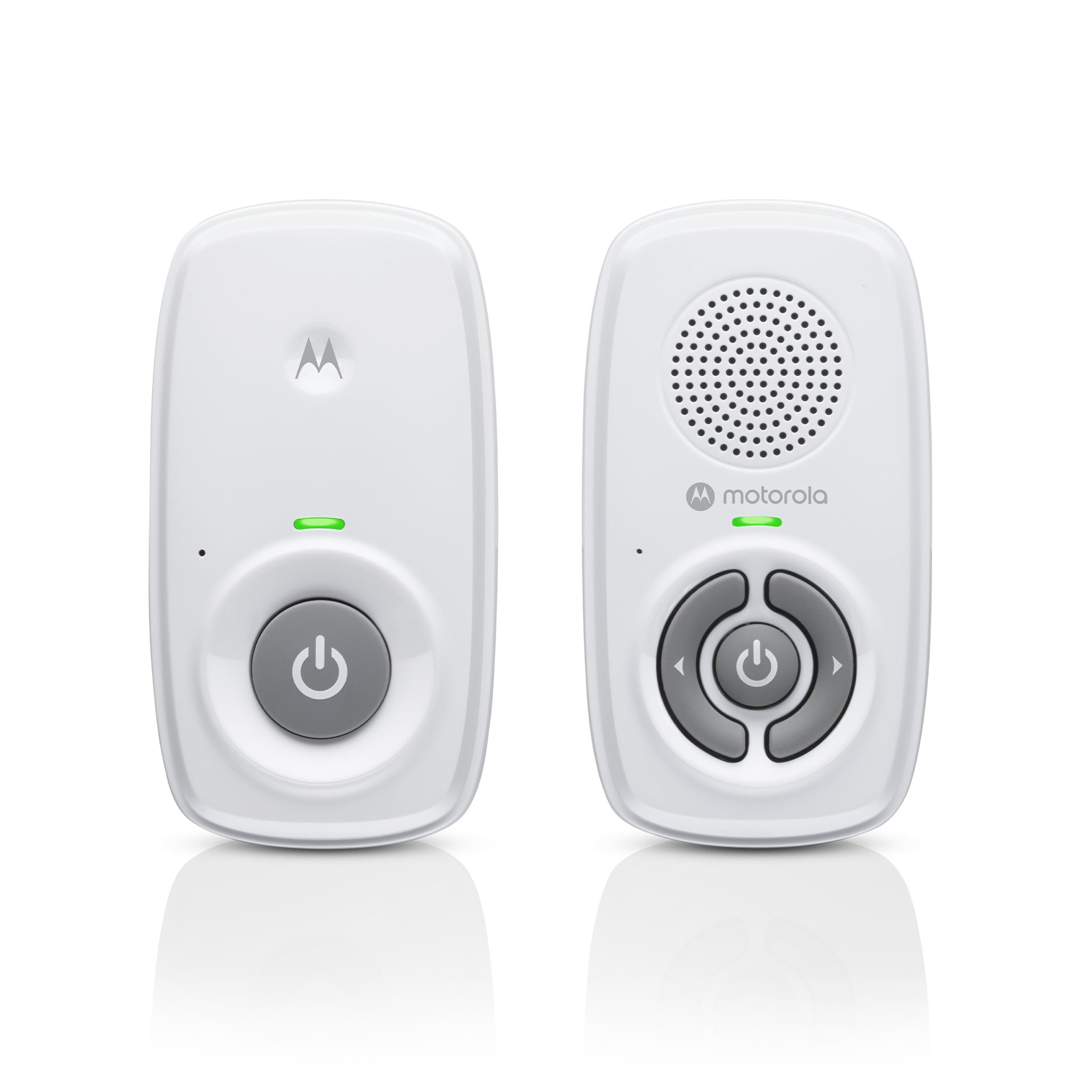
The Motorola AM21 is for a household that wants to hear one nursery from a separate parent receiver and does not need a camera view. It uses a local DECT connection rather than home Wi-Fi, an app, or a phone feed. This keeps setup focused on plugging in the two units, powering them on, and checking the link. The tradeoff is just as clear: if you want to glance at the crib or check from outside the home, choose a video or app-connected system instead.
Motorola's U.S. listing identifies the AM21 and its support page identifies Ref 810036771252. The current U.S. kit listing presents one baby unit and one parent unit. The exact user guide also covers AM21-2 and says dual-parent-unit packs include an additional receiver, but the current AM21 listing does not establish a separate AM21-2 retail kit. Do not assume that buying a second parent receiver creates a second nursery feed.
Keep listening without adding a camera or app
The parent receiver gives you a volume control and an indicator for the local link. The AM21 guide describes five speaker-volume levels plus off, and explains that a flashing power/link light means the units are not linked. Its troubleshooting steps say the parent can beep when the link is lost or the parent batteries are low; check that both units are powered and bring them closer, while keeping them at least one metre apart. The U.S. shop page also describes sound-activated lights that respond when the volume is turned down. That can be useful when you want less sound from the speaker, but the guide does not treat those lights as a recording, movement detector, or substitute for hearing and checking the room.
There is no parent screen. The manual's diagram labels a temperature sensor on the baby unit, but the AM21 listing and guide do not document a temperature reading for the parent. It therefore should not be chosen to meet a room-temperature display requirement. For talk-back, a parent-unit temperature readout, lullabies, or a night light, the Motorola PIP11 is the more capable audio-only sibling. The PIP10 also stays audio-only but its guide documents a muted-speaker alert and rechargeable AAA compatibility in a different package; compare the exact details rather than assuming all Motorola audio models share features.
Plan power around outlets and ordinary AAA cells
The baby unit uses its supplied 6 V, 400 mA adapter and should remain connected to mains power. The parent unit also has an adapter; the guide says it can instead use two AAA alkaline batteries, which are not included, when you carry it away from an outlet. The AM21 guide does not give a battery runtime or describe charging rechargeable cells inside the receiver. Do not mistake a generic product-specification phrase such as “rechargeable parent unit” for a built-in charging battery: the exact guide describes replaceable AAA cells and an adapter, not a charging cradle.
That distinction matters if you expect to walk around the house with the receiver. Budget for suitable batteries or keep the receiver near an outlet; the manufacturer does not specify how many hours the AM21 will last on batteries. The manuals also warn against placing either cord within a child's reach, and require keeping the baby unit and its cable out of the cot. Use the supplied adapter rather than an extension lead, and test the actual arrangement before relying on it.
Use the range claim as a starting point, not a floor-plan promise
Motorola advertises up to 1,000 feet, but the AM21 user guide does not describe a test protocol or promise that distance through walls. It warns that range changes with the surroundings and that metal objects, reinforced concrete, walls, nearby electronics, or dimmer switches can reduce the link. Treat the number as a manufacturer maximum claim, not a room-by-room guarantee. Before using the monitor as part of a routine, check reception from the places where you will actually carry the parent unit.
If your must-have is a specific verified open-space distance or a guaranteed battery runtime, this documentation does not establish those figures for the AM21. If sound alone is sufficient and you prefer a low-complexity local link, the AM21 is the least elaborate choice among the Motorola AM21, PIP10, and PIP11. The PIP10 adds a more explicitly described muted-speaker alert and accepts rechargeable NiMH AAA cells, while the PIP11 adds talk-back and a temperature display plus soothing controls. If a picture is essential, compare local-screen systems such as the VTech VM819 or VM4263 rather than trying to stretch an audio-only monitor into a video role.
Who should choose the AM21
The AM21 suits someone who wants a separate receiver, a direct no-Wi-Fi audio feed, adjustable speaker volume, and no camera to position. It is less suitable if you need a picture, remote phone access, parent-unit temperature display, talk-back, documented battery hours, or simultaneous sound from two rooms. Its parent receiver does not show an image, and its nursery unit needs mains power.
Keep the units at least one metre apart to avoid feedback, place the baby unit on a stable surface or secure it with the guide's mounting instructions, and keep every cord more than one metre from a child. Motorola describes this monitor as an aid, not a substitute for responsible adult supervision.
Read the Motorola U.S. AM21 product listing, the AM21 support page and Ref 810036771252, and the English AM21 User Guide V7 before setup or purchase.
Key details at a glance
| Camera-to-parent-unit connection | Local DECT audio radio; no Wi-Fi, app, phone feed or camera picture in the reviewed package |
|---|---|
| Advertised maximum range claim | 1000 ft |
| Cameras in the reviewed kit | 0 |
| Maximum camera units supported | 0 |
| Video rooms visible at once | 0 |
| Phone viewing away from home | No |
| User-replaceable parent-unit battery | Yes |
| Recommended stable operation uses home Wi-Fi | No |
| Motion alert | No |
| Audio-only system | Yes |
| Parent talk-back | No |
| Room-temperature readout | No |
| Parent-unit batteries included | No |
| Parent receivers included | 1 |
Use the exact model’s instructions for operating limits, supplied equipment and version differences.
Sources for this assessment
- Motorola Nursery U.S. AM21 Audio Baby Monitor listing
- Motorola Nursery AM21 Product Support, Ref 810036771252
- Motorola AM21 User Guide English V7
- Motorola AM21 Quick Start Guide EN/ES/FR U.S. V3
- Motorola Nursery AM21 U.S. shop product image
- Motorola Nursery U.S. Audio Baby Monitors collection
- CPSC exact-name search response for Motorola AM21

Check the room and the receiving setup.
Read the exact model's constraints, camera count and supervision limits before choosing a package.